November 14, 2026
Roblox Compatible Colored Text Converter: How It Works and How to Use It
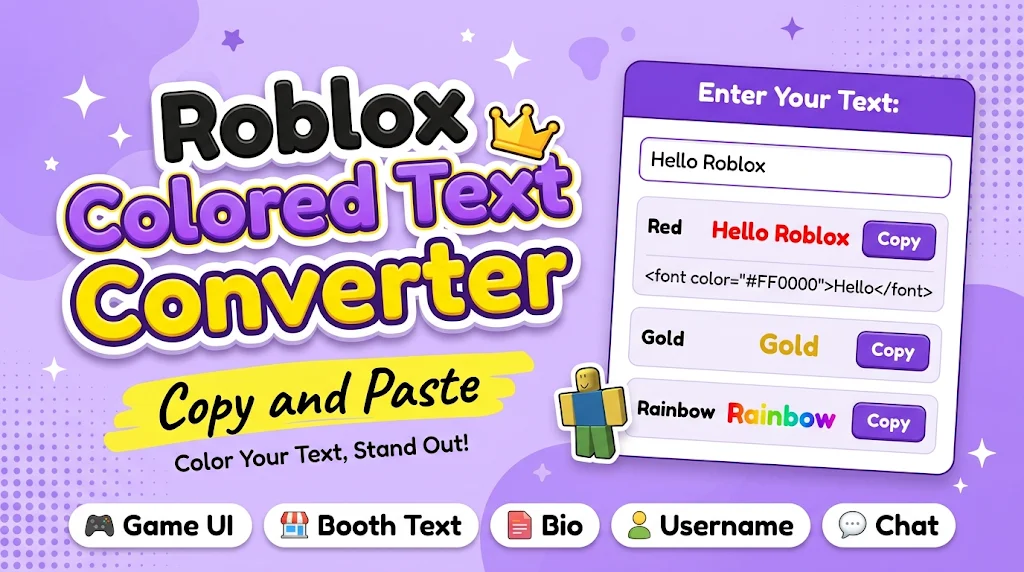
A Roblox compatible colored text converter is a tool that turns plain text into Roblox-ready formatting, usually by wrapping your words in RichText tags like <font color="#FF0000">Hello</font>, so the text shows up in color inside Roblox TextLabels, booth descriptions, and game UI. Roblox’s regular chat box doesn’t render colored text typed by players. Colored text works only where RichText is enabled, such as game GUIs and donation booth text in games like Pls Donate. Where RichText isn’t available, converters offer Unicode “fancy” fonts as an alternative, which add style but not real color.
How Roblox Colored Text Actually Works
Roblox supports a small set of markup tags in any text object with RichText turned on. The most important is the font tag, which accepts a hex code or an RGB value. The converter’s job is to build that tag for you so you don’t have to write it by hand or look up color codes.
Most converters work the same way. You type your text, pick a color (or several), and the tool outputs a code snippet. You copy it and paste it where the game accepts formatted text. Better tools also add bold, italic, underline, and strikethrough tags, and some color each letter separately to fake a rainbow or gradient look, since Roblox has no built-in gradient for text.
Examples You Can Copy
Here are the tag patterns a good converter produces:
- Red text:
<font color="#FF0000">Welcome</font> - Green text using RGB:
<font color="rgb(0,255,0)">Thanks for donating!</font> - Bold gold text:
<b><font color="#FFD700">VIP Booth</font></b> - Two-tone text:
<font color="#00BFFF">Blue</font><font color="#FF69B4">Pink</font> - Faux rainbow, letter by letter:
<font color="#FF0000">R</font><font color="#FF7F00">a</font><font color="#FFFF00">i</font><font color="#00FF00">n</font><font color="#0000FF">b</font><font color="#8B00FF">ow</font>
If you’re a developer, you can paste these strings straight into a TextLabel’s Text property after enabling RichText, or set the property from a script. Roblox documents the full tag list in its official RichText guide, which is worth bookmarking if you want to go beyond color.
Colored Text vs. Fancy Fonts
People often mix up two different things here. Colored text uses real formatting tags and only works where Roblox allows them. Fancy text uses special Unicode characters (𝓛𝓲𝓴𝓮 𝓽𝓱𝓲𝓼) that can be pasted almost anywhere, including chat, usernames, and bios, but they stay one color and some characters may show up as empty boxes on certain devices.
If you want stylish text for social profiles or captions as well, an Instagram font generator uses the same Unicode idea, so those styles often paste into Roblox fields that accept regular characters. Always test a style in a private spot first, because Roblox filters some symbols and a few won’t display correctly on mobile.
Tips for Better Results
Keep contrast in mind. Light yellow on a white or bright background is hard to read, and a dark outline or background behind your text helps. Don’t color every word, since two or three accents look cleaner than a rainbow paragraph. Make sure every opening tag has a closing tag, because a missing </font> is the most common reason formatted text shows up as raw code. Also check character limits: tags count toward the limit, so a letter-by-letter rainbow can use up a booth description quickly.
Finally, stay within Roblox’s rules. Colored or styled text must follow the Community Standards, and using formatting tricks to get around the chat filter can get your account moderated.
Final Thoughts
A Roblox compatible colored text converter saves time by writing the tags for you, and the key is knowing where RichText works and where only Unicode styles will. Use real color tags for UI and booths, use fancy fonts for places that accept plain characters, and preview before you publish.