November 11, 2026
How to Use an IG Font Generator for Stylish Instagram Fonts
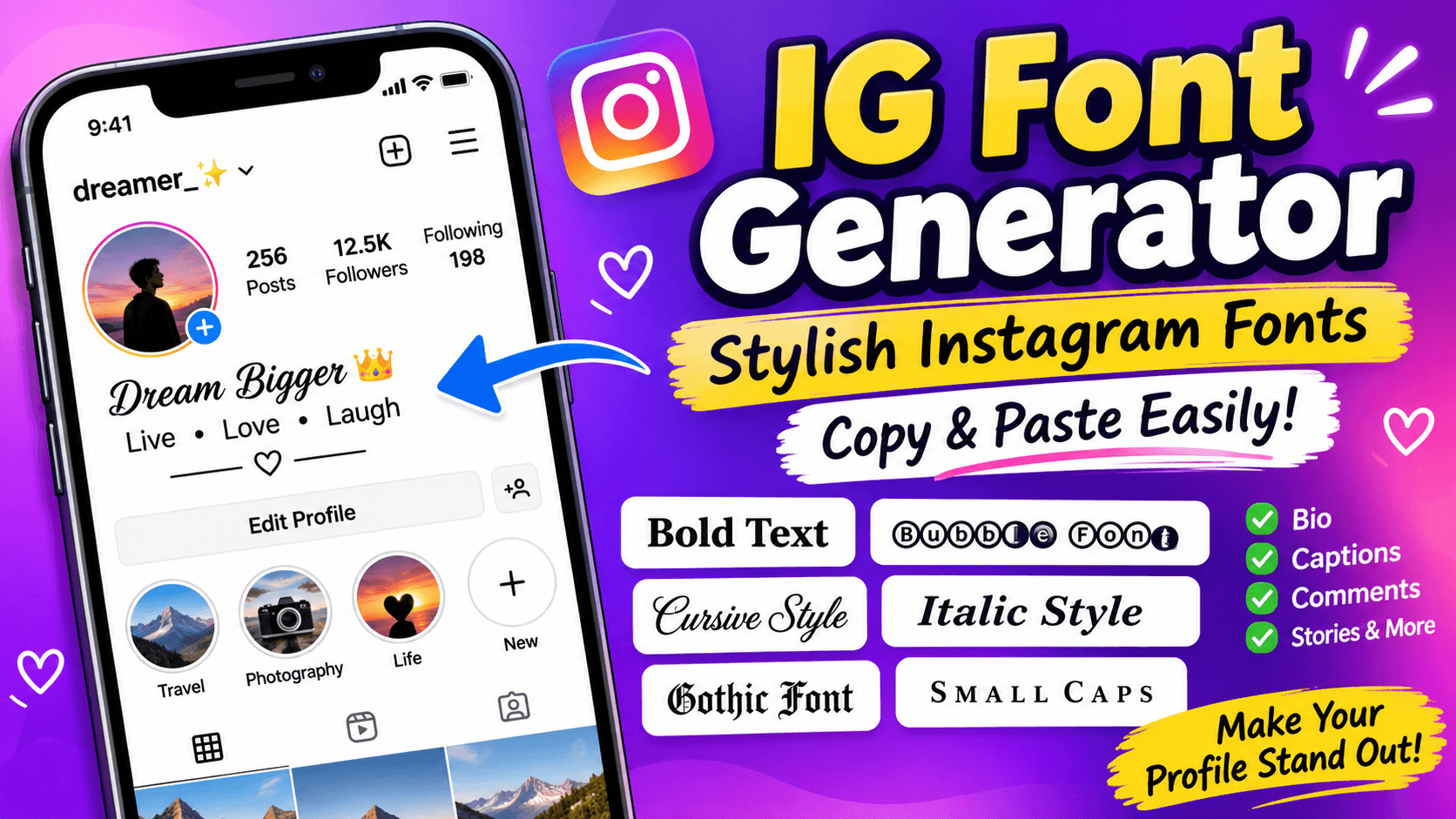
An IG font generator is a free online tool that converts ordinary text into stylish letters that you can copy and paste into your Instagram bio, display name, captions, comments, and other social media profiles. You can create bold, cursive, italic, bubble, Gothic, small caps, and aesthetic text styles without installing an application. Simply enter your text, choose your favorite style, copy the result, and paste it into Instagram.
Instagram does not provide a built-in font changer for regular profile bios and captions. These generators use special Unicode characters that look like different fonts, making it easier to customize your profile and give your text a unique appearance.
How Does an IG Font Generator Work?
An Instagram font generator changes standard letters into alternative Unicode characters. For example, you can transform ordinary text like "My Instagram Profile" into different styles:
Font StyleExample
Bold
𝐌𝐲 𝐈𝐧𝐬𝐭𝐚𝐠𝐫𝐚𝐦
Italic
𝑀𝑦 𝐼𝑛𝑠𝑡𝑎𝑔𝑟𝑎𝑚
Cursive
𝓜𝔂 𝓘𝓷𝓼𝓽𝓪𝓰𝓻𝓪𝓶
Gothic
𝔐𝔶 ℑ𝔫𝔰𝔱𝔞𝔤𝔯𝔞𝔪
Bubble
Ⓜⓨ Ⓘⓝⓢⓣⓐⓖⓡⓐⓜ
Small Caps
ᴍʏ ɪɴꜱᴛᴀɢʀᴀᴍ
Double Struck
𝕄𝕪 𝕀𝕟𝕤𝕥𝕒𝕘𝕣𝕒𝕞
These are not traditional font files. They are special text characters that already have different appearances. You can learn more about how this character system works through the Unicode Consortium's official FAQ.
How to Use an Instagram Font Generator
Using an IG font generator takes only a few seconds. Follow these steps:
- Open an online Instagram font generator.
- Enter your name, bio, caption, or any other text in the input box.
- Browse the generated font styles.
- Select the style that matches your preferences.
- Click the Copy button next to your selected style.
- Open Instagram and navigate to the profile, caption, or comment field.
- Paste your copied text and save your changes.
You do not need to install additional software or download a font file. Most generators work directly in your mobile or desktop browser.
Popular Instagram Font Styles You Can Try
Different Instagram accounts use different typography styles depending on their content and personality. Here are some popular options:
1. Cursive and Calligraphy Fonts
Cursive fonts give your profile a handwritten appearance. They are especially suitable for aesthetic bios, romantic quotes, lifestyle pages, and personal accounts.
2. Bold and Italic Fonts
Bold letters help highlight important words, while italic styles create a simple but attractive appearance. These are useful for professional bios, announcements, and captions.
3. Gothic and Old English Fonts
Gothic lettering gives text a dark, vintage appearance. Gaming accounts, attitude profiles, and music-related pages often use these styles.
4. Bubble and Circle Fonts
Bubble fonts place letters inside circular shapes. They are useful for cute bios, creative usernames, short captions, and decorative text.
5. Small Caps and Minimal Fonts
Small caps provide a clean appearance without making the text overly decorative. They work well for professional profiles, photography accounts, and business pages.
6. Aesthetic and Symbol Fonts
You can combine stylish letters with stars, hearts, arrows, and other symbols to create a personalized Instagram bio.
Best IG Fonts for Different Instagram Accounts
Choosing a font should depend on the type of account you manage. A gaming profile may look better with Gothic lettering, while a business account needs something simple and professional.
Here are some examples:
Instagram Account TypeRecommended Font
Boys' personal accounts
Bold, Gothic, Small Caps
Girls' personal accounts
Cursive, Bubble, Script
Business accounts
Bold, Clean, Minimal
Photography accounts
Elegant, Italic, Small Caps
Gaming accounts
Gothic, Square, Bold
Couple accounts
Cursive, Heart Symbols
Fashion accounts
Luxury Script, Serif
Motivational pages
Bold, Italic
You can also experiment with different styles before updating your profile.
Popular Instagram Bio and Account Style Searches
Many people looking for an IG font generator are also interested in improving their Instagram account appearance. The following are useful profile ideas and related searches to explore.
Instagram Bio for Boys
Boys often prefer bold, attitude-based, gaming, and minimal styles. Here are a few examples:
- 𝐍𝐞𝐯𝐞𝐫 𝐆𝐢𝐯𝐞 𝐔𝐩
- 𝙎𝙞𝙢𝙥𝙡𝙚 𝘽𝙪𝙩 𝙐𝙣𝙞𝙦𝙪𝙚
- ᴅʀᴇᴀᴍ ʙɪɢ ᴡᴏʀᴋ ʜᴀʀᴅ
Instagram Bio for Girls
Cursive, cute, and aesthetic fonts are popular choices for creative personal profiles.
- 𝓛𝓲𝓿𝓮 𝓛𝓸𝓿𝓮 𝓛𝓪𝓾𝓰𝓱
- ♡ 𝓢𝓶𝓲𝓵𝓮 𝓜𝓸𝓻𝓮 ♡
- ✨ 𝒟𝓇𝑒𝒶𝓂 𝒞𝒽𝒶𝓈𝑒𝓇 ✨
Other Popular Instagram Profile Ideas
You can also use stylish fonts for:
- Aesthetic Instagram usernames and display names.
- VIP and attitude Instagram bios.
- Love and couple profile descriptions.
- Professional creator and influencer accounts.
- Photography and travel account bios.
- Business and online shopping profiles.
- Gaming and fan-page descriptions.
These ideas help users create a consistent profile style without making every section look the same.
Where Can You Use IG Font Generator Text?
Stylish Unicode text can be used in several Instagram sections.
Instagram Bio: Customize your profile description with bold, cursive, or aesthetic text.
Display Name: Give your profile name a different visual appearance using decorative letters.
Captions: Highlight important words, short quotes, and announcements in your posts.
Comments: Use special characters to make short comments look different.
Stories and Reels: Add copied text where the Instagram text editor allows it. Instagram also has its own built-in Story font options.
Instagram Highlights: Use stylish text and symbols when creating highlight titles and profile labels.
Remember that Instagram usernames (@handles) have different character restrictions. Decorative Unicode letters generally cannot be used in place of the standard letters, numbers, periods, and underscores allowed in handles.
Do Instagram Fonts Work on iPhone and Android?
Most common Unicode styles work on modern iPhones and Android phones. You can generate text on one device, copy it, and paste it into Instagram on another device.
However, not every device supports every Unicode character. Some older phones, browsers, or applications may display unsupported characters as empty squares or unusual symbols.
If your copied text does not appear correctly, try another font style with simpler characters.
Important Things to Know Before Using Fancy Instagram Fonts
Stylish text can improve the appearance of a profile, but using too many decorative characters can create problems.
- Keep your bio readable: Avoid converting every word into complicated lettering.
- Use regular text for important information: Your profession, business name, and main keywords should remain easy to understand.
- Check mobile compatibility: Preview your text on your phone before saving it.
- Avoid excessive symbols: Too many decorative characters can make your profile look cluttered.
- Consider accessibility: Screen readers may pronounce decorative Unicode characters differently or struggle to interpret them.
- Remember search visibility: Fancy Unicode letters are different characters from standard letters, so a stylized name may not match searches for its ordinary spelling.
A useful approach is to combine one decorative font with regular text. This gives your profile a distinctive appearance while keeping important information clear.
Frequently Asked Questions
What is the best IG font generator?
The best generator is one that offers different styles, instant previews, simple copy buttons, and good mobile compatibility. Meta Tags, IGFonts.io, and PiliApp are examples of online tools you can explore.
Are Instagram fonts free?
Yes. Most online Instagram font generators are free to use. You can enter text, explore available styles, and copy the generated results without purchasing a font.
Can I change my Instagram bio font?
Yes. You can paste Unicode-styled text into your Instagram bio using an online font generator. Instagram does not provide a separate font-changing option for regular bios.
Can I use fancy fonts in my Instagram username?
Generally, no. Instagram usernames have specific character restrictions. You can use decorative text in your display name and bio instead.
Do Instagram fonts work on WhatsApp and TikTok?
Yes. Most Unicode text styles can also be copied into WhatsApp, TikTok, Facebook, and other applications that support those characters.
Do I need to download an Instagram font generator?
No. Most generators work directly through a web browser. You only need an internet connection and a device that supports the characters you want to use.
Why are my Instagram fonts showing as boxes?
This usually happens when a device or application does not support a particular Unicode character. Try selecting a simpler font style that is more widely supported.
Final Thoughts
An IG font generator is a simple way to make Instagram profiles, bios, captions, and comments more creative. Whether you prefer cursive, bold, Gothic, bubble, or minimal lettering, you can generate different styles and copy them directly into your account.
The key is to choose a font that matches your personality or brand while keeping your text readable. Experiment with different styles, use decorative characters where they add value, and keep important profile information in standard text.