November 4, 2026
Name Style: The Complete Guide to Making Your Name Stand Out Online
Scroll through any Instagram bio, Discord server or gaming lobby and you’ll notice the same thing: some names simply look better than others. 𝓛𝓲𝓴𝓮 𝓽𝓱𝓲𝓼. Or ᴛʜɪꜱ. Or even 🅣🅗🅘🅢. That visual personality is what people mean when they search for a name style.
If you’ve ever wondered how people get those fancy letters, whether they’re safe to use, and how to pick one that suits you, this guide covers it in plain language.
What Is a Name Style?
A name style is a way of changing how your name looks without changing what it says. “Sara” stays “Sara”, but it can appear in script, bold, bubble, gothic or small-cap lettering.
The word “style” can mean a few different things depending on where you meet it. In payroll or HR software, it’s a rule for how names are formatted and sorted (given name first or family name first). In design, it’s the typography of your name. And online, it’s most often the decorative text people paste into usernames and bios.
This guide is about that last meaning: the name style you choose for your online identity.
How Do Stylish Names Actually Work?
Here’s the part most people don’t realize: those fancy names aren’t really fonts. They’re Unicode characters.
Unicode is the universal standard that lets phones, browsers and apps display text from almost any writing system. Along with ordinary letters, it contains mathematical alphabets, enclosed letters, full-width characters and small capitals. Name style generators swap each letter you type for a lookalike from one of these sets.
Because they’re real characters rather than images or installed fonts, you can copy and paste them into most places. If you want to understand the standard behind this, the Unicode Consortium publishes it openly.
Popular Name Style Categories
You’ll find hundreds of options, but nearly all fall into a handful of families.
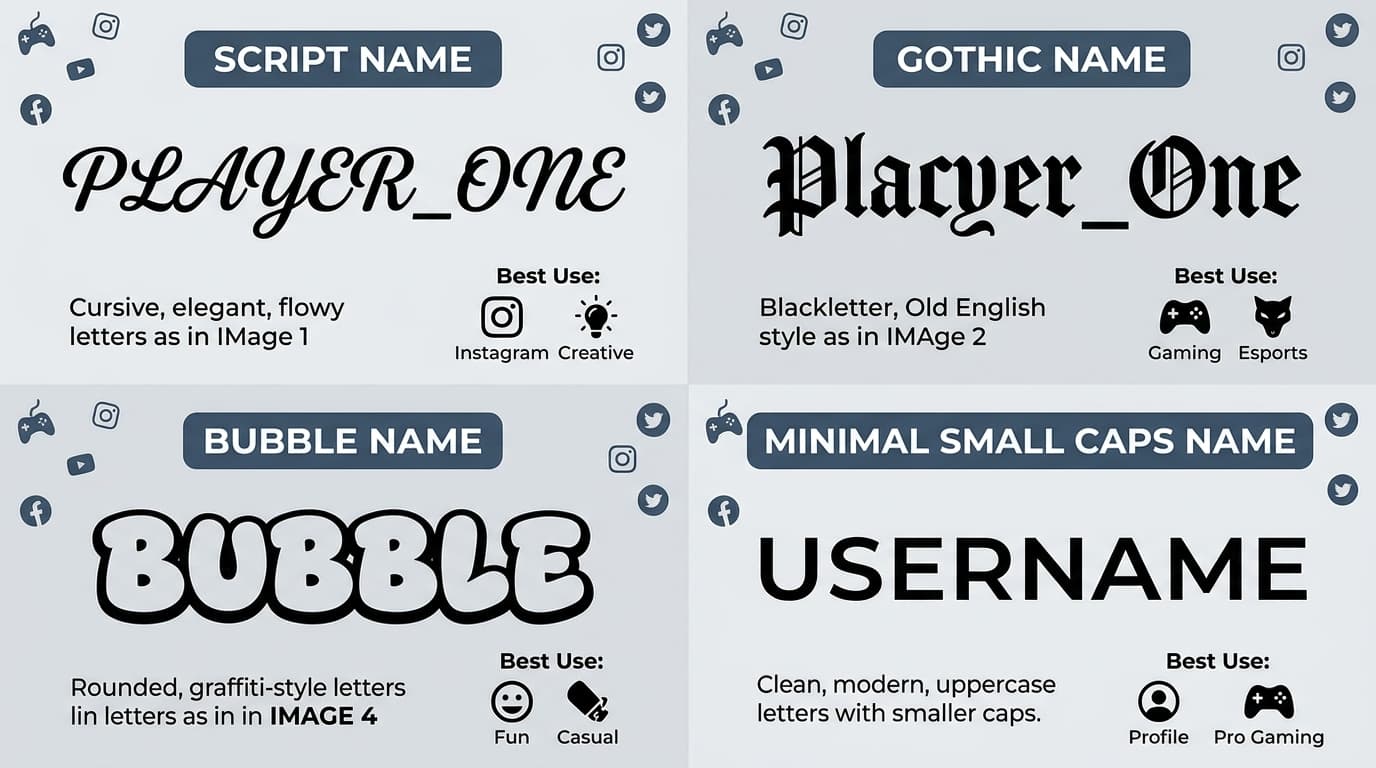
Cursive and script. Flowing, elegant and personal. Popular for Instagram bios, wedding-related accounts and anything aesthetic.
Bold and gothic. Heavy, dramatic letters. Common among gamers and meme pages who want a strong, slightly edgy look.
Bubble and circled. Rounded, playful and friendly. Good for casual profiles and creative accounts.
Small caps and minimal. Clean and quiet. These suit people who want something polished without shouting.
Decorated styles. These add symbols, stars, wings or brackets around the name. They’re very popular in mobile game lobbies.
If you’re curious about the design side of lettering, it helps to know the basics of typography. Our guide on what is a serif font explains why some letterforms feel traditional and trustworthy while others feel modern, which is useful when choosing a name style that matches your personality.
Where You Can Use a Stylish Name Style
Stylish names work best in places that accept free-form text:
- Instagram, Facebook and X (Twitter) display names and bios
- Gaming profiles, such as BGMI, Free Fire and Fortnite (many allow special characters, though some games filter them)
- Discord and Telegram profile names
- WhatsApp status and “about” sections
- YouTube channel descriptions and comments
- Gamertags and squad or clan names
Rules vary from platform to platform. Some login usernames only allow plain letters and numbers, so the fancy version often works for your display name but not your account handle.
How to Choose the Right Name Style
Picking a name style isn’t just about what looks coolest. A few honest questions will help.
1. Who is it for? A freelancer’s LinkedIn headline needs a different look than a gaming clan tag. Professional audiences generally respond better to restrained styles, or to plain text.
2. Is it readable? If you have to squint to read your own name, so will everyone else. Ornate scripts can turn into a blur at small sizes.
3. Does it match your brand? If you’re building a presence for the long term, stay consistent. Using the same name style across platforms makes you easier to recognize.
4. Will it show up correctly? Always test it on both phone and desktop. Some older devices show empty boxes in place of rarer characters.
How to Create and Use Your Name Style: Step by Step
- Open a font or stylish text generator in your browser or app.
- Type your name exactly as you want it to appear.
- Scroll through the generated styles and pick one you like.
- Tap or click “copy”.
- Paste it into your profile’s name field or bio.
- Check how it looks on a second device before you’re done.
The whole thing takes under a minute, and most tools are free with no sign-up.
Common Mistakes to Avoid
Overdoing the decoration. A name wrapped in ten symbols looks cluttered and can feel spammy.
Ignoring accessibility. This is the big one most guides skip. Screen readers often read these Unicode letters aloud as strange descriptions like “mathematical bold script capital A”, or skip them entirely. If accessibility matters for your audience, keep your key information (such as your real name or business name) in plain text.
Hurting searchability. Search engines and in-app search generally treat fancy characters differently from normal letters. If people need to find you by typing your name, a styled name can make you harder to find. Keep your username plain and style only the display name.
Using it everywhere. Emails, job applications and official documents should always use standard text.
Pros and Cons of Using a Stylized Name
The upside: instant personality, better visual recall, and a quick way to stand out in crowded comment sections or lobbies.
The downside: reduced readability for some people, potential search and accessibility issues, and the risk that your chosen characters get blocked or garbled on certain apps.
The sweet spot for most people is simple: one tasteful name style, used on your display name, with a plain-text username behind it.
Frequently Asked Questions About Name Style
Is a name style the same as a font?
Not exactly. A font is a file installed on your device. A stylish name uses Unicode characters that already exist everywhere, which is why you can paste it into places that don’t let you pick fonts.
Are stylish names free?
Yes, most online generators cost nothing. Some mobile apps charge for extras or remove ads for a fee.
Will my name style work on every app?
Usually, but not always. Some platforms filter special characters, and older devices may show boxes instead of letters.
Can I use a name style for my username?
Often only for the display name. Usernames or handles are commonly limited to letters, numbers and a few symbols.
Is it safe to use these generators?
The text itself is harmless. As with any website, avoid ones that ask for personal information or push suspicious downloads.
Final Thoughts
A good name style is a small detail that does a lot of work. It tells people something about you before they read a single word of your bio. Keep it readable, match it to your audience, test it across devices, and don’t let decoration replace substance.
Start simple, try two or three styles, and keep the one that feels like you. Your name is the first thing people see, so it deserves a little attention.