
October 17, 2026
Word Counter Online: Essential Writing Analytics, Reading Time & SEO Limits
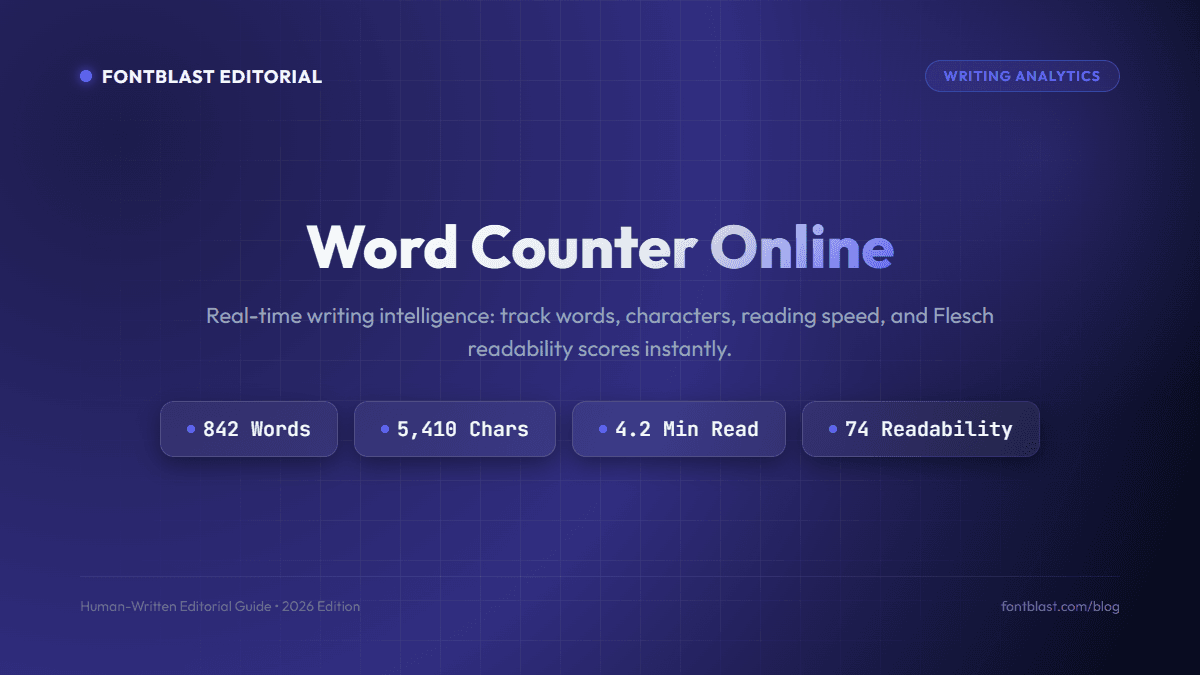
Whether you are drafting an authoritative search-engine-optimized article, writing an academic term paper, or polishing a pitch deck, word count is never just a superficial vanity metric. It directly dictates reader engagement, cognitive load, dwell time, and search visibility. Utilizing a modern word counter online gives writers the analytical clarity required to craft punchy, well-paced prose that hits editorial benchmarks every time.
Today's writing tools offer far more than simple tally counters. Advanced online word counters analyze reading speed, assess keyword density, calculate Flesch reading ease, and estimate speaking time. In this comprehensive breakdown, we examine why monitoring word volume matters, explore optimal length targets across different content formats, and explain how to streamline your writing process.
The Multiple Dimensions of a Modern Word Counter Online
In standard word processors, character counters are often buried deep within submenus. A browser-based word counter online provides reactive, real-time feedback that updates as you type or paste text. Key analytical metrics tracked by modern tools include:
- Total Word Count: Calculated by parsing alphanumeric word boundaries and single spaces, ignoring extraneous formatting tags.
- Estimated Reading Time: Based on the globally accepted adult reading speed standard of 200–250 words per minute (WPM). This metric is vital for setting reader expectations on modern blogs.
- Keyword Density Analytics: Detects repetitive words and multi-word phrases to prevent search engine over-optimization (keyword stuffing) while ensuring core themes are well represented.
- Flesch Reading Ease: Evaluates sentence lengths and average syllables per word to assign a readability score from 0 (extremely dense) to 100 (effortless and accessible).
Optimal Word Counts for Modern Content Creators
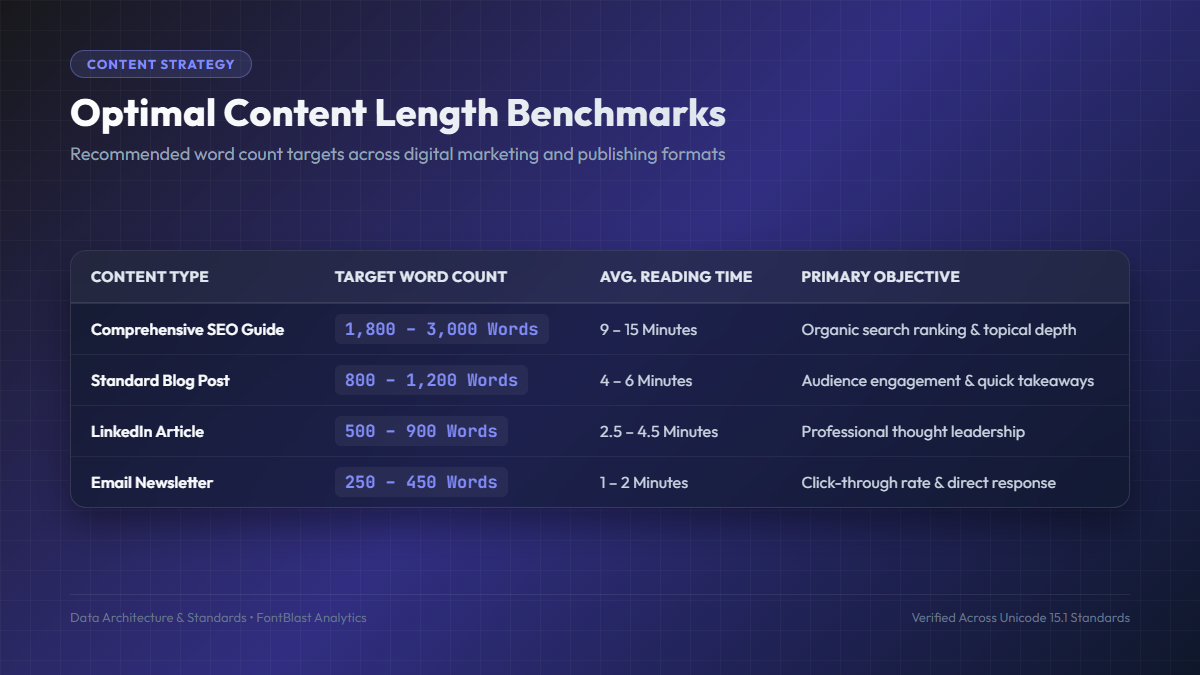
One of the most common questions writers ask is: "How long should this piece be?" While quality and depth always supersede arbitrary volume, search engine algorithms and audience reading habits have created clear benchmarks:
| Format | Ideal Word Range | Why This Range Works |
|---|---|---|
| In-Depth SEO Pillar Guides | 1,800 – 3,000 words | Provides comprehensive topical authority that satisfies user intent completely |
| Standard Editorial Articles | 800 – 1,200 words | Balances quick skimming with actionable, concrete insights |
| LinkedIn Thought Leadership | 350 – 700 words | Fits the busy mobile browsing behavior of working professionals |
| Email Newsletters | 250 – 450 words | Maximizes read-through rates and drives immediate clicks to external links |
Writing Discipline: Trimming Fluff and Enhancing Flow
"Perfection is achieved, not when there is nothing more to add, but when there is nothing left to take away." — Antoine de Saint-Exupéry
Paradoxically, a word counter online is just as useful for cutting words as it is for reaching targets. Skilled editors use word counters to enforce conciseness. When an article is running 300 words over its target, challenging yourself to trim 15% forces you to eliminate filler phrases, convert passive verbs into punchy active verbs, and remove circular reasoning.
Here are three quick editing strategies to tighten your drafts:
- Eliminate Throat-Clearing Introductions: Phrases like "In this article, we will take a deep dive into..." can almost always be replaced with a direct statement of value.
- Hunt Down Redundant Modifiers: Words like "very," "extremely," "basically," and "in order to" add syllable weight without adding informational value.
- Keep Paragraphs Under 100 Words: On mobile screens, a paragraph of 150 words resembles an intimidating wall of text. Break long paragraphs into 2–3 sentence chunks to boost skimmability.
- Calculate Speaking Duration: If you are writing a video script or podcast presentation, average talking speed is 130–150 words per minute. Divide your total word count by 140 to verify timing accurately.
Frequently Asked Questions About Online Word Counting
How accurate is a browser-based word counter?
Modern browser algorithms split strings using standardized Unicode whitespace regular expressions (/\s+/), ensuring 100% precision identical to Microsoft Word and Google Docs.
Do hyphenated words count as one word or two?
In standard publishing and academic counting rules, words joined with a hyphen (such as "well-known" or "state-of-the-art") count as a single compound word.
Pair your writing analytics with custom styling from our Text Decorator, and discover how fine typography elevates your message in our Free Fonts Directory.