November 13, 2026
Upside Down Font: Flip Your Text and Copy and Paste Stylish Letters
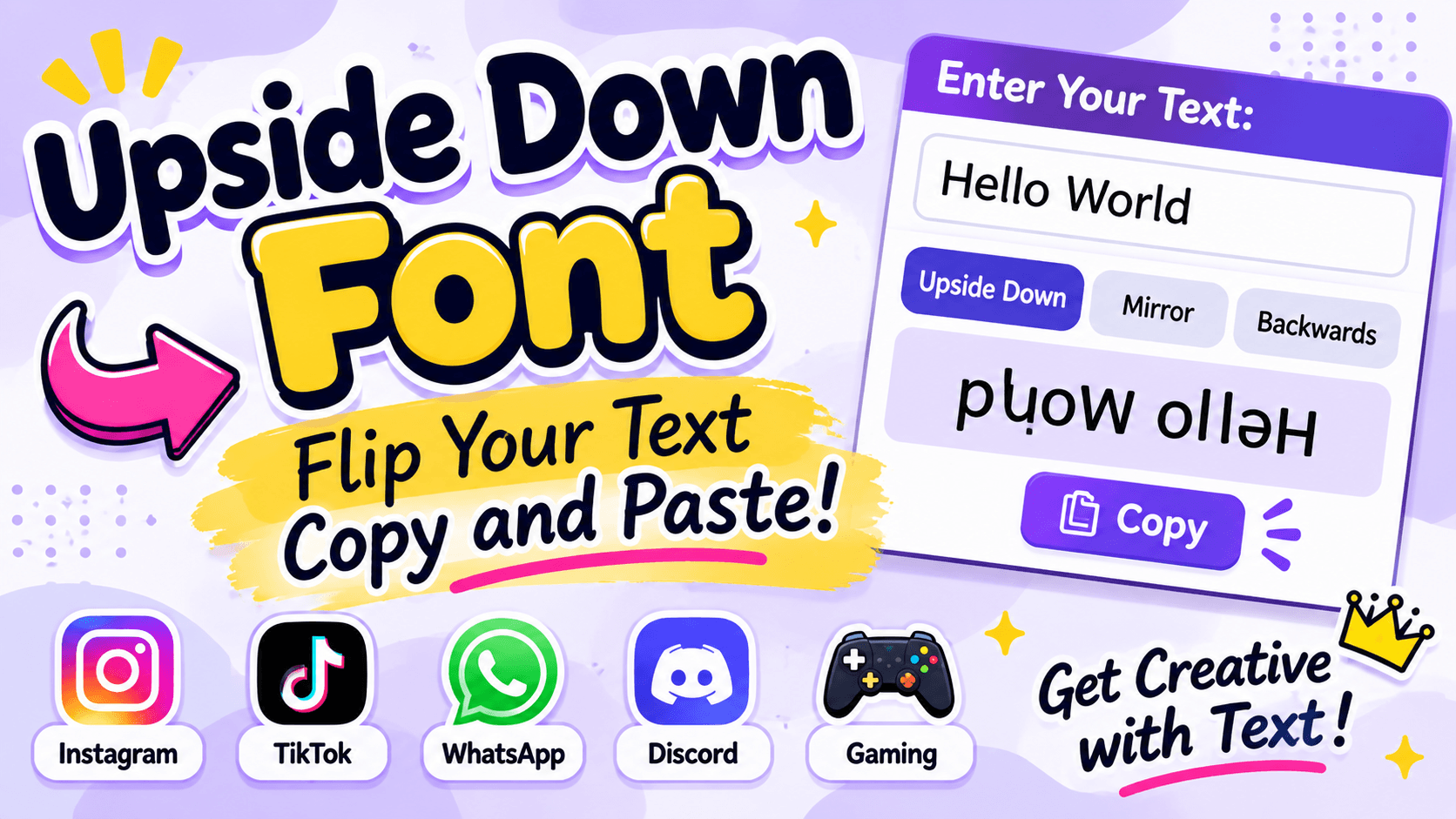
Upside Down Font: Create Flipped Text to Copy and Paste
Have you ever seen a message that looks like it has been written upside down? It can make people stop, look twice, and even turn their phones around to understand what it says. This unusual text style is a fun way to make ordinary messages more interesting.
An upside down font changes the appearance of normal writing by using special Unicode characters that look like rotated letters. You can create upside down text, copy it, and paste it into social media bios, captions, comments, gaming profiles, and personal messages.
You do not need to download a font or install an application. With an online upside down text generator, you can type your words and get a flipped version within seconds.
Whether you want a funny message, a creative username, or an unusual Instagram bio, upside down font styles give you a simple way to experiment with text.
In this guide, you will learn how upside down text works, explore copy and paste examples, understand the difference between flipped and mirrored text, and discover where you can use it.
What Is an Upside Down Font?
An upside down font is a text style that makes regular letters look as if they have been turned 180 degrees. It uses special Unicode characters that resemble rotated versions of standard English letters.
For example, the word "Hello" can be changed into:
Normal Text: Hello
Upside Down Text: ollǝH
Another example:
Normal Text: Upside Down
Upside Down Text: uʍop ǝpᴉsdn
The result looks unusual when viewed normally but becomes easier to read when you turn your screen or head upside down.
Unlike traditional fonts, these styles do not require you to install a font file. The converted result contains Unicode characters that you can copy and paste into supported applications.
Upside Down Font Copy and Paste Examples
If you want to use flipped text immediately, here are some ready-to-copy examples. You can use them in social media messages, profile descriptions, comments, and other places that accept Unicode text.
1. Upside Down Words
Try these short examples:
- Hello: ollǝH
- Love: ǝʌo⅂
- Smile: ǝןᴉɯS
- Happy: ʎddɐH
- Cool: ןooƆ
- Friend: puǝᴉɹℲ
- Dream: ɯɐǝɹᗡ
- Music: ɔᴉsnW
- Sweet: ʇǝǝʍS
- World: plɹoM
Some characters may look slightly different depending on the device and font used to display them.
2. Upside Down Sentences
Short sentences are a great way to use flipped text in conversations.
- Hello Friend: puǝᴉɹℲ ollǝH
- Love You: no⅄ ǝʌo⅂
- Good Morning: ƃuᴉuɹoW poo⅁
- Stay Happy: ʎddɐH ʎɐʇS
- Have Fun: unℲ ǝʌɐH
- Thank You: no⅄ ʞuɐɥ⊥
- Be Happy: ʎddɐH ǝ𐐒
For the best results, use a generator to convert complete sentences because character support and punctuation can vary.
3. Upside Down Instagram Bio
Want your Instagram bio to look different? You can use flipped text to create a playful profile description.
Here are some ideas:
- ʎddɐH ʎɐʇS
- ǝʌo⅂ ǝɹoW
- ɹǝʇʇǝ𐐒 ǝq
- ǝɹnʇnℲ ʎɯ ɯɐǝɹᗡ
- ʎןןɐɔᴉʇsɐɐɹɔ ɐʇɐǝɹƆ
Check the appearance before publishing because some social media profile fields may not accept every Unicode character.
4. Funny Upside Down Text
Flipped messages can make simple conversations more entertaining.
Try these examples:
- ¡ollǝH
- ¿ʎɐp ǝɔᴉN
- ǝɹǝɥ ɯ,I
- unℲ ǝʞɐW
- ʎɹɹoS
- ǝɯ ʞool
You can also create your own funny messages by entering any sentence into an upside down text generator.
How Does an Upside Down Text Generator Work?
An upside down text generator uses Unicode character mapping to create the appearance of rotated writing.
Unicode is a standard system that allows computers and smartphones to display characters from different languages, writing systems, and symbol collections.
The generator replaces normal letters with characters that look similar when rotated. It then reverses their order so the complete word reads correctly when turned upside down.
For example:
- a becomes ɐ
- e becomes ǝ
- h becomes ɥ
- t becomes ʇ
- w becomes ʍ
The generator uses these replacements to create a flipped version of your original text.
There is one important detail: Unicode does not provide a perfect upside down version of every English letter. Some characters remain unchanged or use approximate replacements.
This is why some upside down words may look more accurate than others.
Upside Down Alphabet: A to Z
Understanding the flipped alphabet can help you recognize how upside down text is created.
Here are some common lowercase character replacements:
Normal LetterFlipped Character
a
ɐ
b
q
c
ɔ
d
p
e
ǝ
f
ɟ
g
ƃ
h
ɥ
i
ᴉ
j
ɾ
k
ʞ
l
l
m
ɯ
n
u
o
o
p
d
q
b
r
ɹ
s
s
t
ʇ
u
n
v
ʌ
w
ʍ
x
x
y
ʎ
z
z
These are commonly used visual substitutions, not a universal mathematical rotation of every character. Some letters have no perfect upside down equivalent.
Capital letters can also have different replacements, so a generator is usually easier than converting a full sentence manually.
Difference Between Upside Down, Mirror, and Backwards Text
Many people use the terms upside down, mirror, and backwards text as if they mean the same thing. However, they create different results.
Upside Down Text
Upside down text changes the letters into characters that resemble their 180-degree rotated versions. It also reverses the character order.
Example:
Normal: Hello
Flipped: ollǝH
Mirror Text
Mirror text creates the appearance of writing viewed in a mirror. It uses different character substitutions from upside down text.
Example:
Normal: Hello
Mirror: A visual left-to-right reflection of Hello using available lookalike characters.
Not every letter has a suitable mirror equivalent, so some results may be approximate.
Backwards Text
Backwards text simply reverses the order of letters without changing their appearance.
Example:
Normal: Hello
Backwards: olleH
Quick Comparison
Text StyleWhat It Does
Upside Down
Changes characters and reverses their order
Mirror
Uses horizontally reflected characters
Backwards
Reverses the order of normal characters
If you want your message to look completely upside down, choose the upside down option rather than the backwards or mirror option.
Where Can You Use Upside Down Font?
Upside down text is useful for fun messages, creative profiles, and unusual social media posts. Here are some popular ways to use it.
1. Instagram
Instagram users can experiment with flipped text in their bios, captions, comments, and display names.
For example, you can write a short upside down message in your profile to give visitors something unusual to look at.
Keep important profile information in normal text so people can understand it easily.
2. TikTok
You can use upside down font in TikTok captions, comments, and supported profile fields.
It is a fun option when you want to create a different look for your profile or post.
However, some TikTok fields have character restrictions, so test your text before using it.
3. WhatsApp
Upside down text can make personal messages and WhatsApp statuses more interesting.
For example, you could send a flipped greeting to a friend and see whether they can read it without turning their phone around.
You can copy the converted text and paste it directly into a chat.
4. Facebook
Facebook supports many Unicode characters, which means you can use upside down text in supported posts, comments, and profile descriptions.
It can be useful for funny status updates and creative messages.
5. Discord
Discord users can experiment with upside down text in messages, supported server nicknames, and profile descriptions.
However, usernames have their own rules, and some unusual characters may not be accepted.
6. Gaming Profiles
Some games allow decorative Unicode characters in player names and profile descriptions.
You can try upside down text to make your gaming identity look different.
Before using it, check the game's character restrictions. Not every game supports the same Unicode characters.
How to Create Upside Down Text in Simple Steps
Creating upside down text is easy, even if you have never used a text generator before.
Follow these steps:
Step 1: Open an Upside Down Text Generator
Visit an online generator that supports upside down text conversion.
Step 2: Enter Your Text
Type your name, word, sentence, or message into the input box.
Step 3: Get the Flipped Result
The tool converts your regular letters into upside down Unicode characters.
Step 4: Copy Your Text
Use the copy option to copy the generated result.
Step 5: Paste It Anywhere
Open Instagram, WhatsApp, TikTok, Facebook, Discord, or another supported application and paste your text.
Step 6: Check the Appearance
Make sure the flipped characters appear correctly on your device. If some letters look unusual, try a different style or use shorter text.
You can repeat these steps whenever you want to create another upside down message.
Why Do Some Upside Down Letters Look Different?
Not all English letters have perfect upside down versions in Unicode.
Some characters have natural visual similarities, while others need approximate replacements.
For example, lowercase letters such as o, x, and s can look similar when turned upside down. Other letters need different Unicode characters to create the effect.
There are several reasons why your text might not look exactly as expected:
- Missing characters: Some devices may not support particular Unicode symbols.
- Different fonts: The same character can have slightly different appearances across operating systems.
- Capital letters: Many capital letters do not have perfect upside down alternatives.
- Special symbols: Emojis and uncommon punctuation may remain unchanged.
- Platform restrictions: Some websites and applications block unusual characters in specific fields.
For better compatibility, use short messages and check the final result before sharing it.
Is Upside Down Font a Real Font?
Technically, upside down font is not a traditional font.
A traditional font changes how letters are displayed without changing the underlying text. For example, the word Hello remains the same word when you change its font to Arial, Times New Roman, or another typeface.
Upside down text works differently. It replaces regular letters with different Unicode characters that resemble rotated letters.
This is why the result can be copied into many applications without installing a special font.
The difference is important because Unicode text can have limitations. Screen readers may pronounce decorative characters incorrectly, and search engines may not understand them as normal English words.
For this reason, upside down text is best for creative messages and decoration rather than important information.
Tips for Using Upside Down Text Effectively
A few simple tips can help you get better results from flipped text.
Use Short Messages: Short words and sentences are easier to read when flipped. Long paragraphs can become confusing.
Check Character Support: Always check how your text appears on different devices and applications.
Choose the Right Style: Upside down, mirror, and backwards text create different effects. Select the one that matches your purpose.
Avoid Important Information: Do not use flipped characters for passwords, contact information, instructions, or other essential details.
Keep Your Text Readable: A creative message should still be understandable. Avoid adding too many unusual symbols.
Test Before Publishing: Some platforms restrict decorative Unicode characters in usernames and other fields.
Frequently Asked Questions About Upside Down Font
1. What is an upside down font?
An upside down font is a decorative text style that uses Unicode characters resembling letters rotated 180 degrees. It allows you to create flipped text that you can copy and paste into supported applications.
2. How do I copy and paste upside down text?
Enter your regular text into an online upside down text generator. Copy the converted result and paste it into your preferred application or website.
3. Is upside down text free?
Many online upside down text generators are free to use. You can convert words and sentences without purchasing a font or installing additional software.
4. Does upside down text work on Instagram?
Yes, many upside down Unicode characters can be used in Instagram bios, captions, comments, and display names. However, some fields may have restrictions.
5. Can I use upside down fonts on WhatsApp?
Yes. You can copy upside down Unicode text and paste it into WhatsApp messages and statuses. The appearance depends on character support.
6. What is the difference between upside down and backwards text?
Upside down text changes the appearance of individual letters and reverses their order. Backwards text only reverses the order while keeping the original letters unchanged.
7. Can I convert a full sentence into upside down text?
Yes. Most generators can convert complete sentences. However, long messages may be difficult to read, and some punctuation or special characters may not flip correctly.
8. Why does upside down text show as a square box?
A square box usually means your device or application does not have a font that supports that Unicode character. Try another text style or use more common characters.
9. Can I create upside down text on my phone?
Yes. You can use an online text generator through your mobile browser. Type your text, copy the flipped result, and paste it into your preferred application.
10. Is upside down text the same as mirror text?
No. Upside down text creates a 180-degree rotation effect, while mirror text creates a left-to-right reflection. Both use different Unicode character substitutions.
Final Thoughts
Upside down font is a simple and creative way to change the appearance of ordinary writing. You can use it to make funny messages, unusual social media bios, interesting captions, and decorative gaming profiles.
The best part is that you do not need to install a special font or learn complicated design software. Just enter your text into an online generator, copy the result, and paste it wherever Unicode characters are supported.
Try different words, explore flipped and mirrored styles, and find a look that works for your next message or profile. Remember to keep important information in regular text so everyone can read it easily.