November 13, 2026
Small Font: Copy and Paste Tiny Text, Small Letters, and Stylish Fonts
Small Font: Create Tiny Text and Copy and Paste Stylish Letters
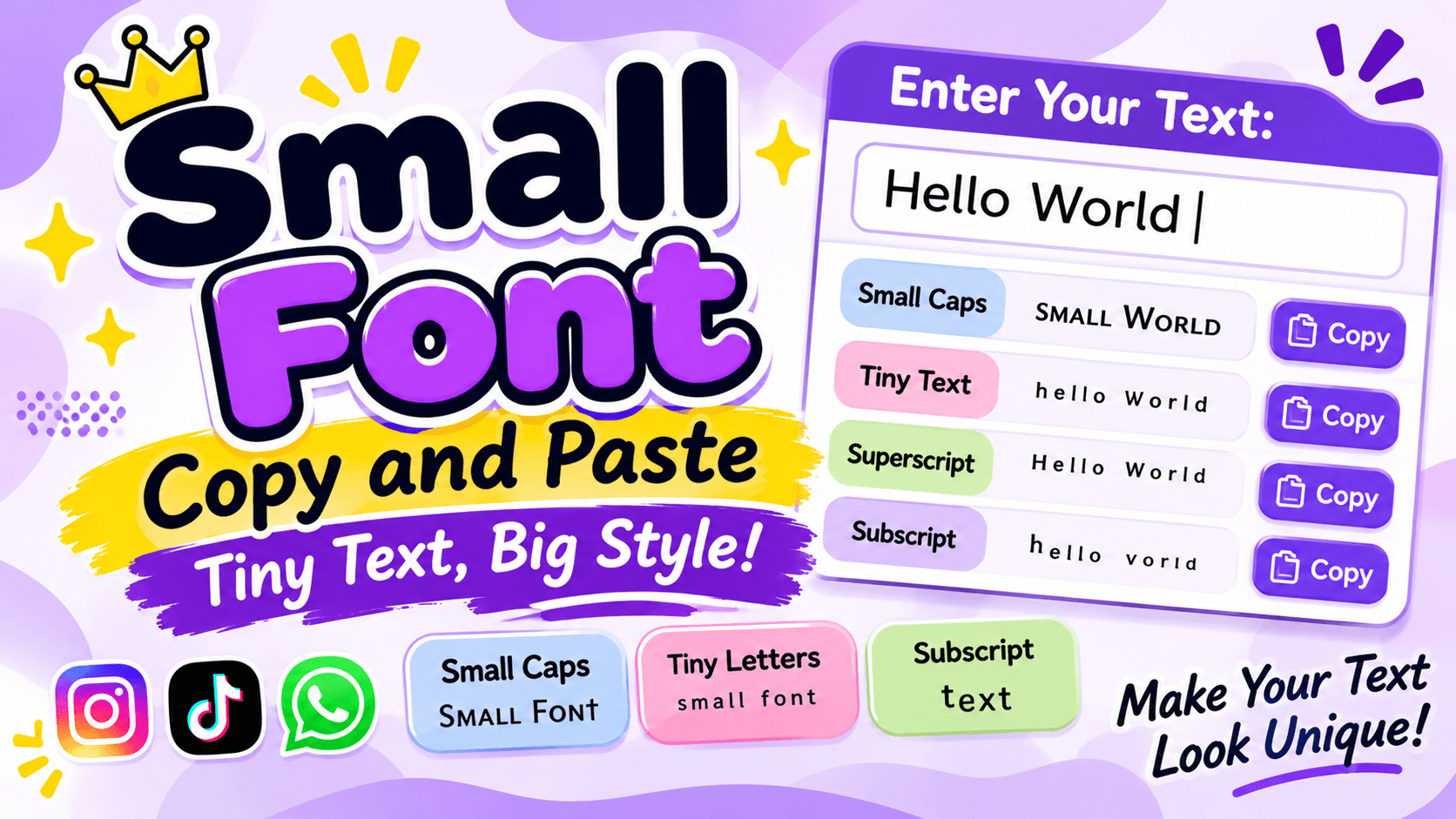
Do you want to make your text look smaller, cleaner, and more interesting? A small font is a simple way to give ordinary words a different appearance. You can use tiny letters in social media bios, captions, usernames, messages, and creative designs.
Many people search for small font styles because they want something different from regular text. Whether you need tiny letters for an Instagram bio, small caps for a username, or superscript text for a creative message, there are several styles to explore.
The best part is that you do not need to install special software. You can use an online small font generator to convert regular text into smaller-looking characters. Then, simply copy the result and paste it into your favorite application.
In this guide, you will find small font examples, copy-and-paste styles, different types of tiny text, and practical ways to use them.
What Is a Small Font?
A small font is a text style that makes letters appear smaller than ordinary writing. It is commonly used for decorative messages, social media profiles, captions, and other creative purposes.
Online small font generators usually create this effect by replacing normal letters with special Unicode characters.
For example:
Normal Text: Small Font
Small Text: ˢᵐᵃˡˡ ᶠᵒⁿᵗ
Small Caps: Sᴍᴀʟʟ Fᴏɴᴛ
Subscript: ₛₘₐₗₗ ₙₒₜₑ
These styles look different from regular letters, but they can be copied and pasted into many applications that support Unicode characters.
Small fonts are especially popular among people who want to create attractive social media profiles without downloading additional fonts or applications.
Small Font Copy and Paste Examples
If you want ready-to-use small text, here are several examples. You can copy them and use them in your profiles, captions, messages, and other creative projects.
1. Tiny Small Fonts
Tiny text is one of the most popular styles. It makes regular words look smaller and gives them a unique appearance.
Try these examples:
- ˢᵐᵃˡˡ ᵗᵉˣᵗ
- ᵗⁱⁿʸ ˡᵉᵗᵗᵉʳˢ
- ˢʷᵉᵉᵗ ᵈʳᵉᵃᵐˢ
- ᵖʳᵉᵗᵗʸ ᵍⁱʳˡ
- ʰᵃᵖᵖʸ ˡⁱᶠᵉ
- ˡᵒᵛᵉ ʸᵒᵘ
- ᵇᵉ ˢᵐⁱˡᵉ
- ᶜᵘᵗᵉ ᵃⁿᵍᵉˡ
- ᵈʳᵉᵃᵐ ᵇⁱᵍ
- ᵍᵒᵒᵈ ᵐᵒʳⁿⁱⁿᵍ
2. Small Caps Fonts
Small caps use small capital-like characters that look more compact than regular uppercase letters. They are useful for short names, headings, and profile descriptions.
Copy these examples:
- sᴍᴀʟʟ ғᴏɴᴛ
- ᴄᴜᴛᴇ ɢɪʀʟ
- ᴘʀᴇᴛᴛʏ sᴏᴜʟ
- ʜᴀᴘᴘʏ ʟɪғᴇ
- ʟᴏᴠᴇ ʏᴏᴜ
- ʙᴇ ʏᴏᴜʀsᴇʟғ
- ᴅʀᴇᴀᴍ ʙɪɢ
- ᴍʏ ᴡᴏʀʟᴅ
- sᴡᴇᴇᴛ ᴅʀᴇᴀᴍs
- ᴋᴇᴇᴘ sᴍɪʟɪɴɢ
3. Superscript Small Fonts
Superscript text appears slightly above the normal writing line. It is often used in mathematics, scientific writing, and decorative text.
Here are some examples:
- ᴴᵉˡˡᵒ
- ˢᵐᵃˡˡ ᵀᵉˣᵗ
- ᴸᵒᵛᵉ ʸᵒᵘ
- ᴴᵃᵖᵖʸ ᴰᵃʸ
- ᴮᵉˢᵗ ᶠʳⁱᵉⁿᵈ
- ᶜᵘᵗᵉ ᴳⁱʳˡ
Some letters have no exact superscript equivalent, so generators may use approximate characters.
4. Subscript Small Fonts
Subscript characters appear below the normal writing line. They are commonly used in scientific formulas and mathematical expressions.
Examples:
- ₕ₂ₒ
- ₓ₂
- ₛₘₐₗₗ
- ₙₒₜₑ
- ₗᵢₜₜₗₑ
- ₜₑₓₜ
Subscript alphabets have more missing letters than superscript alphabets. Therefore, some words may contain a mixture of small and regular characters.
5. Cute Small Fonts
If you like decorative text, you can combine tiny letters with symbols to create attractive designs.
- ♡ ˢᵐᵃˡˡ ʰᵉᵃʳᵗ ♡
- ✿ ᶜᵘᵗᵉ ᵍⁱʳˡ ✿
- ୨ৎ ˢʷᵉᵉᵗ ᵈʳᵉᵃᵐˢ
- ☆ ᵖʳᵉᵗᵗʸ ˢᵒᵘˡ ☆
- ღ ˡᵒᵛᵉ ʸᵒᵘ ღ
- 🌸 ʰᵃᵖᵖʸ ˡⁱᶠᵉ 🌸
You can create your own combinations by adding hearts, stars, flowers, and other Unicode symbols.
Different Types of Small Font Styles
Not all small fonts look the same. Each style has its own appearance and purpose. Understanding the differences can help you choose the right one.
Small Text
Small text uses tiny-looking characters to make ordinary writing appear compact. It is useful for short messages, decorative captions, and social media descriptions.
Example:
Normal: Hello World
Small: ᴴᵉˡˡᵒ ᵂᵒʳˡᵈ
Small Caps
Small caps are smaller capital-like letters. They offer a cleaner appearance than some superscript styles.
Example:
Normal: Beautiful Day
Small Caps: Bᴇᴀᴜᴛɪғᴜʟ Dᴀʏ
Superscript
Superscript characters sit above the normal text line. They are commonly used for mathematical powers and decorative writing.
Example:
x² + y²
Subscript
Subscript characters sit below the normal text line. They are useful in scientific formulas and certain decorative designs.
Example:
H₂O
Bold Small Text
Bold small-looking text combines a compact appearance with stronger visual weight. However, Unicode does not provide a complete bold version of every tiny character, so available styles may vary.
How to Create Small Font Text Online
Creating small font text is easy. You can convert your words within seconds using an online generator.
Follow these simple steps:
Step 1: Open a Small Font Generator
Visit an online small text generator using your computer, tablet, or smartphone.
Step 2: Enter Your Text
Type your name, sentence, caption, or any other words into the input box.
Step 3: Select a Style
Choose your preferred option, such as tiny text, small caps, superscript, or subscript.
Step 4: Preview the Result
Check the converted text to make sure the letters look the way you want.
Step 5: Copy Your Text
Click the copy button or select the converted characters and copy them manually.
Step 6: Paste Anywhere
Open your favorite application and paste the small text into a supported field.
You can repeat the process to create different styles whenever you need them.
Where Can You Use Small Fonts?
Small fonts can be useful in many online activities. They help make short text look different without requiring a separate font installation.
1. Instagram Bio
Instagram users often want their profiles to look different from ordinary accounts. Small font styles can help create a clean and decorative bio.
For example:
ᴊᴜsᴛ ᴀ ᴅʀᴇᴀᴍᴇʀ ♡
ʟɪᴠɪɴɢ ᴍʏ ʟɪғᴇ
sᴛᴀʏ ᴘᴏsɪᴛɪᴠᴇ ✨
You can use small caps or superscript letters to give your profile a different appearance. Keep important details readable so visitors can understand your information.
2. TikTok Profiles
TikTok users can experiment with small letters in their display names, bios, and captions where the platform supports them.
For example:
ᴄʀᴇᴀᴛᴇ ʏᴏᴜʀ ᴏᴡɴ sᴛʏʟᴇ
You can also combine small text with decorative symbols to create a unique profile design.
3. WhatsApp Messages
Small fonts can make personal messages and statuses look more creative.
Examples:
- ʜᴀᴠᴇ ᴀ ɴɪᴄᴇ ᴅᴀʏ
- ˡᵒᵛᵉ ʸᵒᵘ
- ᴍɪss ʏᴏᴜ
- ɢᴏᴏᴅ ᴍᴏʀɴɪɴɢ
You can copy the text and paste it into a WhatsApp conversation or status.
4. Facebook Posts
You can use supported small Unicode characters in Facebook posts and comments to make short messages look different.
However, Facebook has restrictions on certain profile fields, including personal names. Decorative text may not be accepted everywhere.
5. Discord Usernames and Messages
Small caps and superscript text can make Discord messages, supported nicknames, and profile descriptions look more interesting.
For gaming communities, small text can also be used for decorative server descriptions and short labels.
Check the username rules before trying to use special characters in your account name.
6. Gaming Profiles
Some games support decorative Unicode characters in player names and profile descriptions.
You can use small text to create a compact and different-looking gaming identity.
Always test the characters first because different games have different restrictions.
Small Font vs Normal Font: What Is the Difference?
Small font text and normal text have different appearances and uses.
FeatureNormal TextSmall Text
Appearance
Regular letter size
Tiny-looking letters
Readability
Usually easy to read
Can be harder to read
Character type
Standard letters
Unicode alternatives
Installation
Not required
Not required
Social media use
Widely supported
Depends on character support
Best for
Regular communication
Decoration and short labels
One important difference is that small Unicode text does not actually reduce the font size of the original text. It replaces characters with other characters that look smaller.
Is Small Font a Real Font or Unicode Text?
This is one of the most important things to understand before using a small font generator.
Most online small text generators do not create actual font files. Instead, they replace regular letters with Unicode characters that look smaller.
For example, a normal letter can have different visual forms:
- A: Normal letter
- ᴬ: Superscript-style letter
- ₐ: Subscript-style letter
- ᴀ: Small capital letter
These characters have different Unicode identities. They are not simply the same letter displayed at a smaller font size.
This is why you can copy small text from a generator and paste it into many applications without installing a font.
However, there are some limitations:
- Not every English letter has a superscript or subscript equivalent.
- Some characters may look different on different devices.
- Certain applications may not support all Unicode characters.
- Screen readers may read decorative characters incorrectly.
- Search engines may not understand stylized letters as ordinary words.
For important information, standard text is always a better choice.
Tips for Using Small Fonts Correctly
Small text can look attractive, but using it carefully makes a big difference.
1. Choose Readable Styles
Small caps are often easier to read than complicated superscript or subscript combinations.
2. Keep Messages Short
Tiny text is best for short captions, names, and decorative phrases. Long paragraphs can become difficult to read.
3. Check Character Compatibility
Always preview your text before publishing it. Some devices may not display certain Unicode characters correctly.
4. Avoid Using Small Text Everywhere
Use small text for selected words or profile decorations rather than your entire message.
5. Keep Important Details Normal
Contact information, instructions, business details, and other important content should use standard letters.
6. Test on Mobile Devices
Many people use social media on smartphones. Check how your selected characters appear on a mobile screen before sharing them.
Frequently Asked Questions About Small Font
1. What is a small font generator?
A small font generator is an online tool that converts regular text into tiny-looking Unicode characters. You can copy the converted result and paste it into supported websites and applications.
2. How can I copy and paste small fonts?
Enter your text into a small font generator, select a style, and copy the converted result. Then open your preferred application and paste the text into the desired field.
3. Are small fonts free to use?
Many online small font generators are free. You can create tiny text, small caps, superscript, and subscript characters without purchasing a font file.
4. Can I use small fonts on Instagram?
Yes. Many Unicode small text styles work in Instagram bios, captions, and supported profile fields. However, some characters may not display correctly or may not be accepted in certain fields.
5. What is the difference between small caps and superscript?
Small caps use compact capital-like letters that sit on the normal writing line. Superscript characters appear raised above the normal line and are commonly used in mathematical notation.
6. Why are some letters not converted into small text?
Unicode does not contain a complete set of tiny versions for every English letter. When a matching character is unavailable, generators may leave the original letter unchanged or use an approximate replacement.
7. Can I use small fonts on WhatsApp?
Yes. You can copy small Unicode characters and paste them into WhatsApp messages and statuses. Their appearance depends on the device and character support.
8. Do small fonts work on TikTok?
Many small text characters can be used in supported TikTok profile fields and captions. However, some characters may be restricted by the platform.
9. Do I need to download an app to create small text?
No. You can use an online small font generator directly through your web browser. Enter your text, select a style, and copy the result.
10. Is small text the same as reducing font size?
No. Reducing font size changes the visual size of the same text. Most copy-and-paste small text generators replace regular letters with different Unicode characters that look smaller.
Final Thoughts
Small font is a simple way to make ordinary text look different and creative. From tiny superscript letters and small caps to subscript characters, there are several styles you can use for social media profiles, captions, messages, and personal designs.
You do not need special software or technical knowledge to create these styles. Just enter your words into an online small font generator, select your favorite design, and copy and paste the result.
Remember that not every Unicode character works on every device or platform. Choose readable styles, check compatibility, and keep important information in regular text.
Experiment with different small text styles and find the one that best matches your online personality.