
September 24, 2026
Instagram Font Generator: Create Stylish Fonts for Instagram
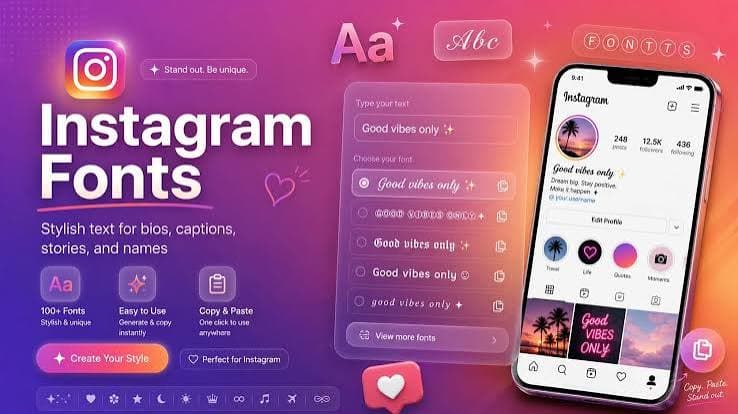
An Instagram Font Generator lets you turn ordinary text into stylish characters that you can copy and paste into your Instagram profile, bio, captions, comments, and other supported areas.
You do not usually need to download or install anything. Enter your text, choose a style, copy the result, and paste it into Instagram.
If you want your profile to look different, an Instagram font generator is a simple way to experiment with bold, italic, script, aesthetic, and other Unicode text styles.
What Is an Instagram Font Generator?
An Instagram Font Generator is an online tool that creates different text styles from regular letters.
For example, you can enter:
Welcome to my profile
The generator may create styles such as:
𝐖𝐞𝐥𝐜𝐨𝐦𝐞 𝐭𝐨 𝐦𝐲 𝐩𝐫𝐨𝐟𝐢𝐥𝐞
𝑾𝒆𝒍𝒄𝒐𝒎𝒆 𝒕𝒐 𝒎𝒚 𝒑𝒓𝒐𝒇𝒊𝒍𝒆
𝓦𝓮𝓵𝓬𝓸𝓶𝓮 𝓽𝓸 𝓶𝔂 𝓹𝓻𝓸𝓯𝓲𝓵𝓮
𝚆𝚎𝚕𝚌𝚘𝚖𝚎 𝚝𝚘 𝚖𝚢 𝚙𝚛𝚘𝚏𝚒𝚕𝚎
You can then copy your preferred version and paste it into Instagram.
How Does an Instagram Font Generator Work?
Most Instagram text generators do not actually change the font installed on your device.
Instead, they use Unicode characters that look different from standard letters.
This is why you can often copy the generated text and paste it into Instagram without installing a separate font file.
For example, normal text uses standard Latin characters. A generator can replace those characters with Unicode characters that have a bold, italic, mathematical, script, or decorative appearance.
Instagram then displays those characters as text.
How to Use an Instagram Font Generator
Using an Instagram font generator free tool is usually straightforward.
1. Enter Your Text
Start by typing the text you want to use on Instagram.
It could be your name, bio, caption, business slogan, or a short message.
For example:
Digital Creator
2. Choose Your Favorite Style
The generator will display several versions of your text.
You might find:
- Bold fonts
- Italic fonts
- Script fonts
- Aesthetic text
- Small text
- Monospace text
- Decorative text
- Circled characters
- Special symbols
3. Copy the Text
Once you find a style you like, click or tap the Copy button.
On mobile devices, you can also select the generated text and use your device's copy option.
4. Open Instagram
Open Instagram and go to the section where you want to use your text.
5. Paste Your Text
Tap the text field and select Paste.
Your generated Instagram text should appear if the selected characters are supported.
Instagram Bio Fonts
One of the most common uses for an Instagram font generator is creating Instagram bio fonts.
Your Instagram bio has limited space, so short stylish text can help organize information.
For example:
📸 𝐏𝐡𝐨𝐭𝐨𝐠𝐫𝐚𝐩𝐡𝐲
🎵 𝓜𝓾𝓼𝓲𝓬 𝓛𝓸𝓿𝓮𝓻
🌍 𝑻𝒓𝒂𝒗𝒆𝒍 𝑪𝒓𝒆𝒂𝒕𝒐𝒓
You can also combine normal text with Unicode styles instead of making the entire bio decorative.
This can make the information easier to read.
Instagram Fonts Copy and Paste
Instagram fonts copy and paste tools are useful because they let you create text without manually formatting every character.
The process is simple:
Type → Choose → Copy → Paste
You can use the generated text in different places where Instagram accepts those characters.
However, not every Unicode character works perfectly everywhere. Some characters may look different depending on the device or software being used.
Fonts for Instagram Bio
There are many ways to use fonts for Instagram.
You could use a bold style for your name, a script style for a short phrase, or decorative symbols to separate different parts of your bio.
For example:
𝐌𝐚𝐫𝐤 𝐉𝐨𝐡𝐧𝐬𝐨𝐧
𝓓𝓲𝓰𝓲𝓽𝓪𝓵 𝓒𝓻𝓮𝓪𝓽𝓸𝓻
📍 New York
📩 Contact for Business
Try to keep the important information readable. Fancy characters are better used for short sections rather than every word.
Stylish Fonts for Instagram
Stylish fonts for Instagram can be useful when you want to give your profile or posts a different appearance.
Popular styles include bold, italic, cursive, double-struck, monospace, small caps, and various decorative Unicode styles.
You can also combine stylish text with emojis and symbols.
For example:
✦ 𝐌𝐲 𝐒𝐭𝐨𝐫𝐲 ✦
♡ 𝓛𝓲𝓿𝓮 𝓜𝓸𝓻𝓮 ♡
★ 𝙉𝙚𝙬 𝙋𝙤𝙨𝙩 ★
The best style depends on the type of Instagram account and the message you want to present.
Fancy Fonts for Instagram
Fancy fonts for Instagram can be used for names, captions, bios, and short messages.
Script and decorative styles are popular for personal profiles, while bold and clean styles may work better for business profiles.
Before publishing your content, check how the text looks on your phone. A style that looks good in a generator may appear differently inside Instagram.
Aesthetic Fonts for Instagram
Aesthetic text is commonly used in Instagram bios and captions.
You can create an aesthetic appearance by combining different text styles with simple symbols.
For example:
☾ 𝓓𝓻𝓮𝓪𝓶 𝓑𝓲𝓰 ☽
♡ 𝐂𝐫𝐞𝐚𝐭𝐞 𝐌𝐨𝐫𝐞 ♡
✧ 𝑳𝒊𝒗𝒆 𝑭𝒓𝒆𝒆 ✧
Aesthetic fonts are mainly about presentation, so choose styles that match the overall look of your profile.
Instagram Name Fonts
An Instagram name font generator can help you create different versions of your display name.
For example:
Sarah
can become:
𝐒𝐚𝐫𝐚𝐡
𝑺𝒂𝒓𝒂𝒉
𝓢𝓪𝓻𝓪𝓱
𝚂𝚊𝚛𝚊𝚑
Keep in mind that Instagram display names and usernames are different. A display name may allow characters that are not accepted in a username.
Instagram Caption Fonts
You can also experiment with Instagram caption fonts.
A simple caption can use a stylish heading followed by regular text.
For example:
𝐍𝐞𝐰 𝐀𝐝𝐯𝐞𝐧𝐭𝐮𝐫𝐞 ✈️
Today was a great day. Thanks to everyone who made it special.
This approach keeps the main message easy to read while giving the caption a little visual variation.
Can You Use Instagram Fonts on iPhone?
Yes. You can use an Instagram font generator on an iPhone through a web browser.
Open the generator, type your text, choose a style, and copy it.
Then open Instagram, go to the desired text field, and paste the generated characters.
You generally do not need to install a separate font on your iPhone.
Can You Use Instagram Fonts on Android?
Yes. Android users can also create and copy stylish Instagram text.
The basic process is the same:
- Open the font generator.
- Type your text.
- Select a style.
- Copy it.
- Open Instagram.
- Paste the text.
Some unusual Unicode characters may have limited support, so always check the final result.
Are Instagram Fonts Free?
Many online Instagram font generators are free to use.
A free tool can provide multiple text styles without requiring a font download.
However, the number of available styles and additional features varies between websites.
Why Are Some Instagram Fonts Not Working?
If your generated text does not display correctly, the selected Unicode characters may not be supported by the device, application, or operating system.
You may see:
- Empty boxes
- Question marks
- Missing characters
- Different looking symbols
If this happens, try another style with more widely supported characters.
Is an Instagram Font Generator Safe?
An online text generator normally only needs the text you want to convert.
For better privacy, avoid entering sensitive information such as passwords, private messages, financial details, or other confidential data into random online tools.
For ordinary names, captions, and short phrases, a simple client-side text generator can be convenient.
FontBlast Instagram Font Generator
If you are looking for fonts for Instagram, you can explore font and text tools on FontBlast.
You can create different text styles, copy the result, and use it in places where Instagram supports Unicode characters.
FontBlast can also be useful for exploring other font related searches, including fancy text, stylish text, cool fonts, and copy and paste fonts.
Tips for Choosing Instagram Fonts
Before using a generated style, consider these tips.
Keep It Readable
A stylish font is useful only if people can read it.
Use Short Text
Decorative Unicode characters usually work better for short names, headings, and phrases.
Test Your Text
Paste the text into Instagram before publishing it to make sure it appears correctly.
Avoid Too Many Styles
Using several different styles in one bio or caption can make the content look confusing.
Use Normal Text for Important Details
Contact information, links, dates, and other important details are usually easier to read in standard characters.
Frequently Asked Questions
What is an Instagram Font Generator?
An Instagram Font Generator converts regular text into different Unicode based styles that can be copied and pasted into supported Instagram fields.
What is the best Instagram font?
There is no single style that works for every profile. Choose a style that remains readable and fits the purpose of your content.
Can I use Instagram fonts for my bio?
Yes. Many Unicode text styles can be copied and pasted into Instagram bios.
Are Instagram fonts real fonts?
Most online Instagram font generators create Unicode characters rather than changing the font file on your device.
Can I use an Instagram font generator on mobile?
Yes. These tools generally work through mobile browsers on both iPhone and Android.
Can I copy Instagram fonts?
Yes. Generate your text, select the style you want, click or tap Copy, and paste it into Instagram.
Can I use fancy fonts in Instagram captions?
Many fancy Unicode styles can be used in captions, although compatibility can vary between characters and devices.
Conclusion
An Instagram Font Generator provides a quick way to create different text styles for Instagram. You can use it for bios, names, captions, and other supported text fields.
The process is simple: enter your text, choose a style, copy it, and paste it into Instagram.
If you want to experiment with Instagram fonts, stylish fonts, fancy fonts, aesthetic fonts, and copy and paste text, visit FontBlast.com and explore its font tools.