
October 5, 2026
Instafonts: Create Stylish Fonts for Instagram and Social Media
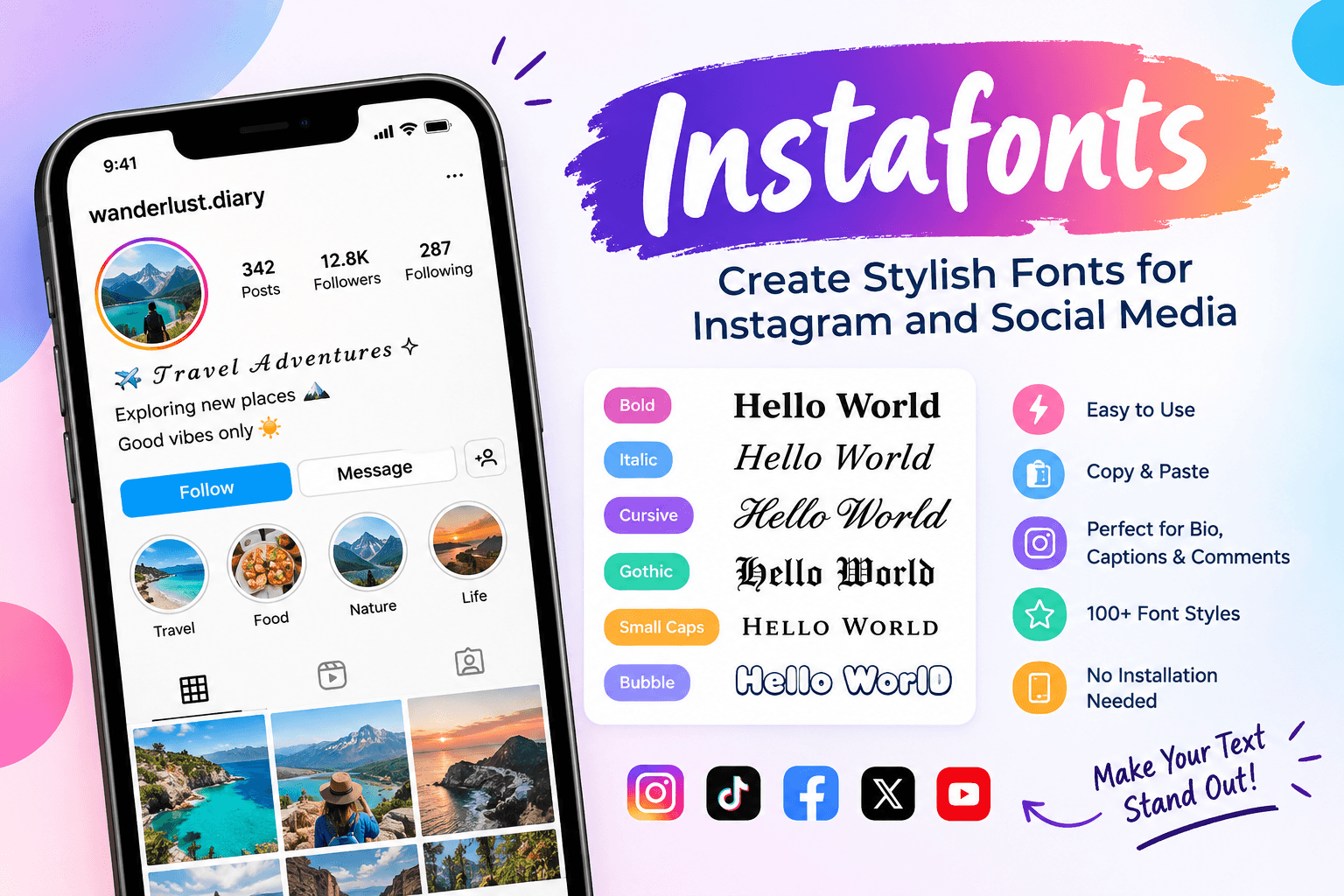
If you want your Instagram profile to look different from others, Instafonts can help you create stylish text without installing a new font on your phone or computer. These tools turn ordinary letters into fancy Unicode characters that you can copy and paste into your Instagram bio, captions, comments, display name, and other social media content.
You may have seen profiles using bold, cursive, gothic, bubble, small caps, or decorative text. This type of text is often created with an Instagram font generator. Instead of changing the actual font used by Instagram, the generator replaces normal letters with special Unicode characters.
The result can be copied and pasted almost anywhere that supports those characters.
What Is Instafonts?
Instafonts is commonly used as a name for Instagram font and stylish text generators. These tools let you enter ordinary text and generate multiple decorative versions of the same words.
For example, a simple word such as:
Hello
can be transformed into styles such as:
𝐇𝐞𝐥𝐥𝐨
𝓗𝓮𝓵𝓵𝓸
𝕳𝖊𝖑𝖑𝖔
ʜᴇʟʟᴏ
ⓗⓔⓛⓛⓞ
The generated text can then be copied and pasted into places such as Instagram bios, captions, comments, and display names.
The popular InstaFonts.io service explains that these stylish characters are based on Unicode rather than traditional font files. This is why users can copy the styled text and paste it into another website or app.
How Do Instafonts Work?
The word “font” can be slightly misleading.
When you use an Instafonts style generator, you are usually not installing a new font on your device. Instead, the generator uses characters from Unicode that look different from standard letters.
Unicode contains a huge collection of characters. Some of these characters have mathematical, decorative, or specialized forms that visually resemble different font styles.
For example, normal:
A
can be represented by another Unicode character that looks like:
𝑨
These are different characters even though they look similar.
This makes it possible to copy the styled text and paste it into websites that accept Unicode text.
How to Use Instafonts
Using an Instafonts style generator is usually very simple.
Step 1: Enter Your Text
Start by typing the word, name, phrase, or sentence you want to customize.
For example:
My Travel Diary
Step 2: Browse the Styles
The generator creates different versions of your text. You may find bold, italic, cursive, gothic, bubble, aesthetic, small caps, circled, and other decorative styles.
Some generators provide dozens of options, while others offer more extensive collections. InstaFonts.io, for example, describes a collection containing more than 90 bio fonts.
Step 3: Choose Your Favorite Style
Look through the generated results and choose a style that matches your profile.
A simple bold style can work well for a professional profile, while cursive or decorative characters may be better for a personal account.
Step 4: Copy the Text
Use the copy option provided by the generator, or select the text manually and copy it.
Step 5: Paste It on Instagram
Open Instagram and paste the text into the location where you want to use it.
You can try it in your bio, caption, comment, or display name.
Where Can You Use Instafonts?
One of the biggest advantages of stylish Unicode text is that it is not limited to Instagram.
You can use generated text in many places, depending on the platform's support for Unicode characters.
Instagram Bio
Your Instagram bio is one of the most common places to use stylish text.
Instead of writing:
Travel | Photography | Adventure
you could create a more decorative version such as:
𝑻𝒓𝒂𝒗𝒆𝒍 | 𝑷𝒉𝒐𝒕𝒐𝒈𝒓𝒂𝒑𝒉𝒚 | 𝑨𝒅𝒗𝒆𝒏𝒕𝒖𝒓𝒆
This can help important words stand out.
Instagram Captions
Stylish text can also be used to highlight parts of a caption.
For example:
✨ 𝐍𝐞𝐰 𝐀𝐝𝐯𝐞𝐧𝐭𝐮𝐫𝐞 ✨
You do not need to change the entire caption. Using one or two styles can make important sections easier to notice.
Instagram Display Name
Some Instagram fields support Unicode characters, allowing users to add decorative text to their display name.
However, support can vary depending on the field and the characters being used.
Instagram Comments
You can also use stylish Unicode characters in comments when the characters are supported.
A short bold or decorative phrase can make a comment more noticeable.
TikTok
Stylish Unicode text can also be useful for TikTok bios, display names, and other areas that accept the characters.
Facebook and Other Platforms
The same concept can work on other social networks and websites.
The important factor is whether the platform accepts and correctly displays the Unicode characters.
Popular Instafonts Styles
There are many different styles available through Instagram font generators.
Here are some popular categories.
StyleExample
Bold
𝐒𝐭𝐲𝐥𝐢𝐬𝐡
Italic
𝑺𝒕𝒚𝒍𝒊𝒔𝒉
Cursive
𝓢𝓽𝔂𝓵𝓲𝓼𝓱
Gothic
𝕾𝖙𝖞𝖑𝖎𝖘𝖍
Small Caps
ꜱᴛʏʟɪꜱʜ
Circled
Ⓢⓣⓨⓛⓘⓢⓗ
Double Struck
𝕊𝕥𝕪𝕝𝕚𝕤𝕙
Bubble
ⓢⓣⓨⓛⓘⓢⓗ
Different generators may use different character sets and names for their styles.
Why Do People Use Instafonts?
The main reason is simple: people want their social media text to look more distinctive.
Instagram provides its own design options, but users have limited control over the appearance of ordinary text in many profile areas. Unicode generators provide another way to add visual variety.
1. Make a Bio Stand Out
A stylish heading can make important information easier to notice when someone visits your profile.
2. Create Stylish Names
Gamers and social media users often use decorative characters in names and display names.
3. Highlight Important Words
Bold or decorative characters can help separate headings or important phrases from the rest of your text.
4. No Font Installation
Because these tools use Unicode characters, you generally do not need to download or install a font file.
5. Copy and Paste
The process is quick. Generate your text, copy it, and paste it where you want to use it.
Are Instafonts Free?
Many online Instagram font generators are available for free. You normally enter your text, select a style, and copy the result without needing professional design software.
For example, Instafonts.in describes its Instagram Fonts Generator as a free tool for creating customized text for Instagram content.
The exact features available can differ between websites, so it is worth checking whether a particular generator requires registration or offers additional paid features.
Do Instafonts Change the Actual Font?
No. In most cases, an Instafonts generator does not change Instagram's actual font.
Instead, it replaces standard characters with other Unicode characters that have a different visual appearance.
This distinction is important.
When you type:
Hello
you are using ordinary letters.
When you copy:
𝓗𝓮𝓵𝓵𝓸
you are copying a different collection of Unicode characters.
That is why the styled text can often be pasted into another application without installing anything.
Will Every Instafonts Style Work on Instagram?
Not necessarily.
Some Unicode characters may not display correctly on every device or platform. Instagram and other services can also restrict certain characters in particular areas.
The Instafonts.io information page notes that some characters may not work properly in Instagram bios because Instagram blocks certain characters.
For this reason, it is a good idea to test your chosen style before using it permanently.
Instafonts vs Traditional Fonts
Traditional fonts and Unicode text are different.
A traditional font changes how characters are displayed by the software or operating system. The underlying text remains the same.
Unicode stylish text works differently. The characters themselves are different.
For example:
A
and
𝐀
may look similar, but they are separate Unicode characters.
This is why Unicode generators are useful for platforms where you cannot directly select a font.
Tips for Using Stylish Fonts
Stylish text can be useful, but more decoration is not always better.
Keep your text readable. A complicated style may look interesting but can become difficult for people to understand.
Use decorative text for headings, names, short phrases, or important words instead of turning every sentence into an unusual style.
You should also test the result on a mobile device. A character that looks good on your computer may appear differently on another phone or operating system.
For professional accounts, simple bold or italic-looking Unicode characters are often easier to read than heavily decorated styles.
Final Thoughts
Instafonts provides a simple way to create stylish text for Instagram and other social platforms. Instead of installing a traditional font, these generators use Unicode characters to create different visual versions of ordinary text.
You can use them for Instagram bios, captions, comments, display names, TikTok profiles, and other places that support the characters.
The best approach is to choose a style that matches your content while keeping the text easy to read. Try several styles, copy your favorite result, and test it on the platform before publishing.
Whether you want bold text, cursive letters, gothic characters, bubble text, small caps, or another decorative style, an Instafonts generator can make ordinary words more visually interesting in just a few seconds.