November 1, 2026
Font Style Guide: Types, Examples & Uses
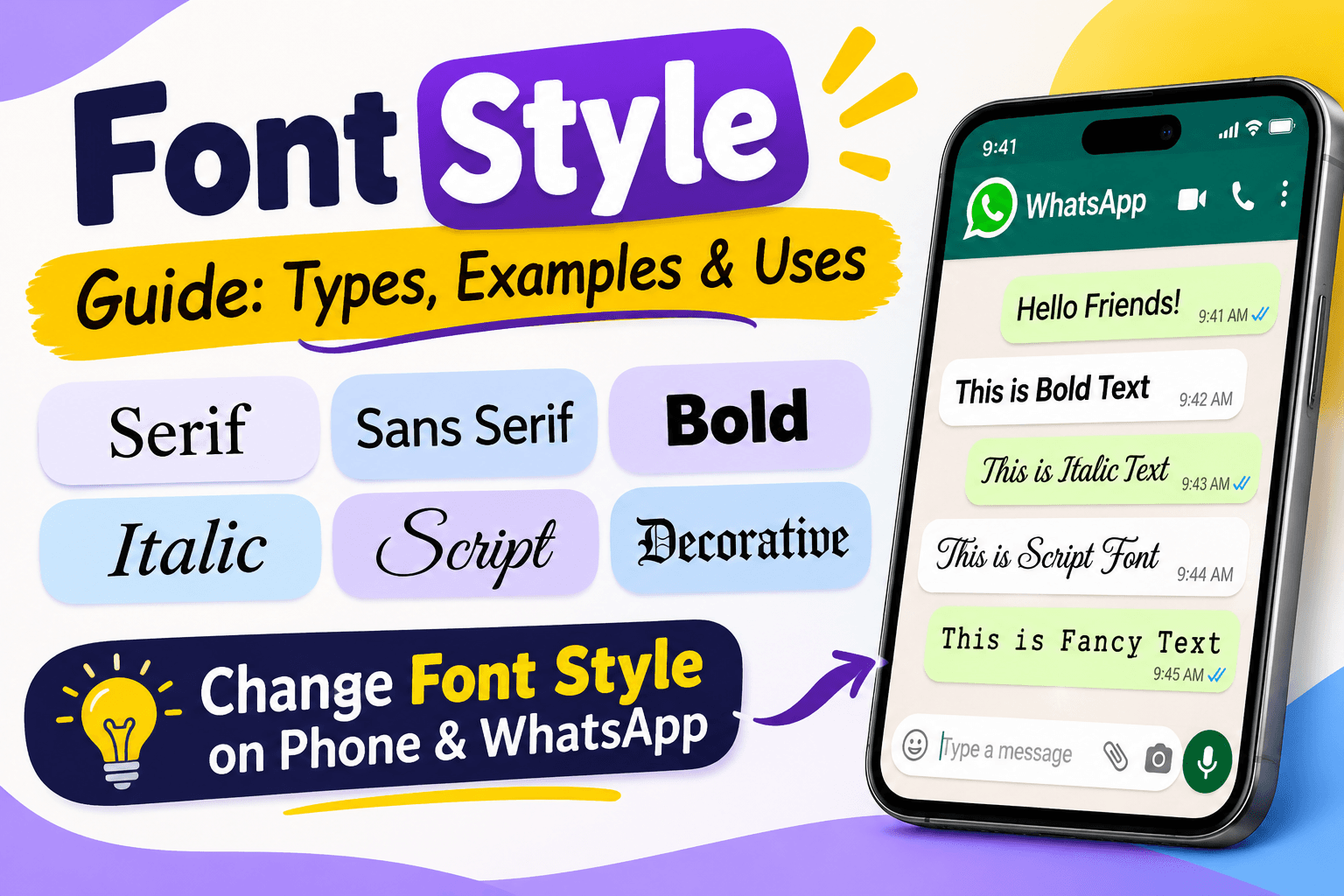
Have you ever received a message with beautiful letters, stylish text, or an unusual font and wondered how someone created it? Perhaps you have seen Instagram bios, WhatsApp messages, Facebook posts, or gaming usernames written in attractive lettering. These small design choices can make ordinary text look more interesting and help people express their personalities.
This is where font style becomes important.
A font style refers to the visual appearance of written characters. It can change how letters look, how text communicates an idea, and how easily someone reads your content. Some styles are simple and professional, while others are decorative, handwritten, bold, or artistic.
Today, people use different font styles for social media profiles, websites, presentations, documents, business designs, and personal messages. However, many users still have questions about changing fonts on their phones and using stylish text in WhatsApp without installing additional applications.
In this guide, we will explain what font style means, explore popular font types, provide practical examples, and show you how to change font style on Android, iPhone, and WhatsApp.
What Is Font Style?
A font style is the visual design or appearance of text. It determines how individual letters, numbers, and symbols look when displayed or printed.
For example, the same word can look different depending on the selected style:
- Regular: Font Style
- Bold: FONT STYLE
- Italic: Font Style
Monospace:FONT STYLE- Decorative: 𝓕𝓸𝓷𝓽 𝓢𝓽𝔂𝓵𝓮
- Double-struck: 𝔽𝕠𝕟𝕥 𝕊𝕥𝕪𝕝𝕖
Although the words remain the same, their appearance changes.
Font styles are useful in almost every type of written communication. A business may choose a clean and professional typeface for its website, while a social media user might prefer decorative letters for a profile name.
It is also important to understand the difference between a font, a typeface, and a font style. A typeface is the overall design family, such as Arial or Times New Roman. A font is a particular implementation of that design, while a font style commonly describes variations such as regular, bold, and italic.
What Are the Different Types of Font Styles?
There are several font styles, and each has a different appearance and purpose. Some are suitable for professional documents, while others work better for creative projects.
Here are some popular categories.
1. Serif Font Style
Serif fonts have small decorative strokes or extensions at the ends of letters. They are commonly used in printed books, newspapers, magazines, and formal documents.
Examples include:
- Times New Roman
- Georgia
- Garamond
- Baskerville
Serif fonts often create a traditional, formal, and established appearance. They are particularly useful for long-form printed content.
2. Sans Serif Font Style
Sans serif fonts do not have decorative strokes at the ends of letters. They usually have a clean and modern appearance.
Popular examples include:
- Arial
- Helvetica
- Roboto
- Open Sans
- Montserrat
These fonts are frequently used for websites, mobile applications, business presentations, and digital advertisements.
3. Bold Font Style
Bold text has thicker and darker strokes than regular text. It helps important words stand out from surrounding content.
For example:
This is an example of bold font style.
Writers commonly use bold text for headings, important instructions, product names, and key information.
4. Italic Font Style
Italic text has letters that generally lean towards the right. It is often used to emphasize a particular word, highlight a title, or distinguish a quotation.
For example:
This is an example of italic font style.
It is also common in books, articles, academic writing, and professional documents.
5. Monospace Font Style
Monospace fonts give every character the same horizontal width. Unlike regular proportional fonts, a narrow letter and a wide letter occupy equal character spaces.
Examples include:
- Courier New
- Consolas
- Roboto Mono
Developers often use monospace fonts for programming, technical documentation, and displaying code.
6. Script and Handwriting Fonts
Script fonts imitate handwritten letters. Some have elegant connected characters, while others look like casual handwriting.
They are commonly used for:
- Wedding invitations
- Birthday cards
- Personal signatures
- Greeting cards
- Creative social media designs
However, decorative handwriting fonts should be used carefully because some can be difficult to read.
7. Decorative and Fancy Font Styles
Decorative fonts have unusual shapes, artistic details, or creative letter designs. They are often used for logos, posters, gaming usernames, and social media profiles.
Examples include:
- 𝓕𝓪𝓷𝓬𝔂 𝓣𝓮𝔁𝓽
- 𝔉𝔞𝔫𝔠𝔶 𝔗𝔢𝔵𝔱
- 𝔽𝕒𝕟𝕔𝕪 𝕋𝕖𝕩𝕥
- Fancy Text
These designs can make short text more attractive, although compatibility depends on the device and application.
Font Style Guide: Types, Examples, and Their Uses
The following table provides a quick comparison of popular font styles, their characteristics, and where you can use them.
Font styleAppearanceCommon uses
Serif
Traditional letters with small strokes
Books, newspapers, formal documents
Sans Serif
Clean and simple letters
Websites, apps, business designs
Bold
Thick and prominent letters
Headings, important information
Italic
Slanted letters
Emphasis, quotations, titles
Monospace
Equal-width characters
Coding, technical content
Script
Handwritten appearance
Invitations, greeting cards
Decorative
Artistic and creative letters
Posters, logos, social media
Display
Distinctive and attention-grabbing
Headlines, advertisements
Slab Serif
Thick, block-like serifs
Branding, posters, headlines
Choosing the right font depends on your purpose. A readable sans serif font may work well for a website, while a script font might be more appropriate for a wedding invitation.
How to Change Font Style in Phone
Many people want to change the default appearance of text on their smartphones. The process depends on the phone manufacturer, operating system, and available customization options.
Some Android phones allow users to download and apply different typefaces, while others mainly offer font size, bold text, and display settings.
How to Change Font Style on Android
Follow these general steps:
- Open the Settings application on your phone.
- Find the Display section.
- Look for Font Size and Style or a similar option.
- Select Font Style if your phone supports it.
- Choose one of the available fonts.
- Preview the selected style and apply it.
The exact steps may differ between manufacturers.
Samsung phones: Samsung Galaxy devices generally provide a dedicated font customization option.
Go to:
Settings → Display → Font Size and Style → Font Style.
You can select an available font or explore additional downloadable options through the Galaxy Store.
Xiaomi and Redmi phones: Depending on your HyperOS or MIUI version and region, font customization may be available through the Themes application or Display settings.
Google Pixel phones: Pixel devices offer font-size and display customization options, but generally do not provide the same unrestricted system-wide font selection found on some Samsung devices.
If you cannot find a font-style option, search for Font in your phone's Settings.
How to Change Font Style on iPhone
iPhones provide different ways to customize text, but changing the system-wide font is more limited than on some Android devices.
You can adjust text size by following these steps:
- Open Settings.
- Select Display & Brightness.
- Tap Text Size.
- Move the slider to adjust the text size.
For additional accessibility options:
- Open Settings.
- Select Accessibility.
- Tap Display & Text Size.
- Explore options such as Larger Text and Bold Text.
You can also install compatible fonts for supported applications through font-management options, but installing a font does not replace the default typeface across the entire iPhone.
How to Change Font Style in WhatsApp
WhatsApp is one of the most popular messaging applications, and many users want to make their messages look different.
The good news is that you do not always need another application to format your messages.
WhatsApp supports several built-in text formatting options, including bold, italic, strikethrough, and monospace.
Here is how to use them.
For official instructions, readers can visit the WhatsApp Help Center.
1. How to Make Text Bold in WhatsApp
Bold text is useful when you want to highlight an important message or make a particular word more noticeable.
To make text bold, place an asterisk (*) before and after the selected text.
Example:
*Hello, how are you?*
It will appear as:
Hello, how are you?
2. How to Make Text Italic in WhatsApp
Italic formatting makes letters appear slightly slanted.
Place an underscore (_) before and after your message.
Example:
_Have a wonderful day_
Result:
Have a wonderful day
3. How to Use Strikethrough in WhatsApp
Strikethrough places a line through the middle of your text.
Place a tilde (~) on both sides of the message.
Example:
~This message is crossed out~
Result:
This message is crossed out
4. How to Use Monospace in WhatsApp
Monospace formatting gives your text a typewriter-like appearance.
Place three backticks on both sides of your message.
Example:
```Hello World```
The message will appear in a monospace format.
5. How to Create Bulleted Lists in WhatsApp
WhatsApp also supports list formatting in supported versions.
Start a new line with an asterisk or hyphen followed by a space.
Example:
* First item
* Second item* Third item
This makes longer messages easier to organize and read.
How to Change Font Style in WhatsApp Without Any App
If you do not want to install another application, you can still make your WhatsApp messages look different.
There are two main approaches.
Method 1: Use WhatsApp's built-in formatting
As explained above, you can use symbols to make messages bold, italic, crossed out, or monospace.
This method works directly inside WhatsApp and does not require a separate font application.
Method 2: Use an online fancy text generator
Another option is to use a website that converts ordinary text into decorative Unicode characters.
The process is simple:
- Open a font-style or fancy-text generator website in your browser.
- Enter the text you want to convert.
- Browse the available font designs.
- Select your preferred style.
- Copy the converted text.
- Open WhatsApp.
- Paste it into your chat, group, or profile field if supported.
For example, ordinary text can become:
- Normal: Hello Friends
- Bold-style: 𝐇𝐞𝐥𝐥𝐨 𝐅𝐫𝐢𝐞𝐧𝐝𝐬
- Italic-style: 𝑯𝒆𝒍𝒍𝒐 𝑭𝒓𝒊𝒆𝒏𝒅𝒔
- Script: 𝓗𝓮𝓵𝓵𝓸 𝓕𝓻𝓲𝓮𝓷𝓭𝓼
- Gothic: 𝕳𝖊𝖑𝖑𝖔 𝕱𝖗𝖎𝖊𝖓𝖉𝖘
- Double-struck: ℍ𝕖𝕝𝕝𝕠 𝔽𝕣𝕚𝕖𝕟𝕕𝕤
These are Unicode characters rather than ordinary installed fonts. This is why they can often be copied between different applications without installing a new typeface.
For more decorative text ideas, you can explore our guide to freaky font copy and paste, which covers unusual text designs and creative lettering.
What Is a Font Style Generator?
A font style generator is an online tool that changes ordinary text into different decorative text formats.
It is particularly useful for people who want stylish text without downloading font files or learning graphic design software.
Most generators work through a simple process:
- Enter your original text.
- Select a preferred design.
- Preview the converted result.
- Copy the text.
- Paste it into a compatible application.
People commonly use these tools for Instagram bios, WhatsApp messages, Facebook posts, gaming usernames, YouTube descriptions, and social media captions.
However, remember that most fancy text generators convert standard letters into Unicode symbols. They do not actually change the font installed on your device.
Where Can You Use Different Font Styles?
Font styles have many applications beyond social media messages.
Here are some common examples.
1. Social Media Profiles
Decorative fonts can make Instagram bios, Facebook profiles, and other social media descriptions look different.
2. WhatsApp Messages
Bold, italic, monospace, and Unicode decorative text can help users create more expressive messages.
3. Websites and Blogs
Website owners use different typefaces to create clear headings, readable paragraphs, and attractive page layouts.
4. Business Documents
Professional fonts help create organized CVs, reports, proposals, invoices, and presentations.
5. Graphic Design
Designers use decorative, script, serif, and display fonts for posters, logos, banners, and advertisements.
6. Gaming Usernames
Stylish Unicode characters are frequently used in gaming names and online profiles, although some games restrict the characters they accept.
Which of the Following Is Not a Font Style?
This is a common question in computer studies, Microsoft Word exercises, and basic computer knowledge tests.
To answer it correctly, you need to understand the difference between a font style and a text-formatting effect.
In Microsoft Word, the traditional font-style options include:
- Regular
- Bold
- Italic
- Bold Italic
Underline is generally a separate text-formatting effect rather than one of these traditional font-style choices.
For example, if a multiple-choice question gives you the following options:
A. Bold
B. Italic
C. Regular
D. Underline
Answer: D. Underline.
This answer applies to the traditional font-style choices in the Microsoft Word font dialog. Some applications may group formatting options differently.
How to Choose the Best Font Style
Selecting a font is not simply about choosing the most attractive design. You should also consider readability, purpose, and the platform where the text will appear.
Here are some useful tips:
Consider readability: Choose a font that people can read comfortably, particularly for long articles and documents.
Match the purpose: Professional documents usually need clean and simple typefaces, while invitations and creative designs can use decorative fonts.
Avoid excessive styles: Using too many different fonts in one design can make it look confusing.
Check mobile compatibility: A decorative font that looks good on your computer may not display correctly on another phone.
Maintain consistency: Use a consistent combination of headings, body text, and emphasis styles throughout your design.
Consider accessibility: Avoid very small text, overly decorative letters, and low-contrast combinations.
FAQ's About Font Style
1. What is font style in simple words?
Font style refers to the appearance of text. It determines how letters look, including variations such as regular, bold, italic, and decorative lettering.
2. How do I change font style on my phone?
Open your phone's Settings and search for Font Style or Font Size and Style. If your device supports font customization, you can select an available typeface and apply it.
3. How to change font style in WhatsApp without any app?
You can use WhatsApp's built-in formatting symbols to make text bold, italic, strikethrough, or monospace. Alternatively, use an online fancy text generator and copy the converted Unicode text into WhatsApp.
4. How to change WhatsApp font style?
Type your message using WhatsApp formatting symbols. Use asterisks for bold, underscores for italic, tildes for strikethrough, and three backticks for monospace.
5. Can I change the entire WhatsApp font?
WhatsApp does not provide a general setting to replace its entire interface typeface with any font you choose. You can adjust chat font size and format individual messages using supported options.
6. Which font style is best for professional documents?
Arial, Calibri, Aptos, and Times New Roman are popular choices for professional documents. Select a readable font and use consistent formatting throughout the document.
7. What is the difference between font style and font size?
Font style changes the appearance of letters, such as bold, italic, or a different typeface. Font size changes how large or small the letters appear.
8. Can I copy and paste stylish fonts?
Yes. Many online generators convert regular text into decorative Unicode characters that you can copy and paste into supported applications.
9. Why are some fancy fonts not displaying correctly?
Some applications, devices, or operating systems do not support every Unicode character. As a result, decorative letters may appear as empty boxes or different symbols.
10. What is the most commonly used font style?
Sans serif and serif typefaces are widely used in digital and printed content. Arial, Roboto, Times New Roman, and Georgia are familiar examples.
11. Can I use different font styles on Instagram?
Yes. You can use compatible Unicode text generators to create decorative Instagram bios, captions, and profile names. However, some characters may not be supported in every field.
12. Is a font style generator free?
Many online font style generators offer free text conversion. Some provide additional premium features, but basic decorative text generation is often available without payment.
13. Is bold a font style?
Yes. Bold is a common font style that makes letters appear thicker and more prominent than regular text.
14. Is underline a font style?
In traditional Microsoft Word font-style selections, underline is a separate text-formatting option. The main font-style choices are Regular, Bold, Italic, and Bold Italic.
15. Can I change font style without downloading an application?
Yes. You can change supported phone settings directly or use an online font generator through your browser. WhatsApp also provides built-in formatting options.
Final Thoughts
Font style is an important part of digital communication, document creation, and graphic design. It affects how people read, understand, and respond to written content.
Whether you want to customize your phone, create attractive WhatsApp messages, design a professional document, or make your social media profile look more interesting, choosing the right font can make a noticeable difference.
You do not always need special software to get started. Many smartphones include built-in text customization settings, while WhatsApp offers several formatting options without requiring another application. Online font generators provide another convenient way to create decorative text that you can copy and paste.
The most important thing is to choose a font that matches your purpose while keeping your text readable and accessible.