
October 20, 2026
Fancy Font Generator: Create Stylish and Fancy Text Online
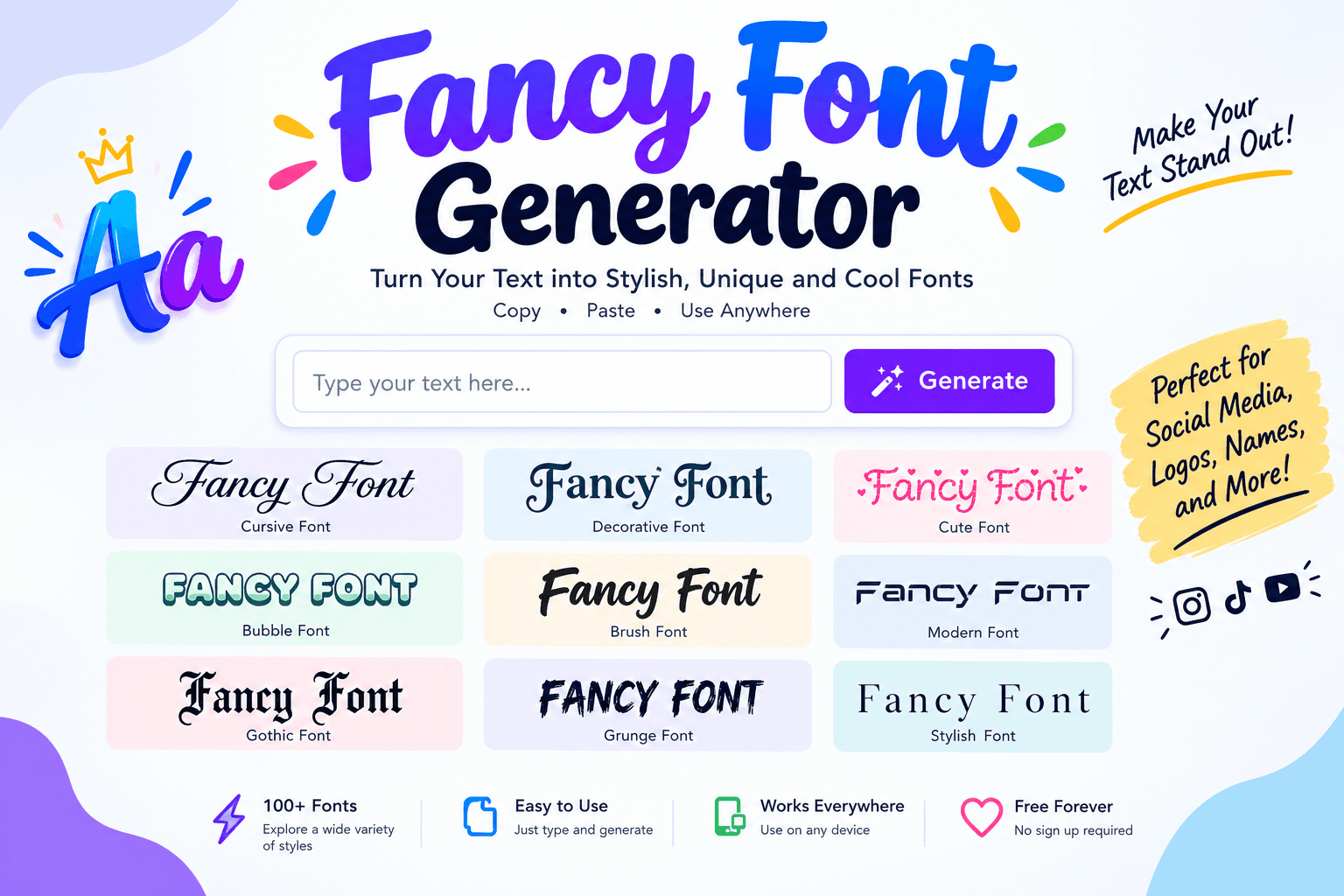
A fancy font generator is a simple online tool that changes regular text into stylish and decorative letters. It helps you create attractive text for social media profiles, messages, usernames, captions, and gaming accounts. You do not need to install software or learn graphic design to use it.
With a fancy font generator, you can type a word, name, or sentence and see different text styles in seconds. Some styles look bold, while others have cursive letters, decorative symbols, or unusual shapes. You can choose the style you like, copy the text, and paste it into your favorite app.
Fancy text is useful when you want your profile to look different from others. It can also help you create a special name for a game, write an eye catching caption, or add a personal touch to a message.
This guide explains how a fancy font generator works, how to use it, where you can use fancy text, and how to choose a style that looks good on different devices.
What Is a Fancy Font Generator?
A fancy font generator is an online text tool that converts ordinary letters into decorative characters. For example, you can enter the word "Hello" and get several versions of the same word.
Here are some examples:
Regular TextFancy Text
Hello
𝓗𝓮𝓵𝓵𝓸
Hello
𝐇𝐞𝐥𝐥𝐨
Hello
𝙃𝙚𝙡𝙡𝙤
Hello
ℋℯℓℓℴ
Hello
Hello
These styles are made with special Unicode characters. Unicode is a system that gives characters a standard code so that computers and phones can display text from many languages and writing systems.
Many fancy text styles are not traditional fonts. They use different characters that resemble letters in the English alphabet. This is why you can copy fancy text from a website and paste it into many social media apps without uploading a font file.
A fancy font generator makes this process quick and easy. Instead of searching for special characters one by one, you can create many styles from a single word or sentence.
How to Use a Fancy Font Generator
Using a fancy font generator is easy, even if you have never used a text styling tool before.
Follow these simple steps:
- Open a fancy font generator on your phone, tablet, or computer.
- Type your name, word, caption, or message into the input box.
- Wait for the tool to create different text styles.
- Browse the available styles and select your favorite one.
- Click the copy button next to the style you want.
- Open Instagram, Facebook, WhatsApp, TikTok, or another app.
- Paste the copied text into your profile, caption, message, or username field.
For example, if you enter "My Profile" into the tool, you may see bold, italic, cursive, and decorative versions of your text.
You can create several styles and compare them before choosing one. This is helpful when you want a username or profile description that looks attractive but remains easy to read.
Popular Fancy Font Styles You Can Create
A good fancy font generator offers a variety of text styles. Each style has a different look and works well for certain types of content.
1. Cursive Fancy Text
Cursive text looks similar to handwriting. Its letters often have curved shapes and connected strokes.
Example:
𝓕𝓪𝓷𝓬𝔂 𝓣𝓮𝔁𝓽
Cursive styles are popular for Instagram bios, personal messages, profile names, and creative captions. They can give your text a soft and decorative appearance.
However, some cursive characters may be difficult to read on small screens. Use this style for short words or phrases rather than long paragraphs.
2. Bold Fancy Text
Bold fancy text uses thick and strong looking letters.
Example:
𝐅𝐚𝐧𝐜𝐲 𝐓𝐞𝐱𝐭
This style is useful when you want a word to stand out. It can work well for social media captions, short announcements, usernames, and important phrases.
Bold text is usually easier to recognize than highly decorative styles, so it can be a good choice for many users.
3. Italic Fancy Text
Italic fancy text gives letters a slanted appearance.
Example:
𝘍𝘢𝘯𝘤𝘺 𝘛𝘦𝘹𝘵
You can use italic text for quotes, short messages, captions, and creative profile descriptions.
4. Aesthetic Fancy Text
Aesthetic text often uses unusual letter shapes, spacing, or decorative characters to create a specific mood.
Example:
Fancy Text
This style is popular among people who enjoy creative profiles and visually pleasing social media pages.
5. Small Text
Small text styles make letters appear smaller than regular characters.
Example:
ᶠᵃⁿᶜʸ ᵗᵉˣᵗ
Small text can be useful for short labels, playful messages, and decorative captions. It may be harder to read on mobile screens, so avoid using it for important information.
6. Gothic and Decorative Text
Gothic text uses dark, old fashioned, or dramatic letter shapes.
Example:
𝔉𝔞𝔫𝔠𝔶 𝔗𝔢𝔵𝔱
This style is often used for gaming names, themed social media profiles, and creative usernames.
Some Gothic characters look quite different from normal letters. Check the result before using it as your main profile name.
Fancy Font Generator for Instagram
Instagram users often want their profiles to look unique. A fancy font generator can help you style your Instagram bio, display name, captions, and comments.
For example, you can turn a simple bio into something like:
𝓒𝓻𝓮𝓪𝓽𝓸𝓻 | 𝓣𝓻𝓪𝓿𝓮𝓵 | 𝓟𝓱𝓸𝓽𝓸𝓰𝓻𝓪𝓹𝓱𝔂
You can also use bold text for a short introduction or cursive text for a personal touch.
When creating an Instagram bio, keep the text short and clear. A fancy style should make your profile more interesting, not make it difficult for visitors to understand what you do.
It is also a good idea to test your selected text on your phone. Some special characters may look different on other devices or operating systems.
Fancy Font Generator for Facebook
Facebook users can use fancy text in posts, profile descriptions, comments, and messages.
A simple sentence can look more decorative when you change its style.
Regular text:
Welcome to my profile.
Fancy text:
𝓦𝓮𝓵𝓬𝓸𝓶𝓮 𝓽𝓸 𝓶𝔂 𝓹𝓻𝓸𝓯𝓲𝓵𝓮.
You can also use bold fancy text for short announcements or special messages.
For Facebook posts, choose a style that works well with the length of your content. Decorative text is usually more effective for a heading or a short sentence than for a full post.
Fancy Font Generator for WhatsApp
WhatsApp users can create stylish text for personal chats, group messages, status updates, and profile information.
A fancy font generator lets you copy decorative text and paste it directly into a conversation.
For example:
Regular text: Good Morning
Fancy text: 𝓖𝓸𝓸𝓭 𝓜𝓸𝓻𝓷𝓲𝓷𝓰
You can use this text for greetings, birthday messages, special occasions, or creative status updates.
Remember that WhatsApp also has its own built in text formatting options, such as bold and italic formatting. A fancy font generator offers additional character styles that may not be available through the standard formatting shortcuts.
Fancy Font Generator for TikTok
TikTok creators can use fancy text to add a personal touch to their profiles and videos.
You can create stylish usernames, profile descriptions, video captions, and short text for creative content.
For example:
𝓥𝓲𝓭𝓮𝓸 𝓒𝓻𝓮𝓪𝓽𝓸𝓻
This style can help a profile look different, but it should still be easy for viewers to understand.
If you create content for a specific audience, choose a style that matches your topic. A gaming account may use bold or Gothic text, while a travel account may prefer cursive or aesthetic text.
Fancy Text for Gaming Usernames
Fancy text is also popular among gamers who want creative usernames.
A simple gaming name can become:
Regular Name: Shadow King
Fancy Name: 𝕊𝕙𝕒𝕕𝕠𝕨 𝕂𝕚𝕟𝕘
You can use fancy characters to create names for online games, gaming communities, and streaming profiles.
Before using a fancy username, check the rules of your game. Some games do not support all Unicode characters. Others may replace unsupported characters with empty boxes or question marks.
A simple name with a few decorative characters is often a better choice than a name filled with symbols.
Benefits of Using a Fancy Font Generator
A fancy font generator offers several benefits for everyday users and content creators.
1. Easy to Use
Most tools work directly in a web browser. You only need to enter your text and select a style.
2. No Font Installation
You can copy and paste many fancy text styles without installing a font file on your device.
3. Many Styles in One Place
You can compare cursive, bold, italic, Gothic, small, and other decorative text styles.
4. Useful for Social Media
Fancy text can help you personalize profiles, captions, usernames, and short messages.
5. Works on Many Devices
Most Unicode text can be copied between phones and computers, although the appearance may vary depending on the app and device.
6. Quick Text Customization
You can create different versions of the same word or sentence within seconds.
Is a Fancy Font Generator Free?
Many fancy font generators are available for free. They allow users to create stylish text, copy it, and paste it into other apps without paying a fee.
Some websites may offer extra features, such as more text styles, custom symbols, or additional tools. The available features depend on the website you use.
If you only need fancy text for social media, a free online tool is usually enough.
Why Does Fancy Text Look Different on Some Devices?
Fancy text is made with special Unicode characters. These characters may look different depending on the device, browser, app, and font support.
For example, a cursive letter may look smooth on one phone but appear slightly different on another. Some characters may not display at all if the device does not support them.
This is why you should test your fancy text before using it in an important profile or message.
There is another important point: fancy Unicode characters may not behave like normal text. They can be harder for screen readers to pronounce, may not work properly in search fields, and may not be recognized by every app.
For important information, use regular text whenever possible.
Fancy Font Generator vs Traditional Font Changer
A fancy font generator and a traditional font changer may sound similar, but they can work in different ways.
FeatureFancy Font GeneratorTraditional Font Changer
Main purpose
Creates decorative text characters
Changes the appearance of text using fonts
Installation
Usually not required
May require a font file or app
Copy and paste
Commonly supported
Depends on the software
Social media use
Often works through Unicode characters
May not work unless the app supports the font
Design control
Usually offers ready made styles
Can offer more design options
A fancy font generator is a good choice for quick text styling. Traditional font software is more suitable for graphic design, logos, posters, and documents that need precise visual control.
Tips for Choosing the Best Fancy Text Style
Choosing a fancy style is not just about making your text look different. It should also remain readable.
Here are some useful tips:
Keep it simple. Use one or two styles in a profile instead of mixing many decorative letters.
Think about your audience. Choose a style that matches your personality, content, or gaming profile.
Check readability. If people cannot read your username or bio, the fancy style may not be helping.
Test on mobile. Many people view social media through phones, so check how your text looks on a small screen.
Use normal text for important details. Phone numbers, website addresses, instructions, and business information should remain easy to read.
Avoid too many symbols. Extra stars, hearts, and unusual characters can make your text look crowded.
Frequently Asked Questions
What is a fancy font generator?
A fancy font generator is an online tool that converts regular text into decorative Unicode characters. It lets you create stylish text for profiles, captions, messages, and usernames.
How do I copy and paste fancy text?
Enter your text into a fancy font generator, select the style you like, and click the copy button. Then open your preferred app and paste the text into the required field.
Can I use fancy text on Instagram?
Yes. Many fancy Unicode styles can be used in Instagram bios, captions, comments, and display names. However, some characters may not display correctly on every device.
Does a fancy font generator work on mobile?
Yes. Most browser based fancy font generators work on mobile phones, tablets, and computers. You can create text and copy it without installing an app.
Are fancy fonts real fonts?
Many fancy text styles are made from Unicode characters rather than traditional font files. They resemble different fonts but are actually special characters that can be copied and pasted.
Why are some fancy characters missing?
Some apps and devices do not support every Unicode character. If a character appears as a square or question mark, try another style or use regular letters.
Can I use fancy text for my gaming name?
Yes, if your game supports the characters you choose. Check the game's username rules and test the name before saving it.
Conclusion
A fancy font generator is a useful online tool for creating stylish text without installing extra software. It lets you turn ordinary words into cursive, bold, italic, Gothic, and other decorative styles.
You can use fancy text for Instagram bios, Facebook posts, WhatsApp messages, TikTok profiles, gaming usernames, and many other purposes.
The best approach is to choose a style that fits your content and remains easy to read. Try different text styles, copy your favorite result, and test it in the app where you plan to use it.
With a few simple steps, you can make your everyday text look more creative and personal.