
November 13, 2026
Cute Fonts Copy Paste: 100+ Cute Text Styles, Symbols, and Aesthetic Letters
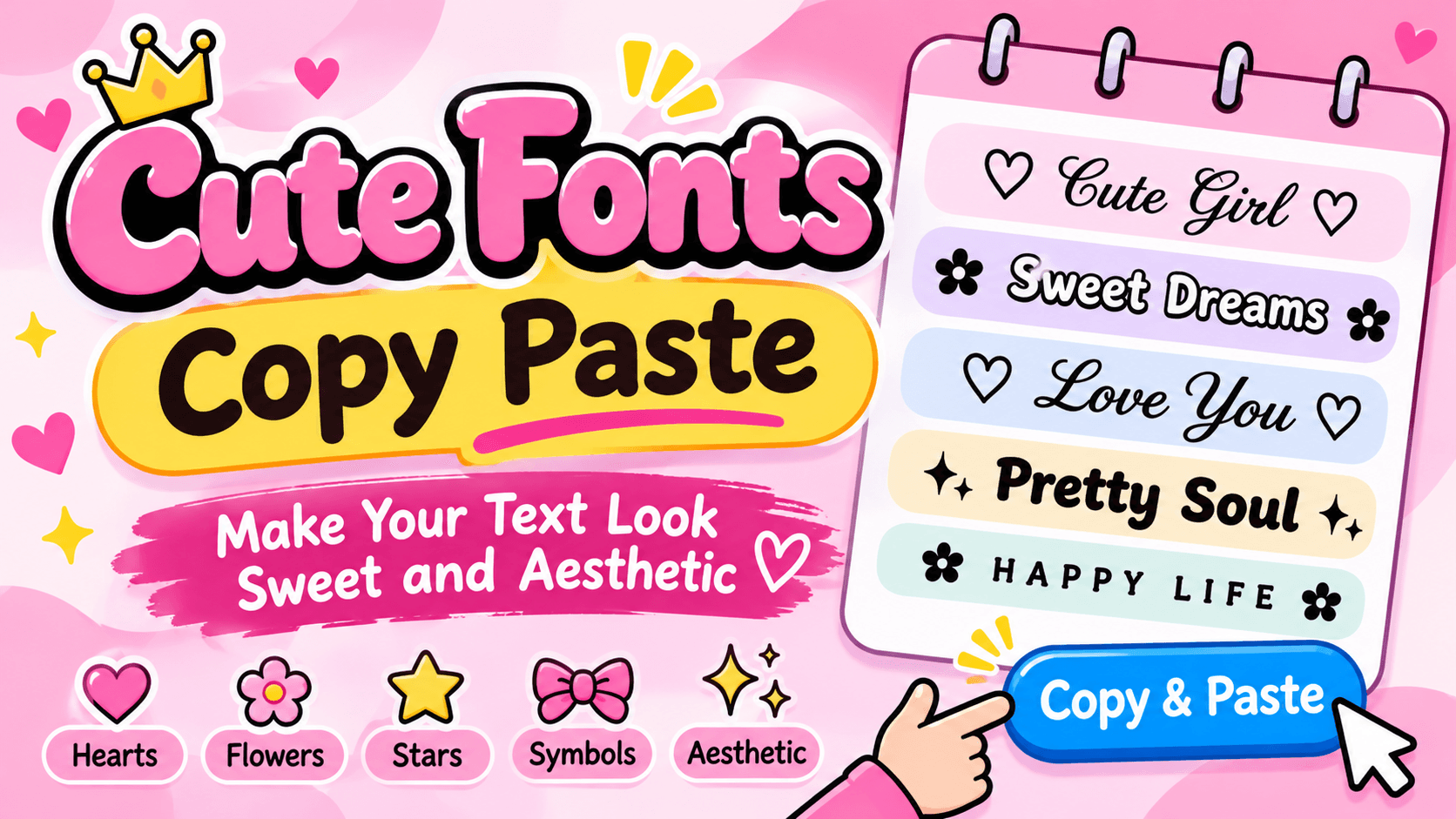
Cute Fonts Copy Paste: Make Your Text Look Sweet and Aesthetic
Sometimes plain text feels too simple, especially when you want your social media profile to look beautiful. A little creativity with stylish letters, hearts, flowers, and decorative symbols can make ordinary words look much more attractive. This is where cute fonts copy paste styles become useful.
Cute fonts copy paste lets you turn regular letters into pretty, soft, and creative text without installing special software. You can use these styles for Instagram bios, TikTok captions, WhatsApp statuses, Discord usernames, gaming profiles, and personal messages.
Whether you love pink aesthetics, kawaii designs, cute hearts, soft cursive letters, or bubble text, there are many styles to explore.
The best part is that you do not need to learn graphic design or download a font file. Many cute text styles use Unicode characters that you can copy and paste directly into supported apps and websites.
In this guide, you will discover different cute font styles, ready to copy text examples, decorative symbols, and useful ways to make your online profiles more attractive.
What Are Cute Fonts Copy Paste?
Cute fonts are decorative text styles that make ordinary words look more creative. They can include rounded letters, handwritten looking characters, small caps, circled letters, and decorative symbols.
For example, the regular word "Love" can look completely different when you use different text styles.
Here are some examples:
- Regular: Love
- Cute cursive: 𝓛𝓸𝓿𝓮
- Bubble: Ⓛⓞⓥⓔ
- Small caps: ʟᴏᴠᴇ
- Bold: 𝗟𝗼𝘃𝗲
- Double struck: 𝕃𝕠𝕧𝕖
- Decorated: ♡ Love ♡
- Flower style: ✿ Love ✿
These styles are generally created with Unicode characters rather than traditional font files. That means you can copy the characters and paste them into many places where normal text is accepted.
However, not every device or application supports every decorative character. Some styles may appear differently depending on the platform.
100+ Cute Fonts Copy Paste Examples
Looking for beautiful text that you can use immediately? Here are different styles for names, bios, captions, and messages.
1. Cute Cursive Fonts
Cursive styles give your text a handwritten appearance. They are a good choice for personal names, romantic messages, and aesthetic profiles.
Copy these examples:
- 𝓒𝓾𝓽𝓮 𝓖𝓲𝓻𝓵
- 𝓢𝔀𝓮𝓮𝓽 𝓓𝓻𝓮𝓪𝓶𝓼
- 𝓛𝓸𝓿𝓮 𝓨𝓸𝓾
- 𝓟𝓻𝓮𝓽𝓽𝔂 𝓢𝓸𝓾𝓵
- 𝓗𝓪𝓹𝓹𝔂 𝓛𝓲𝓯𝓮
- 𝒞𝓊𝓉𝑒 𝒜𝓃𝑔𝑒𝓁
- 𝒮𝓌𝑒𝑒𝓉 𝒢𝒾𝓇𝓁
- 𝒟𝓇𝑒𝒶𝓂 𝒞𝒶𝓉
2. Cute Heart Fonts
Heart decorations are perfect for romantic messages, friendship bios, and social media captions.
Copy and paste these styles:
- ♡ Cute Girl ♡
- ♥ Sweet Heart ♥
- ୨♡୧ Lovely Day ୨♡୧
- ღ Pretty Soul ღ
- ꨄ My World ꨄ
- ♡₊˚ Sweet Dreams
- Love You More ♡
- ˚ʚ♡ɞ˚ Angel Girl
- ᰔᩚ Best Friends
- ♥ Forever Love ♥
3. Bubble Cute Fonts
Bubble letters give text a rounded and playful appearance. They work especially well for short names, titles, and fun captions.
Here are some examples:
- Ⓒⓤⓣⓔ Ⓖⓘⓡⓛ
- Ⓢⓦⓔⓔⓣ Ⓗⓞⓜⓔ
- Ⓗⓐⓟⓟⓨ Ⓓⓐⓨ
- Ⓛⓞⓥⓔ ⓨⓞⓤ
- Ⓑⓔⓢⓣ Ⓕⓡⓘⓔⓝⓓ
- Ⓟⓡⓔⓣⓣⓨ Ⓢⓞⓤⓛ
4. Small Cute Fonts
Small text is useful when you want a subtle and clean appearance. These styles look attractive in short bios and profile descriptions.
Try these examples:
- ᴄᴜᴛᴇ ɢɪʀʟ
- ꜱᴡᴇᴇᴛ ᴅʀᴇᴀᴍꜱ
- ʟᴏᴠᴇ ʏᴏᴜ
- ᴘʀᴇᴛᴛʏ ꜱᴏᴜʟ
- ʜᴀᴘᴘʏ ʟɪꜰᴇ
- ʙᴇ ʏᴏᴜʀꜱᴇʟꜰ
5. Cute Flower Fonts
Flower decorations create a soft and natural look. They are popular for aesthetic usernames, captions, and profile descriptions.
Copy these flower designs:
- ✿ Cute Girl ✿
- ❀ Sweet Dreams ❀
- 🌸 Pretty Soul 🌸
- ❁ Happy Life ❁
- ✿ Blooming Beauty ✿
- ꕤ Lovely Day ꕤ
- ❀ Little Princess ❀
- 🌷 Stay Beautiful 🌷
6. Aesthetic Cute Fonts
Aesthetic text combines decorative characters, stylish letters, and small symbols. You can use these designs to create a unique online identity.
- ⋆。˚ Pretty Girl ˚。⋆
- ˚₊‧꒰ა Angel ໒꒱ ‧₊˚
- ୨ৎ Soft Heart ୨ৎ
- ✧ Dream Big ✧
- ☁︎ Cloud Nine ☁︎
- ⋆。°✩ Moonlight ✩°。⋆
- ꒰ა Sweet Soul ໒꒱
- ₊˚⊹♡ Little Star
7. Bold Cute Fonts
Bold text is useful when you want your name or message to stand out. These characters can make short words look stronger without losing their decorative appearance.
- 𝗖𝗨𝗧𝗘 𝗚𝗜𝗥𝗟
- 𝗦𝘄𝗲𝗲𝘁 𝗗𝗿𝗲𝗮𝗺𝘀
- 𝗣𝗿𝗲𝘁𝘁𝘆 𝗦𝗼𝘂𝗹
- 𝗟𝗼𝘃𝗲 𝗬𝗼𝘂
- 𝗛𝗮𝗽𝗽𝘆 𝗗𝗮𝘆
8. Kawaii Cute Fonts
Kawaii is a Japanese word associated with cuteness. Kawaii text often combines sweet symbols, playful decorations, and soft lettering.
Try these combinations:
- (◕‿◕) Cute Girl
- ♡(˃͈ દ ˂͈ ༶ ) Sweet
- ꒰ ˶• ༝ •˶꒱ Pretty
- ૮꒰ ˶• ༝ •˶꒱ა Lovely
- (。♥‿♥。) Love
- ૮₍ ˶ᵔ ᵕ ᵔ˶ ₎ა Happy
- (づ。◕‿‿◕。)づ Hugs
Popular Cute Symbols to Copy and Paste
Cute symbols can make simple text look more interesting. You can place them before or after your name, between words, or around your profile description.
Here is a collection of useful decorative symbols.
Heart Symbols
♡ ♥ ღ ୨♡୧ ꨄ ᰔ ᥫ᭡
Flower Symbols
✿ ❀ ❁ ꕤ 🌸 🌷 ✾
Star Symbols
☆ ★ ✧ ✦ ⋆ ✩ ⭒
Bow Symbols
୨ৎ ౨ৎ 🎀 ʚɞ
Cloud and Moon Symbols
☁︎ ☾ ☽ ☁︎ ☼ ☀︎
Cute Decorative Symbols
꒰ ꒱ ʚ ɞ 𖹭 ༘ ༄ 。゚
You can combine these symbols with normal or fancy letters to create your own designs.
For example:
- ♡ 𝓜𝔂 𝓝𝓪𝓶𝓮 ♡
- ✿ ᴘʀᴇᴛᴛʏ ɢɪʀʟ ✿
- ୨ৎ 𝒮𝓌𝑒𝑒𝓉 𝒟𝓇𝑒𝒶𝓂𝓈
- ⋆。˚ 𝓛𝓸𝓿𝓮 ˚。⋆
Where Can You Use Cute Fonts?
Cute fonts copy paste styles are useful across many social media platforms and messaging applications. They help make ordinary text more personal and visually interesting.
Instagram Bios and Captions
Instagram is one of the most popular places to use decorative text. You can make your profile name, bio, highlights, and captions look different from regular text.
For example:
♡ 𝓐𝓫𝓸𝓾𝓽 𝓜𝓮 ♡
🌸 Just a girl with big dreams
୨ৎ Living my little story
Remember that Instagram username fields have restrictions. Decorative Unicode letters are generally more suitable for display names and bios than account handles.
TikTok Profiles
You can use cute letters to decorate your TikTok display name, profile description, and video captions.
Example:
𝓢𝓶𝓲𝓵𝓮 𝓜𝓸𝓻𝓮 ♡
Some TikTok fields may have different character restrictions, so test your selected style before using it.
WhatsApp Status and Messages
Cute fonts can make your WhatsApp status and personal messages more expressive.
Examples:
- ♡ Good Morning ♡
- 🌸 Have a Beautiful Day
- 𝓜𝓲𝓼𝓼 𝓨𝓸𝓾
- ✨ Stay Happy ✨
You can also use decorative text in group descriptions and personal chats.
Discord Profiles
Discord users can use decorative Unicode text in supported profile fields, server nicknames, and messages.
For example:
✧ 𝓖𝓪𝓶𝓲𝓷𝓰 𝓖𝓲𝓻𝓵 ✧
Keep in mind that Discord usernames have stricter rules than display names. Not every cute font will work in every field.
Gaming Names
Cute text is also popular among people who want attractive gaming nicknames.
Some examples include:
- ♡ SweetQueen
- 𝓜𝓸𝓸𝓷𝓛𝓲𝓰𝓱𝓽
- ✿ PinkPrincess
- ᥫ᭡ AngelGirl
- ☆ DreamySoul
Before using a decorative name, check the game's username rules and character limits.
How to Copy and Paste Cute Fonts
Using cute fonts is simple. You do not need technical skills or a special keyboard.
Follow these steps:
Step 1: Choose Your Text
Start with a name, word, sentence, or short message that you want to decorate.
Step 2: Select a Cute Style
Explore cursive, bubble, heart, flower, small caps, or aesthetic text styles.
Step 3: Copy Your Favorite Design
Select the complete decorative text and copy it using your device's copy option.
Step 4: Open Your Favorite Platform
Go to Instagram, TikTok, WhatsApp, Discord, or another application where you want to use the text.
Step 5: Paste Your Text
Press and hold the text field on mobile and select Paste. On a computer, use Ctrl + V on Windows or Command + V on Mac.
Step 6: Check the Final Appearance
Make sure the characters display correctly. If you see empty boxes or unusual symbols, choose a simpler style.
Are Cute Fonts Real Fonts or Unicode Characters?
This is an important question because many people think cute fonts are traditional typefaces.
Most online cute font generators do not create or install actual font files. Instead, they replace ordinary letters with visually similar Unicode characters.
For example, the letter A can appear in several forms:
- A
- 𝐀
- 𝑨
- 𝓐
- 𝔄
- Ⓐ
- ᴀ
These are different characters with different Unicode code points. They may look like different typefaces, but they are still text characters.
This is why you can copy them from a website and paste them into another application without installing a font.
However, there are some limitations:
- Some characters may not display on older devices.
- Certain websites only accept standard letters.
- Decorative text may not be accessible to screen readers.
- Search engines may not interpret stylized letters like ordinary words.
- Some platforms may replace unsupported characters with empty boxes.
For these reasons, use regular text for important information and decorative characters for short titles, names, and profile designs.
Tips for Choosing the Best Cute Fonts
There are many cute styles available, but not every style works well in every situation. The right choice depends on your design and where you plan to use it.
Here are some practical tips.
1. Choose Readable Letters
A font may look beautiful, but it should still be easy to understand. Avoid overly complicated characters for long messages.
2. Use Symbols Carefully
Hearts, stars, flowers, and bows can make your text attractive. However, adding too many decorations can make it difficult to read.
3. Match the Style With Your Personality
Choose cursive fonts for an elegant appearance, bubble letters for a playful look, and small caps for a simple aesthetic.
4. Check Mobile Compatibility
Many people view social media profiles on smartphones. Always check how your selected characters look on a mobile screen.
5. Keep Important Information Simple
Your contact details, business information, and important messages should remain in standard text so people can read them easily.
6. Avoid Overusing Decorative Text
A little decoration can make a profile look attractive. Using different styles in every sentence can make the overall design look confusing.
Frequently Asked Questions About Cute Fonts Copy Paste
1. What are cute fonts copy paste?
Cute fonts copy paste are decorative text styles made with Unicode characters and symbols. You can copy these styles from an online generator and paste them into supported social media profiles, messages, captions, and other text fields.
2. Are cute fonts free to use?
Most online cute font generators offer free styles that you can copy and paste without paying. Some websites may also offer additional features, but basic decorative text usually does not require a subscription.
3. Can I use cute fonts on Instagram?
Yes. You can use many Unicode based cute text styles in Instagram bios, display names, captions, and comments. However, some decorative characters may not work in every field.
4. How do I make my name look cute?
Write your name in a cute font generator, explore different styles, and copy your favorite design. You can also add hearts, stars, bows, and flower symbols to make it more attractive.
5. Why do cute fonts appear as boxes?
Empty boxes usually appear when your device or application does not support a particular Unicode character. Try using small caps, basic cursive, or simpler decorative symbols.
6. Can I use cute fonts on WhatsApp?
Yes. Many Unicode text styles work in WhatsApp messages and statuses. You can copy decorative letters from a generator and paste them directly into your conversation or status.
7. Do cute fonts work on TikTok?
Many cute Unicode styles work in TikTok display names, bios, and captions. However, TikTok has restrictions on certain profile fields, so some styles may not be accepted.
8. Do I need to install an application to copy cute fonts?
No. You can use an online cute text generator directly through your browser. Simply select a style, copy the text, and paste it wherever the characters are supported.
9. Can I use cute fonts for gaming usernames?
Yes, provided the game supports the characters you want to use. Some games only accept standard letters and numbers, while others support a wider range of Unicode characters.
10. What is the difference between cute fonts and aesthetic fonts?
Cute fonts usually focus on soft, playful, and sweet designs, such as hearts, flowers, and rounded letters. Aesthetic fonts cover a wider range of styles, including minimalist, elegant, vintage, and decorative lettering.
Final Thoughts
Cute fonts copy paste styles are an easy way to give ordinary text a fresh and creative appearance. From beautiful cursive letters and bubble text to hearts, flowers, and kawaii symbols, there are plenty of options to explore.
You can use these styles for Instagram bios, TikTok captions, WhatsApp messages, Discord profiles, gaming names, and many other places.
The key is to choose a style that matches your personality while keeping your text readable. Try different combinations, check how they look on your device, and use decorative symbols to create something unique.
A few creative letters can make a simple name or message feel much more personal.