
October 21, 2026
Cute Fonts Copy and Paste: 50+ Stylish Text Ideas
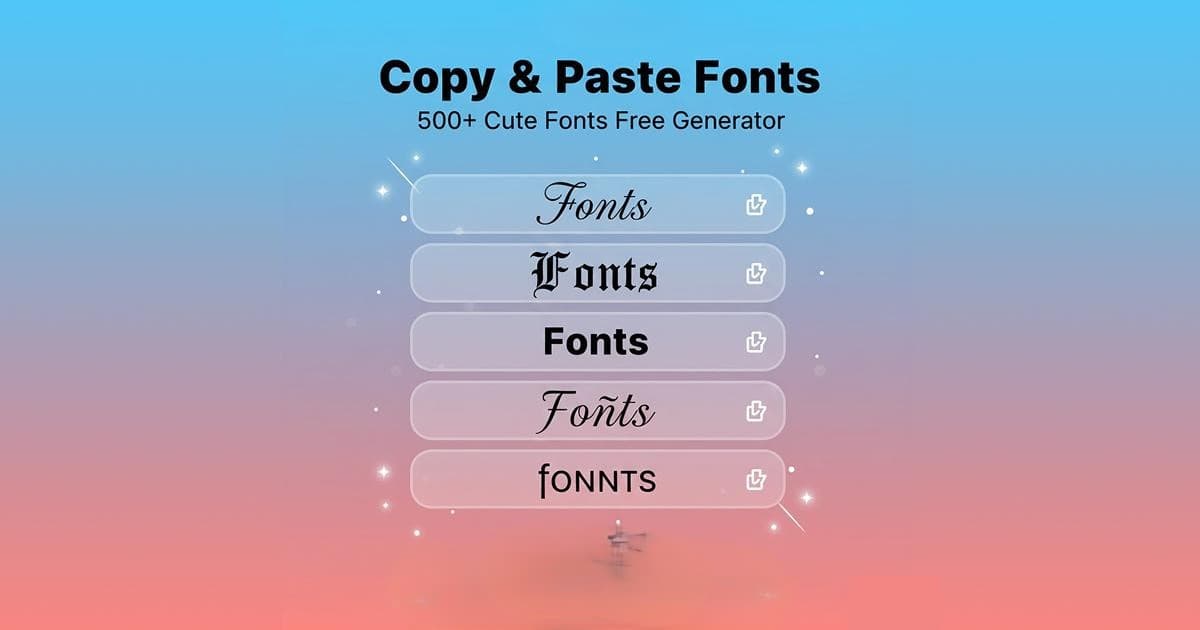
Looking for cute fonts copy and paste styles for your social media profiles, captions, messages, or creative projects? Decorative text can give ordinary words a playful, stylish, or aesthetic appearance. From cursive letters and tiny text to hearts, stars, and fancy symbols, there are many ways to personalize your writing.
Cute text styles are popular among people who want to make their Instagram bios, TikTok profiles, WhatsApp messages, usernames, and digital designs look more interesting. The best part is that many styles can be copied and pasted without installing special software.
In this guide, you will find cute fonts copy and paste examples, learn how these styles work, and discover how to use them across different platforms.
What Are Cute Fonts Copy and Paste?
Cute fonts copy and paste are decorative text styles that change the appearance of ordinary words. They often use special Unicode characters, mathematical letters, and decorative symbols to create different visual effects.
For example, the word "Cute" can appear in several styles:
- ♡ Cute ♡
- ୨୧ Cute ୨୧
- ✧ Cute ✧
- 𝒞𝓊𝓉𝑒
- 𝓒𝓾𝓽𝓮
- ᴄᴜᴛᴇ
- Cute
- ꧁ Cute ꧂
- ⋆。°✩ Cute ✩°。⋆
- ₊˚⊹♡ Cute ♡⊹˚₊
These styles can make short phrases look different without changing their basic meaning. However, their appearance depends on the device, application, and character support.
It is important to understand that many copy-and-paste styles are Unicode characters rather than traditional font files. A regular web font changes how text is displayed, while Unicode decorative text uses different characters that can often be pasted into other applications.
50+ Cute Fonts Copy and Paste Examples
Here are several text styles you can copy for your personal profiles, messages, and creative projects.
1. Cute and Simple Text
These styles are suitable for short captions, bios, and friendly messages.
- ♡ sweet girl ♡
- ✿ happy vibes ✿
- ☆ stay cute ☆
- ღ lovely day ღ
- ☁ soft feelings ☁
- ୨୧ little angel ୨୧
- ꒰ sweet dreams ꒱
- ♡ be kind ♡
- ✧ pretty things ✧
- ⋆ dream big ⋆
2. Cute Cursive Fonts
Cursive text gives words a handwritten appearance. It can work well for short greetings, names, and decorative headings.
- 𝒽𝒶𝓅𝓅𝓎 𝒹𝒶𝓎
- 𝓈𝓌𝑒𝑒𝓉 𝒹𝓇𝑒𝒶𝓂𝓈
- 𝓁𝑜𝓋𝑒 𝓎𝑜𝓊
- 𝒷𝑒 𝓎𝑜𝓊𝓇𝓈𝑒𝓁𝒻
- 𝓅𝓇𝑒𝓉𝓉𝓎 𝓋𝒾𝒷𝑒𝓈
- 𝓈𝓂𝒾𝓁𝑒 𝓂𝑜𝓇𝑒
- 𝒹𝓇𝑒𝒶𝓂 𝒷𝒾𝑔
- 𝓈𝓉𝒶𝓎 𝓅𝑜𝓈𝒾𝓉𝒾𝓋𝑒
3. Bold and Stylish Fonts
Bold decorative text can help short words stand out in a profile or caption.
- 𝐂𝐮𝐭𝐞 𝐕𝐢𝐛𝐞𝐬
- 𝗦𝘄𝗲𝗲𝘁 𝗗𝗿𝗲𝗮𝗺𝘀
- 𝑺𝒕𝒂𝒚 𝑯𝒂𝒑𝒑𝒚
- 𝘚𝘰𝘧𝘵 𝘓𝘪𝘧𝘦
- 𝙋𝙧𝙚𝙩𝙩𝙮 𝙎𝙩𝙮𝙡𝙚
- 𝕃𝕠𝕧𝕖 𝕐𝕠𝕦𝕣𝕤𝕖𝕝𝕗
- CUTE VIBES
- ᴍɪɴɪ ᴅʀᴇᴀᴍs
4. Cute Small Text
Small decorative letters are often used for short bios, aesthetic captions, and profile descriptions.
- ᵗⁱⁿʸ ˢᵐⁱˡᵉˢ
- ˢʷᵉᵉᵗ ᵈʳᵉᵃᵐˢ
- ᵖʳᵉᵗᵗʸ ᵛⁱᵇᵉˢ
- ᵐⁱⁿⁱ ᵃⁿᵍᵉˡ
- ˡⁱᵗᵗˡᵉ ˢᵗᵃʳ
- ˢᵗᵃʸ ᶜᵘᵗᵉ
- ᵇᵉ ʰᵃᵖᵖʸ
- ˡᵒᵛᵉ ᵃⁿᵈ ᵖᵉᵃᶜᵉ
Some letters may not be available in every decorative style, so check the final result before using it.
5. Cute Fonts with Hearts and Stars
Hearts and stars can add a playful touch to short phrases and greetings.
- ♡₊˚ sweet girl ˚₊♡
- ୨♡୧ love always ୨♡୧
- ✧ dream big ✧
- ꒰ა ♡ ໒꒱
- ★彡 sweet girl 彡★
- ♡‧₊˚ be happy ˚₊‧♡
- ✩°。⋆ pretty vibes ⋆。°✩
- ₊˚⊹ ᰔ love ᰔ ⊹˚₊
- ☾♡ good night ♡☽
- ⋆。‧˚ʚ♡ɞ˚‧。⋆
6. Cute Username Ideas
A creative username can help your profile express your personality. Here are some ideas to try:
- ♡ little.sunshine
- ୨୧ pinkclouds
- sweetie_angel ♡
- ✿ tiny.star ✿
- dreamy.bunny
- softie.vibes
- ♡ peachy.mood
- starlight.୨୧
- little.dreamer
- moonlight.baby
Before using a decorative username, check whether the platform accepts its special characters. Some services only allow standard letters, numbers, and selected symbols.
How to Copy and Paste Cute Fonts
Copying cute text is simple and usually does not require you to install a font on your device.
Step 1: Choose a text style.
Browse the examples above and select the phrase or decorative text you like.
Step 2: Select the text.
Highlight the entire phrase, including the symbols you want to keep.
Step 3: Copy the text.
On Windows, press Ctrl+C. On a Mac, press Command+C. On a phone, press and hold the selected text and choose Copy when the option appears.
Step 4: Open your preferred application.
Go to Instagram, TikTok, WhatsApp, a messaging app, or another compatible text field.
Step 5: Paste your text.
Use Ctrl+V on Windows, Command+V on a Mac, or the Paste option on your mobile device.
Step 6: Check the result.
Make sure the letters and symbols display correctly before saving or publishing your text.
Where Can You Use Cute Fonts?
Instagram Bios and Captions
Cute fonts can add personality to Instagram bios, captions, and selected profile details. You can combine decorative letters with hearts or stars to create a style that matches your profile.
Keep important information readable, especially if you use your account for business or communication.
TikTok Profiles
Decorative text can be used in supported profile fields, captions, and other text areas. Check character limits and platform rules before saving your profile.
WhatsApp Messages
Cute text and symbols can make personal messages, greetings, and status updates feel more expressive. Remember that the same character may look slightly different on different phones.
Pinterest and Creative Projects
You can use decorative text for mood boards, digital journals, greeting cards, invitations, and aesthetic posts. For designs that require precise control over typography, use a suitable design application and a regular font.
Gaming Profiles
Some gamers use fancy text for display names and profile descriptions. However, many games restrict special characters, so a decorative name may not be accepted or may display incorrectly.
Are Cute Copy-and-Paste Fonts Real Fonts?
Many styles called cute copy-and-paste fonts are actually Unicode characters rather than traditional font files.
Unicode provides a standard way to represent text characters across supported computer systems. A device then uses its available fonts to display those characters.
For example, decorative bold or script-style letters may look different from ordinary letters even when pasted into an application that does not offer a font selector.
This is useful because you can often copy these characters directly into compatible text fields. However, not every application supports every character, and some decorative letters may behave differently from standard text when searched, read aloud, or processed by software.
For more information, read the Unicode Consortium's Fonts and Keyboards FAQ.
If you want to explore traditional typefaces for website design, graphics, and creative projects, visit our related guide to Google Fonts.
Tips for Choosing the Best Cute Font Style
Choose readable text. Select styles that people can understand easily, especially when writing longer captions or important messages.
Match the style to your purpose. Playful letters may work for a personal bio, while a simple and professional style may be better for a business profile.
Avoid too many symbols. Adding several hearts, stars, and decorative marks to every word can make text difficult to read.
Check mobile compatibility. Test your selected text on your phone before publishing it.
Keep essential information simple. Standard letters are usually a better choice for contact details, email addresses, instructions, and important announcements.
Follow platform rules. Some websites restrict decorative characters in usernames or profile fields.
Common Problems with Cute Fonts Copy and Paste
Some Letters Appear as Squares
This can happen when a device or application does not support a particular character. Try a simpler style or remove the unsupported symbols.
The Text Looks Different After Pasting
Different operating systems and applications may display the same Unicode character differently. Preview the final text in the application where you intend to use it.
A Username Is Not Accepted
The platform may restrict certain characters or symbols. Try a version that uses permitted letters, numbers, and punctuation.
Decorative Text Is Difficult for Screen Readers
Some Unicode characters may be announced in unexpected ways by assistive technology. For public information and important messages, standard text is often more accessible. You can still add a few decorative symbols around a readable phrase.
Frequently Asked Questions
How can I copy and paste cute fonts for free?
Choose a decorative text example, select it, copy it, and paste it into a compatible application. The examples in this guide can be copied without purchasing a font.
Do cute fonts work on Instagram?
Many Unicode-based styles work in Instagram text fields, but some characters may not display as expected. Platform features and restrictions can also change.
Do cute fonts work on iPhone and Android?
Many decorative characters work on both systems. However, their appearance depends on the operating system, application, and available font support.
Are cute fonts safe to use?
Decorative text itself is generally just text. Use trusted websites when looking for additional examples, and avoid installing unknown software or browser extensions simply to copy text.
Can cute fonts increase social media engagement?
A distinctive style may help a profile or post stand out visually, but decorative text does not guarantee more views, likes, or followers. Useful content and clear communication remain important.
Can I use cute fonts in professional designs?
Yes. Cute styles can work well in invitations, greeting cards, posters, and selected headings. For longer paragraphs and important instructions, choose a readable font.
Final Thoughts
Cute fonts copy and paste styles offer a simple way to personalize social media profiles, captions, messages, and creative projects. You can experiment with cursive letters, bold text, tiny characters, hearts, stars, and other decorative combinations.
The best style is one that suits your personality and remains readable on the platform where you use it. Try different examples, check how they appear after pasting, and keep essential information accessible with standard text.