
September 26, 2026
Bold Font Generator: Create Bold Text Online and Copy & Paste
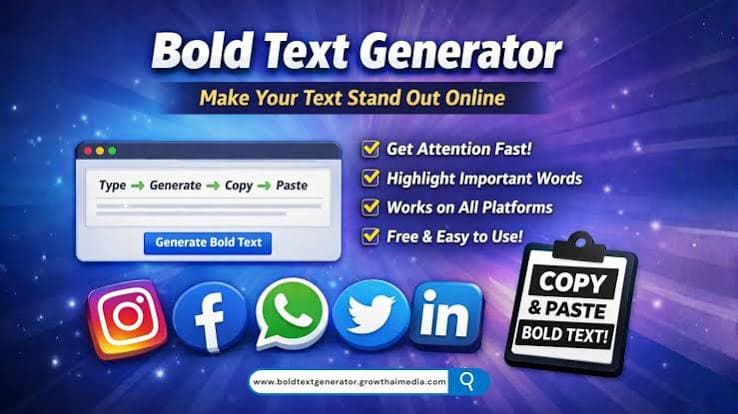
Bold Font Generator
A bold font generator lets you turn normal text into bold and eye catching text that you can copy and paste into social media posts, bios, messages, comments, usernames, websites, and other online platforms.
You do not need to install a special font or change the settings on your device. Simply enter your text, choose a bold style, copy the result, and paste it where you want.
Bold text can make important words stand out. It is especially useful when you want your profile, caption, heading, or message to get more attention.
What Is a Bold Font Generator?
A bold font generator is an online tool that converts regular letters into different bold Unicode text styles.
For example:
Normal:
Hello World
Bold:
𝗛𝗲𝗹𝗹𝗼 𝗪𝗼𝗿𝗹𝗱
Some generators also provide additional styles such as bold italic, bold script, bold serif, and other decorative text options.
The generated text can often be copied directly from the tool and pasted into supported apps and websites.
How Does a Bold Font Generator Work?
Most online bold text generators use Unicode characters instead of simply applying the CSS font-weight: bold property.
This is important because regular web formatting may disappear when you copy text from one platform to another. Unicode styled characters are treated as text characters, so they can work in places where traditional formatting is unavailable.
For example, regular text uses standard alphabet characters. A Unicode bold generator replaces them with corresponding bold styled characters.
This makes it possible to create text like:
Regular:
Welcome to my profile
Bold:
𝗪𝗲𝗹𝗰𝗼𝗺𝗲 𝘁𝗼 𝗺𝘆 𝗽𝗿𝗼𝗳𝗶𝗹𝗲
How to Use a Bold Font Generator
Using a bold font generator is usually very simple.
Step 1: Enter Your Text
Type or paste your normal text into the generator.
You can enter a word, sentence, caption, username, or short paragraph.
Step 2: Choose a Bold Style
The generator can display several bold text variations. Select the style you like.
Step 3: Copy the Text
Click the copy button to copy the generated text to your clipboard.
Step 4: Paste It Anywhere
Open your preferred app or website and paste the text.
You can use it in social media bios, posts, comments, chats, profiles, and other places that support Unicode characters.
Where Can You Use Bold Text?
Bold Unicode text can be useful across many platforms. Some common uses include:
- Instagram bios and captions
- Facebook posts
- TikTok profiles and captions
- YouTube descriptions
- Discord messages
- WhatsApp messages
- Telegram profiles
- X posts and profiles
- Online forums
- Gaming profiles
- Blog headings
- Digital invitations
Support can vary between platforms, devices, and applications, so it is a good idea to check how your text appears after pasting it.
Bold Font vs Bold Text
There is a difference between a traditional bold font and generated bold Unicode text.
A traditional bold font changes the appearance of text through a font style. For example, a website can use CSS to make text bold:
This is bold text.
A font generator based on Unicode creates different characters that visually resemble bold letters:
𝗧𝗵𝗶𝘀 𝗶𝘀 𝗯𝗼𝗹𝗱 𝘁𝗲𝘅𝘁.
The second version can sometimes be copied into platforms that do not provide their own bold formatting options.
Benefits of Using a Bold Font Generator
Easy to Use
You can generate bold text without learning design software or typography tools.
No Installation
Most online generators work directly in a browser. You can use them on a computer, tablet, or smartphone.
Quick Copy and Paste
Once your text is generated, you can copy it and use it immediately.
Useful for Social Media
Bold text can help separate important words from the rest of a caption or profile description.
Multiple Styles
Many generators offer more than one bold style, giving you different options for your text.
Bold Font Generator for Instagram
Instagram users often use stylish Unicode text in bios, captions, comments, and profile descriptions.
For example, instead of writing:
Welcome to my page
You could use:
𝗪𝗲𝗹𝗰𝗼𝗺𝗲 𝘁𝗼 𝗺𝘆 𝗽𝗮𝗴𝗲
This can make specific parts of your profile easier to notice. However, using too much decorative text may make content harder to read, so simple styles are often more practical.
Bold Text for Facebook
You can also use generated bold characters in Facebook content where Unicode characters are supported.
They can be useful for highlighting:
- Important announcements
- Short headings
- Offers
- Events
- Questions
- Key information
A simple bold style can make a long post easier to scan.
Bold Font Generator for WhatsApp
WhatsApp already provides formatting options for certain types of text, but Unicode text generators offer another way to create stylized characters.
You can generate your text online, copy it, and paste it into a WhatsApp conversation.
For example:
Normal:
Check this out
Unicode bold:
𝗖𝗵𝗲𝗰𝗸 𝘁𝗵𝗶𝘀 𝗼𝘂𝘁
Keep in mind that the appearance may differ depending on the device and operating system.
Bold Font Generator for TikTok
TikTok creators can use bold Unicode text in areas where custom characters are supported.
It can be useful for:
- Profile descriptions
- Video descriptions
- Comments
- Creator branding
- Short promotional text
Using a consistent text style can also help maintain a recognizable profile appearance.
Can You Use Bold Fonts on a Phone?
Yes. Most online bold text generators work on mobile browsers.
Open the generator in your browser, enter your text, select a style, and copy the result. You can then switch to another app and paste the generated text.
This works on many Android and iPhone devices, although individual apps may display Unicode characters differently.
Are Bold Unicode Characters Real Fonts?
Not exactly.
Unicode characters are text characters assigned by the Unicode standard. Some of these characters have visual designs that resemble bold letters.
A font controls how characters are displayed, while Unicode determines which characters are being used.
This is why generated bold text can be copied between different applications without carrying an actual font file with it.
Why Does Some Bold Text Look Different?
Unicode characters can look different depending on the font available on your device or application.
Some characters may also be unsupported by certain platforms. When that happens, you may see an empty box, replacement symbol, or another unexpected character.
If your generated text does not display correctly, try another style or use standard bold formatting provided by the platform.
Is a Bold Font Generator Free?
Many online bold font generators are available for free. You can usually enter text, generate different styles, and copy the result without installing software.
Before using an online tool, check whether it has unnecessary popups, download requirements, or restrictions.
Bold Font Generator vs Font Changer
These tools are related but can have different purposes.
A bold font generator focuses mainly on creating bold or bold looking text.
A font changer can provide a much wider range of styles, including fancy, cursive, gothic, bubble, aesthetic, small caps, and decorative text.
If you only need bold text, a dedicated bold font generator can be faster and easier.
Tips for Using Bold Text
Use bold text where it adds value. A few simple words can stand out more than an entire paragraph filled with decorative characters.
Choose styles that remain readable on mobile devices.
Test your generated text before publishing it.
Avoid using unusual characters for important information if some users may have compatibility problems.
For professional content, standard bold formatting may be better when it is available.
Frequently Asked Questions
What is a bold font generator?
A bold font generator is an online tool that converts regular text into bold looking Unicode characters that you can copy and paste.
Is a bold font generator free?
Many bold text generators are free to use and work directly in a web browser.
Can I use generated bold text on Instagram?
Yes, Unicode bold characters can be used in many Instagram text fields, although support can vary.
Can I use bold generated text on WhatsApp?
Yes, you can copy Unicode bold characters and paste them into WhatsApp. The appearance depends on device and app support.
Does a bold font generator install a font?
Usually no. Most Unicode bold generators create special text characters rather than installing a font on your device.
Can I use a bold font generator on iPhone?
Yes. You can use a browser based generator on an iPhone, copy the generated text, and paste it into supported applications.
Why is my bold text not displaying correctly?
Some apps, websites, or devices may not support every Unicode character. Try another generated style or use the platform's built in formatting options.
Conclusion
A bold font generator is a simple way to create bold looking text that you can copy and paste online. It can be useful for social media profiles, captions, messages, comments, gaming profiles, and other digital content.
If you regularly create stylish text, you can also explore other font styles such as cursive, aesthetic, fancy, gothic, and small caps. A good font generator gives you several options while keeping the process quick and easy.
Output inDefault languageDeutschEnglishEspañolFrançaisItalianoPortuguêsPolskiУкраїнська---------------Af SoomaaliAfrikaansAzərbaycan diliBahasa IndonesiaBahasa MalaysiaBahasa MelayuBasa JawaBasa SundaBosanski jezikCatalàČeštinaChichewaCymraegDanskDeutschEesti keelEnglishEnglish (UK)English (US)EspañolEsperantoEuskaraFrançaisGaeilgeGalegoHrvatski jezikisiXhosaisiZuluÍslenskaItalianoKiswahiliKreyòl AyisyenKurdîLatīnaLatviešu valodaLëtzebuergeschLietuvių kalbaMagyarMalagasyMaltiMāoriNederlandsNorskO'zbek tiliPolskiPortuguêsRomânăSesothoShqipSlovenčinaSlovenščinaSuomiSvenskaTagalogTatarçaTürkçeViệt ngữYorùbáΕλληνικάБеларуская моваБългарски езикКырҚазақ тіліМакедонски јазикМонгол хэлРусскийСрпски језикТоҷикӣУкраїнськаქართულიՀայերենייִדישעבריתئۇيغۇرچەاردوالعربيةپښتوفارسیनेपालीमराठीहिन्दीবাংলাਪੰਜਾਬੀગુજરાતીଓଡ଼ିଆதமிழ்తెలుగుಕನ್ನಡമലയാളംසිංහලไทยພາສາລາວဗမာစာភាសាខ្មែរ한국어中文繁體中文日本語
ToneDefaultEmotional_________Upgrade for more
Writing StyleDefaultPoetic_________Upgrade for more
Continue-- Select an action --ClarifyExemplifyExpandExplainRewriteShorten_________Upgrade to activate
Include My Profile Info
No Profile Info found