
September 29, 2026
AI Font Mixer: How Multi-Font Mixing Tools Are Changing Text Design
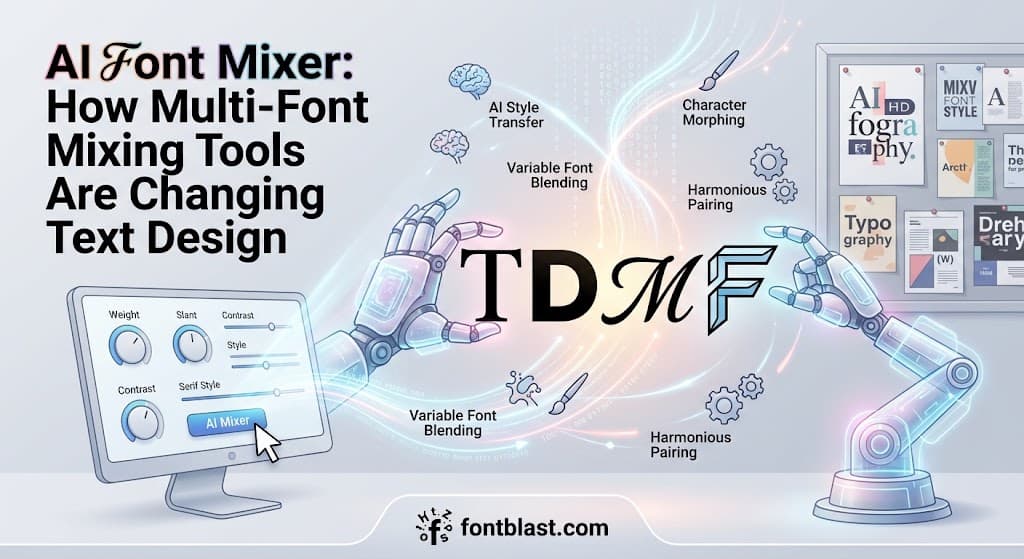
AI Font Mixer tools are changing the way creators handle text styling. Traditional font tools apply one typeface to an entire block of text. A Font Mixer lets you apply different font styles to different letters, words, or lines within the same passage. For content creators building social media bios, marketing materials, or brand visuals, this solves a long-standing frustration: having to juggle multiple tabs or tools just to style different parts of one piece of text.
What Is an AI Font Mixer?
An AI Font Mixer is a type of intelligent typography tool whose core capability is selective style application—instead of converting an entire block of text into a single Unicode style, it lets you control precisely which characters use which style.
One of the driving forces behind this concept is FontB. Its founder has publicly stated that the motivation for building Font Mixer came from a specific frustration: when you want to format different parts of an Instagram bio or tweet differently, you usually have to keep switching tabs—convert one section, copy it, convert another section, copy that, then paste everything together. Font Mixer's approach is to let you paste a complete paragraph once, then apply any font style to any part of it directly.
Paired with this is an AI Font Styler feature that uses tone-aware analysis to understand the overall mood of the text—funny, aesthetic, serious—and then automatically recommends a unified style scheme for the whole passage. This means users have two working modes: let the AI handle everything automatically, or manually fine-tune every word.
Two Technical Paths Behind Font Mixing
Behind the concept of an AI Font Mixer, there are actually two very different technical approaches serving entirely different use cases.
The first path is "visual mixing," aimed at everyday users and social media creators. It works through Unicode character sets, replacing standard letters with visually similar Unicode characters to achieve the "font change" effect. Font Mixer's value is that it turns the tedious "copy-paste one by one" process into a single "select-and-apply" action. You can make your name appear in cursive, your job title in small caps, and your link in a regular font—all in one operation.
The second path is "font file merging," aimed at designers and font developers. Aspose offers an online font merger that lets you take glyphs from two different fonts and combine them into a new font file, supporting TTF, WOFF, WOFF2, Type 1, and EOT formats. Developers can pull punctuation from one font and letters from another, generating a compact custom font that contains only the glyphs a project actually needs.
The audiences for these two paths barely overlap. The first serves marketers, social media managers, and everyday users. The second serves professional designers and font engineers.
Why Font Mixing Matters in 2026
The rise of font mixing tools reflects a broader trend: user demand for finer control over text styling is growing.
In the social media era, a block of text is a visual statement. An Instagram bio gives you only 150 characters, but users want to convey brand tone, personal style, and key information within those 150 characters. A uniform font looks flat. Using the same Unicode cursive style throughout can hurt readability. Selective mixing offers a middle ground: key information in a striking style, body text kept clear.
From a design principle standpoint, the value of font mixing lies in creating visual hierarchy and contrast. Professional typography guides have long recommended using one or two typefaces and creating emphasis through differences in size, weight, and style. AI Font Mixer democratizes that principle—even users without a design background can achieve a similar effect through simple selection.
Another driving factor is the addition of AI tone-awareness. When AI can analyze the emotion of text and automatically recommend style combinations, mixing shifts from a task requiring aesthetic judgment to an automatable process.
Real-World Applications
Social media bios and captions. This is the most direct use case for AI Font Mixer. A single Instagram bio can feature a cursive name, small-caps tags, and a regular-font link—layered, visually rich, and clean.
Marketing materials and ad copy. Marketers need to highlight key information within limited text. Font Mixer lets headline words, calls to action, and body text differ in font without opening professional design software.
Brand visual consistency management. For small brands or independent creators, AI Font Styler's automatic style recommendations reduce the decision burden of "having to decide which font to use every time." Once a style combination is established, it can be saved as a preset and reused for future content.
Font adaptation in multilingual projects. When a project includes both English and Chinese, font mixing can help achieve a more coordinated visual result. Japanese typography guides recommend using different weights and families within the same typeface family to maintain unity—for example, pairing Noto Sans with Noto Serif.
The Current Tool Landscape
The AI Font Mixer space is still early-stage, and tool options remain relatively limited.
FontB is currently the product closest to the "AI Font Mixer" positioning, offering selective paragraph styling and AI tone analysis. It targets "creators, marketers, and everyday users," emphasizing speed and ease of use.
Aspose Font Merger is a free online tool for technical users, supporting multiple font formats and allowing merging by glyph or Unicode code point. It offers a Python library and the command-line tool ufomerge, suitable for batch processing or automated workflows.
QuarkXPress AI Font Pairing represents a different approach: rather than mixing user-input text, it uses AI within design software to recommend harmonious font pairings, helping designers quickly find combinations from already-selected fonts. This feature targets professional publishing and complements consumer-level tools.
Practical Considerations
The accessibility problem with Unicode mixing still exists. When you mix multiple Unicode styles in a bio, screen readers read out each character's formal Unicode name rather than the word itself. If a bio mixes cursive, bold, and small caps, assistive technology users may hear an unintelligible sequence of characters. Keeping at least part of the text in standard characters is a basic form of respect for accessibility.
More mixing is not better. The design principle is always "meaningful contrast." Using three or four different styles in one passage looks cluttered, while a clear distinction between two styles—say, one for the headline and one for the body—produces a professional feel.
Character limits need recalculating. Most Unicode styled characters occupy two character positions on platforms like Instagram. If your bio includes a large number of styled characters, the 150-character limit will be used up faster than expected.
The Bottom Line
AI Font Mixer solves a specific problem: letting different parts of the same text have different visual expressions without a tedious copy-paste workflow. Its value is not in "creating new fonts" but in turning existing font and styling capabilities into a tool with fine-grained control. For social media creators and marketers, this is an efficiency gain. For designers, it represents a shift from "uniform throughout" to "mix as needed." As AI tone analysis matures, mixing tools are moving from purely manual operation toward semi-automation—but the user's judgment about "what to emphasize and what to restrain" remains the key to producing good design.