
September 11, 2026
Freaky Font Generator: Create Freaky Text and Copy and Paste It Anywhere
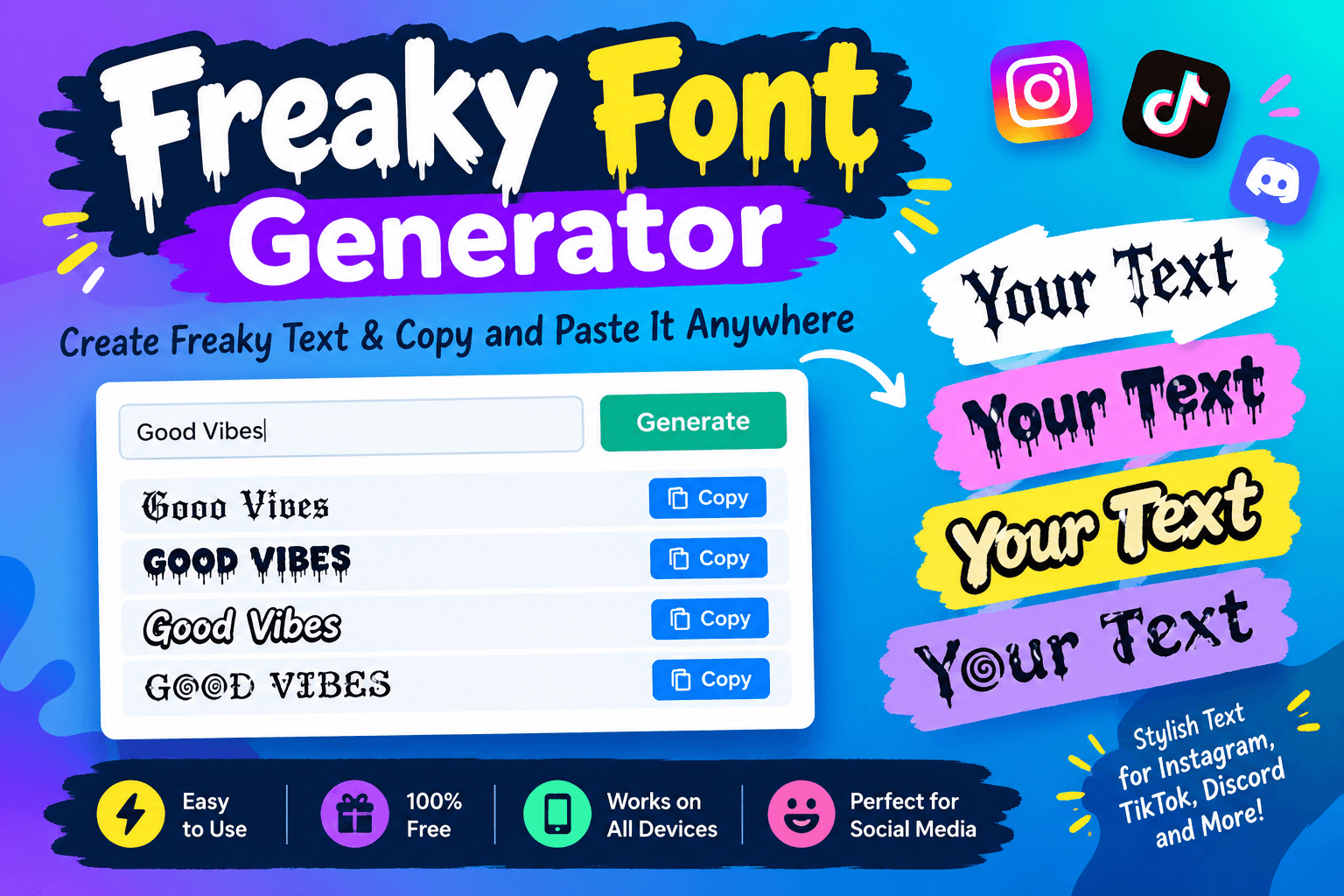
What Is a Freaky Font Generator?
A freaky font generator is a free online tool that converts plain keyboard text into weird, creepy, and distorted letter styles. Many internet users call these styles glitch text, zalgo letters, cursed symbols, or monster fonts. You can copy the generated text and place it directly into your favorite social media apps, gaming profiles, and private chats.
Traditional fonts require you to install a special file onto your computer or phone before you can use them. Those installed files only work inside specific software like desktop word processors or graphic design tools. A freaky font generator works differently because it produces text characters that any modern web browser or mobile app can display automatically.
How Unicode Powers Copy and Paste Fonts
The system that makes copy and paste fonts possible is called Unicode. Computers only process numerical data, so the Unicode system assigns a unique identification number to every single character across all human languages. There are currently more than 140,000 different characters in this international standard.
When you type on a keyboard, your device produces standard Latin alphabet characters. A freaky font generator takes those basic letters and translates them into unusual symbols located across the vast Unicode library. The destination platform does not see a new font file at all. It simply displays those special symbols as normal text data.
This universal system is why you can paste your freaky fonts anywhere on the web. Popular platforms like Instagram, TikTok, Discord, and Roblox support Unicode characters natively. Your customized text will show up properly on almost every smartphone, tablet, and computer screen without any extra work.
Popular Freaky Font Styles and Their Best Uses
Different text generators offer a massive collection of weird and eerie styles. Each style delivers a unique feeling that can match your personal aesthetic or highlight a spooky message. Choosing the right option helps you pick the perfect look for your project.
Glitch and zalgo text is easily the most popular freaky font on the internet. This style attaches hundreds of tiny accent marks above, below, and across your letters. The final result looks like a corrupted computer file or an alien transmission. People love using zalgo text for spooky stories, gaming handles, and horror themed comments.
Gothic and old English styles create a dark, medieval atmosphere. These characters look like ancient calligraphy written inside antique spell books. They provide an eerie aesthetic while remaining easy for other people to read. Many creators use gothic fonts to give their profile bio a mysterious look.
Upside down and reversed fonts turn your entire message around. This playful style flips letters upside down or spells them backward from right to left. Readers must pause and rotate their screens or think carefully to read what you wrote. It works great for funny jokes, hidden trivia, and clever social media bios.
Wide text and vaporwave fonts add extra space around every character. This design gives your text a retro aesthetic that looks like vintage computer displays from the 1980s. It brings dramatic emphasis to short captions, video titles, and profile headers.
Cursed small caps convert standard letters into miniature capital characters. These tiny letters create a creepy whisper effect in chat messages and profile bios. They look subtle yet distinct when placed beside normal sentences.
Font Style NameVisual AppearanceBest Placement Online
Zalgo Glitch
Corrupted letters with floating marks
Discord chats, horror posts, gaming tags
Gothic Fraktur
Dark medieval calligraphy
Instagram bios, aesthetic quotes, TikTok profiles
Upside Down
Flipped and inverted characters
Puzzle posts, witty comments, profile bios
Wide Vaporwave
Spaced out retro letters
Video headers, short titles, aesthetic captions
Cursed Small Caps
Creepy miniature capital letters
Status updates, subtitles, profile descriptions
Strikethrough Slash
Letters with lines sliced through them
Sarcastic comments, edits, dramatic emphasis
Step by Step Guide to Creating Freaky Text
Creating customized text with an online tool is simple and fast. The generator runs smoothly inside your web browser on mobile phones, tablets, and desktop computers. Anyone can generate hundreds of unique variations in just a few clicks.
First, type or paste your words into the main input box at the top of the generator page. The tool starts processing your words the moment you begin typing. You do not have to hit enter or wait for a page reload to see your results.
Next, scroll down through the list of generated text options. The website displays dozens of different font styles showing your exact words in real time. Take a moment to compare the chaotic glitch styles, spooky gothic letters, and quirky inverted fonts.
Then, click or tap the copy button next to the font style you like best. The website copies your chosen text directly to your device clipboard. Many generators also let you tap directly on the text to copy it instantly.
Finally, open the social media app, game, or message thread where you want to paste your creation. Tap the text box, select paste, and watch your new freaky text appear on screen. Your friends and followers will see the new style right away.
Where to Use Your Freaky Text Online
Social media profiles provide the most popular home for weird and creative fonts. Adding a line of gothic text to your Instagram bio makes your account stand out from standard profiles. You can also paste strange letters into your TikTok display name to catch attention in busy comment sections.
Gaming platforms offer another exciting place to show off custom text styles. Players frequently use glitch text and cursed letters to craft intimidating character names in Roblox, Minecraft, Steam, and Fortnite. A creepy username gives your character an unforgettable presence in multiplayer lobbies.
Private messaging apps allow you to surprise your friends with strange visual effects. Dropping a block of zalgo text into a Discord channel or WhatsApp group always starts a fun conversation. People will wonder how you managed to create corrupted looking letters right inside the chat window.
Community forums and video sites like Reddit and YouTube also support these Unicode symbols. You can use freaky fonts in your video descriptions, channel titles, and forum signatures. A distinct font style helps your comments stand out during lively discussions.
Key Benefits of Using a Freaky Font Generator
Online font generators give you instant results without any technical headaches. You do not need to learn complicated design software just to make interesting text for your profiles. The generator completes the entire conversion process automatically in a split second.
Grabbing attention in crowded feeds becomes much easier when your words look completely different. When people scroll past hundreds of identical posts, standard text fades into the background. Freaky fonts break the visual pattern of the feed and encourage people to read your message.
Creators enjoy total artistic freedom without paying any subscription fees. Free font changers require no user accounts, no passwords, and no software installations. Anyone with an internet connection can create unlimited text styles whenever inspiration strikes.
These custom fonts display consistently across different operating systems. Because Unicode is an open international standard, your letters look great on iPhones, Android phones, Windows computers, and Mac laptops. You never have to worry about missing font files breaking your design.
Best Practices for Clean and Readable Text
Using freaky fonts properly ensures that your audience can still enjoy your content. While strange text looks fantastic, balance is essential for good communication. Applying a few simple rules will keep your profiles looking sharp and readable.
Glitch text becomes hard to read if the generator adds too many overlapping marks. Light glitch effects look stylish, but heavy glitching can completely hide your original letters. Make sure your core message remains clear so people understand what you are saying.
Short phrases and titles work much better than giant blocks of stylized text. A single freaky header placed above standard text creates a clean contrast. Trying to read multiple paragraphs of upside down or cursive letters quickly exhausts your readers.
- Save freaky text styles for short usernames, captions, and important headlines.
- Check your customized text on both a phone and a computer to ensure clean visibility.
- Write critical contact details and web links in plain text so users can find them easily.
- Combine special symbols with regular words to create dramatic visual contrast.
Accessibility and Screen Reader Compatibility
Screen readers help visually impaired people browse the web by reading text out loud. These tools read standard Latin characters effortlessly. Unusual Unicode symbols, however, can sometimes create confusing audio playback for screen reader users.
When a screen reader encounters heavy zalgo text, it may try to pronounce every single stacked accent mark individually. This process creates a long, chaotic stream of sounds that confuses the listener. Avoid using heavy glitch text for important safety notices or essential instructions.
Search engines like Google scan text to understand what web pages are about. If you write an entire website article using weird Unicode symbols, search engines might struggle to index your keywords. Keep your primary keywords in standard text and use freaky fonts strictly for decorative accents.
Troubleshooting Common Issues with Special Fonts
Sometimes you might see a blank box or a question mark instead of a stylish symbol. This visual glitch is called tofu, and it happens when a device lacks the specific font glyph in its memory. Modern smartphones handle almost all Unicode symbols easily, but older devices may occasionally miss rare characters.
Certain online games and chat apps block specific Unicode marks to prevent spam. Platforms do this to stop users from creating giant text towers that cover up the chat screen. If a game rejects your new username, switch to a simpler gothic or wide font style that uses fewer stacked marks.
Pasting text into rich text editors can sometimes alter your desired formatting. If you paste your font into a word processor that changes your letters back to standard type, select the paste as plain text option. Plain text inputs always keep your Unicode characters intact.
Why Freaky Fonts Are Growing in Popularity
Internet culture places a high value on self expression and unique visual aesthetics. Millions of creators want their content to stand out from the default designs provided by social media companies. Freaky fonts offer a fast way to customize your online identity without writing a single line of code.
Online horror communities and meme culture have also driven the popularity of weird text. Creepypasta writers, spooky game streamers, and digital artists use glitch fonts to establish a moody tone. These strange characters have become an official visual style for spooky and mysterious corners of the internet.
Frequently Asked Questions About Freaky Fonts
Are freaky font generators safe to use on my computer and phone?
Yes, online freaky font generators are completely safe to use. They run directly in your web browser and do not download any dangerous software or tracking files to your device. You simply copy the text characters directly from the webpage.
Do I need to pay money to use these font styles?
No, freaky text generators are completely free for everyone. You do not have to sign up for a subscription, create an account, or enter payment details. Anyone can generate as many cool text styles as they want without spending any money.
Can I use these fonts on both iPhone and Android devices?
Yes, these fonts work seamlessly across both iOS and Android platforms. Both mobile operating systems feature built in support for the entire Unicode character set. Users can generate, copy, and paste text directly through mobile browsers and apps.
Will social media platforms ban my account for using freaky text?
Using freaky fonts in your bio, posts, or comments will not cause your account to get banned. These characters are standard Unicode symbols supported by all major social media platforms. You only risk account penalties if your text violates regular community safety rules.
Why does zalgo text spill into other lines on the screen?
Zalgo text uses special combining marks that stack on top of and below normal letters. When a generator stacks dozens of these marks together, they physically extend beyond the normal line height. This spilling effect creates the corrupted, creepy appearance that makes zalgo text famous.
Can I use freaky text for commercial projects and merchandise?
Yes, you can use generated Unicode text for commercial projects, social media ads, and merchandise. Because Unicode characters are universal computing standards rather than proprietary font files, you do not need to purchase a commercial license to use them. These symbols belong to the public domain character catalog.
Start Creating Freaky Text Today
Standard system fonts can make even the most creative online message feel boring and forgettable. A freaky font generator gives you the tools to transform ordinary sentences into eye catching, creepy, and expressive text in seconds. From leveling up your gaming handle to crafting an aesthetic social media bio, copy and paste fonts deliver endless creative possibilities.
You do not need to master complex design software or download suspicious files to refresh your online look. The entire generation process takes only a couple of clicks, and the resulting characters work smoothly across every major social platform. Try out our freaky font generator right now, copy your favorite spooky style, and paste it anywhere online to make your words impossible to ignore!