
September 13, 2026
Font Design Software: Best Tools to Create Your Own Fonts
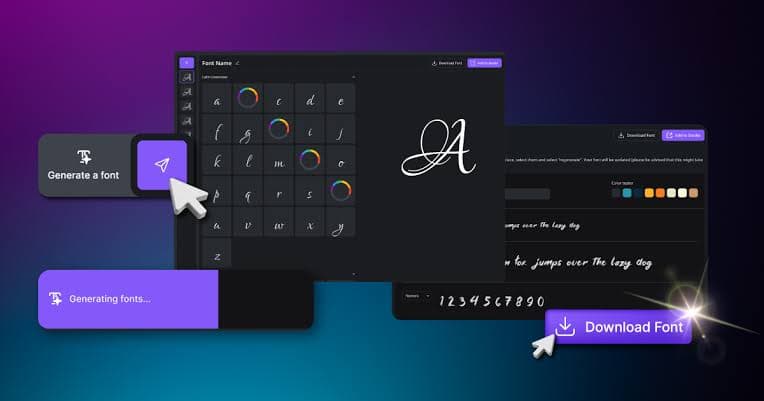
Font design software gives you tools to draw characters, adjust spacing, edit curves, organize glyphs, and export your finished font. Some programs are made for professional designers, while others are easier for beginners.
In this guide, we will look at what font design software does, what features to look for, and some popular options for creating custom fonts.
What Is Font Design Software?
Font design software is a program that lets you create and edit digital fonts.
Instead of drawing every letter on paper and using it only as an image, you can create characters that work as real text. Once your font is exported and installed, you can type with it in supported applications.
A font design program can be used to create:
- Handwriting fonts
- Display fonts
- Logo fonts
- Script fonts
- Decorative fonts
- Serif fonts
- Sans serif fonts
- Symbol fonts
- Custom business fonts
The exact features depend on the software you choose.
Why Use Font Design Software?
There are many reasons to create a custom font. A business may want a unique typeface for its branding. A designer may need a special font for a logo. A content creator may want a recognizable style for social media graphics.
You can also turn your handwriting into a digital font.
Using dedicated font design software gives you more control than simply creating letters as images. You can change individual characters, adjust spacing, modify curves, and test the font before exporting it.
Best Font Design Software
There are many font creation programs available. The best choice depends on your experience, budget, and the type of font you want to make.
1. FontForge
FontForge is a popular open source font editor. It is available for users who want powerful font editing features without paying for expensive software.
You can create new fonts, edit existing font files, work with individual glyphs, and adjust important font settings.
FontForge supports several font formats and provides many tools for detailed font editing.
It can take some time to learn because the interface includes many advanced options. However, it can be a useful choice for people who want a powerful free font editor.
2. Glyphs
Glyphs is a professional font design application designed for creating typefaces.
It provides tools for drawing glyphs, managing characters, adjusting spacing, creating font families, and working with advanced typography features.
The software is especially popular among professional type designers. It is designed to make the font creation process more organized and efficient.
Glyphs is primarily associated with macOS, so users should check the current system requirements before choosing it.
3. FontLab
FontLab is professional font design software used for creating and editing fonts.
It includes tools for drawing characters, editing Bézier curves, controlling spacing, managing kerning, and creating font families.
FontLab is aimed at users who need detailed control over their typefaces. It can be a strong option for professional designers and people who want to create fonts for commercial projects.
4. Calligraphr
Calligraphr takes a different approach to font creation. It is useful for people who want to turn handwriting into a digital font.
You can start with a template, fill in your characters, upload the result, and generate a font.
This makes it easier for beginners who do not want to manually draw every glyph inside a professional font editor.
If your goal is to create a handwriting font quickly, a tool such as Calligraphr can be a convenient option.
5. Birdfont
Birdfont is another font editor that can be used to create custom typefaces.
It provides drawing tools for designing glyphs and supports common font formats. Its interface is relatively approachable compared with some professional font applications.
Birdfont can be useful for people who want to experiment with font creation without starting with a highly complicated professional application.
Font Design Software vs Font Generator
Font design software and online font generators are not exactly the same.
A font generator may create decorative text automatically. You enter your words and select a style, then the tool produces text that you can copy or use as an image.
Font design software gives you much more control.
With font design software, you can design the actual characters that make up a complete font. You can control their shape, spacing, curves, kerning, and other properties.
For example, if you want to create a font based on your own handwriting, font design software is usually more appropriate than a simple fancy text generator.
Important Features to Look For
Before choosing font design software, check the features it provides.
Glyph Editing
Glyph editing lets you work on individual characters. You should be able to edit letters such as A, B, C, and other characters separately.
Good glyph editing tools make it easier to create consistent letter shapes.
Bézier Curve Tools
Many digital fonts use vector outlines. Bézier curve tools allow you to create smooth curves and precise shapes.
They are particularly useful when designing rounded letters.
Kerning
Kerning controls the space between specific pairs of letters.
For example, the spacing between A and V may need to be different from the spacing between A and H.
Good kerning can make a font look much more professional.
Character Spacing
Font software should let you control the spacing around individual characters.
Correct spacing helps text look balanced when several letters appear together.
Font Preview
A preview feature lets you test your font before exporting it.
You can type sample words and sentences to see how the characters look together.
Multiple Font Formats
Look for software that supports the formats you need.
Common font formats include:
- OTF
- TTF
- WOFF
- WOFF2
The best format depends on where you plan to use the font.
How to Design Your Own Font
Creating a font may seem difficult at first, but the process becomes easier when you divide it into steps.
Step 1: Decide on the Font Style
First, decide what kind of font you want to create.
It could be a handwriting font, modern sans serif, bold display font, script font, or another style.
Having a clear idea before drawing can help keep the characters consistent.
Step 2: Start With Basic Characters
You do not have to design every character immediately.
Start with important letters such as uppercase A to Z and lowercase a to z. You can then add numbers, punctuation, and special characters.
Step 3: Draw the Glyphs
Use your chosen font design software to create each character.
Pay attention to the height, width, curves, and overall style of the letters.
Try to keep similar parts consistent between characters.
Step 4: Adjust Spacing
After creating the letters, check the spacing.
A font can look good when individual letters are viewed separately but look uneven when used in words.
Test different combinations and adjust the side bearings when necessary.
Step 5: Add Kerning
Once the basic spacing is complete, you can add kerning adjustments.
Look for letter combinations that appear too close or too far apart.
Step 6: Test Your Font
Type different words and sentences using your new font.
Test uppercase letters, lowercase letters, numbers, punctuation, and special characters if you included them.
Testing can reveal problems that are difficult to notice when looking at individual glyphs.
Step 7: Export the Font
When the design is ready, export your font in the format you need.
You can then install the font on your computer or prepare it for use on a website, depending on the font license and format.
How Much Does Font Design Software Cost?
The cost depends on the software.
Some font editors are free or open source. Others use a paid license or subscription model.
Beginners can start with free tools to learn the basics. Professional designers may prefer paid software because it can provide advanced typography features and a more complete workflow.
You do not always need expensive software to create a good font. Your design skills and attention to spacing can have a bigger effect on the final result.
Free Font Design Software
If you are just starting, free software can be a good way to learn.
FontForge is one of the better known free font editors. Other free or low cost tools can also be useful depending on the type of font you want to create.
Before installing any software, check its current operating system support and licensing terms.
Free software can be especially useful for students, hobby designers, and people who want to experiment with typography.
Font Design Tips for Beginners
Creating a font takes practice. These tips can help you get better results.
Keep Letters Consistent
Characters should look like they belong to the same font.
If one letter has very thick strokes while another has extremely thin strokes, the font may feel inconsistent unless that difference is intentional.
Pay Attention to Baseline
Most letters should sit consistently on the baseline.
Characters that sit too high or too low can make words look uneven.
Check Letter Height
Keep the x-height, cap height, ascenders, and descenders consistent with your design.
These measurements have a major effect on how a font looks in paragraphs.
Test Real Words
Do not test your font only with individual letters.
Write real words and sentences. This makes spacing and readability problems easier to find.
Start Simple
Your first font does not need hundreds of characters.
Create a basic alphabet first. Once you are comfortable with the process, add numbers, punctuation, symbols, and additional language support.
Can You Create a Font From Your Handwriting?
Yes. Your handwriting can be converted into a digital font using font creation tools.
The basic process usually involves writing characters into a template, scanning or photographing the completed template, uploading it to the font creation service, and generating the font.
The result will depend on your handwriting and the tool you use.
For a cleaner professional font, you may need to edit individual characters after generating the initial version.
Font Design Software for Logo Designers
Font creation can also be useful for logo design.
A custom typeface can give a brand a distinct visual style. Instead of relying entirely on common fonts, a designer can create custom letter shapes that match the identity of a business or project.
However, a logo does not always need a complete font family. Sometimes only a few custom characters are needed.
For this type of project, vector design software combined with font editing software can provide more flexibility.
Font Design for Websites
If you create fonts for websites, file format and performance are important.
Web fonts commonly use formats such as WOFF and WOFF2.
A website font should also be tested at different screen sizes. A font that looks good in a large heading may not be easy to read in a small paragraph.
Always check the font license before using a font commercially or distributing it online.
How to Choose the Right Font Design Software
The right program depends on your goal.
If you are a beginner, look for software with a simple interface and basic glyph editing tools.
If you want to digitize handwriting, choose a tool designed for handwriting font creation.
If you are a professional type designer, advanced features such as kerning controls, OpenType support, variable font tools, and font family management may be more important.
Think about the type of fonts you want to create before choosing your software.
Frequently Asked Questions
What is the best font design software for beginners?
A simple font creation tool can be easier for beginners than professional typography software. FontForge is also worth considering if you want a free option and are willing to spend some time learning the interface.
Can I create a font for free?
Yes. Free font editing software can be used to create custom fonts. Your available features will depend on the program.
Can I turn my handwriting into a font?
Yes. Handwriting font tools allow you to create a font based on your own handwriting.
What file format is best for web fonts?
WOFF2 is widely used for modern websites because it provides efficient compression. TTF and OTF are also common font formats for desktop use.
Do I need design experience to create a font?
No. Beginners can create simple fonts without professional design experience. However, learning basic typography concepts can help you create better results.
Can I sell a font I create?
In many cases, you can sell a font you create yourself. However, make sure all artwork, source material, and software resources used in the font allow commercial use.
Final Thoughts
Font design software makes it possible to turn creative ideas into usable digital typefaces. You can create a handwriting font, design a custom display typeface, build a font for a brand, or simply experiment with different letter shapes.
Beginners can start with simple or free tools, while experienced designers may need professional software with advanced typography controls.
The most important part is to practice. Start with a small character set, focus on consistent shapes and spacing, test your letters in real words, and improve the font step by step.
If you are interested in typography, creating your own font can also be a great way to learn more about letterforms, spacing, and digital design.