
September 6, 2026
Upside Down Text and Inverted Text: How to Flip Your Text Online
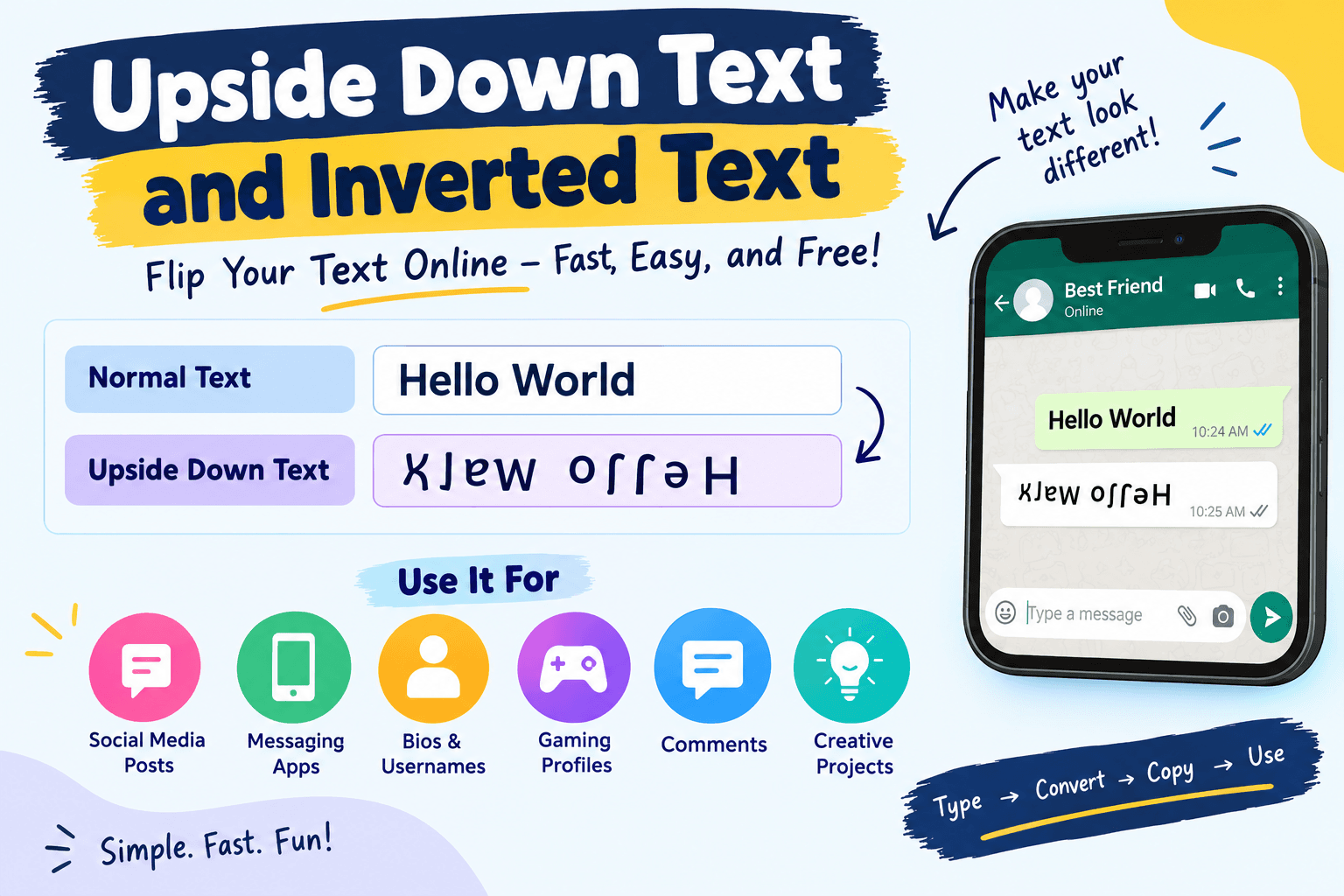
Have you ever seen text that looks like it has been turned upside down? You may have wondered how people create it without changing their keyboard or installing special software.
Upside down text and inverted text are creative text styles that can make ordinary words look unusual and interesting. They are popular on social media, messaging apps, gaming profiles, usernames, comments, and online bios.
The good news is that you do not need advanced design skills to create this type of text. An upside down text generator can convert normal letters into special Unicode characters that create the flipped effect.
What Is Upside Down Text?
Upside down text is normal text converted into characters that visually resemble letters when rotated or flipped.
For example, regular text such as:
Hello World
can be converted into something similar to:
ʞʎɹoʍ oʃʃǝɥ
The exact result depends on the letters used and the characters supported by the text generator.
Unlike an image containing rotated words, upside down text is usually made from Unicode characters. This means you can often copy it and paste it into social media posts, messages, usernames, profiles, and other places that support Unicode text.
What Is Inverted Text?
Inverted text generally means text that has been visually reversed, flipped, or changed into unusual characters.
The term can describe several effects, including:
- Upside down letters
- Reversed text
- Mirrored text
- Flipped text
- Special Unicode text
- Backward text
These effects are useful when you want your content to look different from standard typed text.
How Does an Upside Down Text Generator Work?
An upside down text generator uses a collection of Unicode characters to replace regular letters with characters that resemble them when viewed upside down.
For example, a generator may replace certain letters with Unicode symbols that have a similar appearance after rotation.
The process is usually simple:
- Type or paste your normal text.
- The generator converts the characters automatically.
- Copy the converted text.
- Paste it wherever you want to use it.
There is no need to manually search for unusual characters.
Why Do People Use Upside Down Text?
There are many reasons people enjoy using inverted and upside down text.
1. Social Media Posts
Upside down text can make a social media post stand out. When most posts use standard text, an unusual style can attract attention.
You can use it for captions, comments, profile descriptions, or short posts.
2. Messaging Apps
People often use creative text in conversations with friends. An upside down message can be a fun way to surprise someone or make a simple sentence more interesting.
3. Social Media Bios
Your profile bio is a small space where you can show your personality. Adding a small amount of unusual text can give your profile a different look.
4. Gaming Usernames
Gamers sometimes use special Unicode characters to create unique names. Upside down or inverted text can help make a username visually different.
However, some games do not support every Unicode character, so it is a good idea to test the name before using it.
5. Comments
Creative text can be used in comments when you want your message to stand out.
It can be especially useful for jokes, reactions, and playful conversations.
6. Creative Projects
Designers, content creators, and students can also use unusual text styles for creative projects. Upside down text can be useful when creating a visual effect without using an image.
Upside Down Text vs Reversed Text
These terms are sometimes confused, but they can describe different effects.
Upside down text is designed to look as if the text has been rotated 180 degrees.
Reversed text usually means the order of the characters has been changed.
For example, if the original text is:
HELLO
Reversed text could be:
OLLEH
Upside down text attempts to create a visual appearance of the word being rotated.
Can You Use Upside Down Text on WhatsApp?
In many cases, yes. Since generated upside down text commonly uses Unicode characters, you can copy and paste it into a WhatsApp message.
You can also use it in:
- WhatsApp status updates
- Group chats
- Personal messages
- About sections
- Comments and shared content
Keep in mind that the appearance can vary between devices because different operating systems and applications may use different fonts to display Unicode characters.
Can You Use Inverted Text on Instagram?
You can often copy and paste Unicode based inverted text into Instagram.
Some common uses include:
- Instagram bios
- Captions
- Comments
- Direct messages
- Profile names
Instagram may not support every special Unicode character equally, so some characters could appear differently or as blank boxes.
Can You Use Upside Down Text on Facebook?
Yes, upside down Unicode text can often be copied into Facebook posts, comments, and other text fields.
It can be useful when you want to create a playful post or make a particular phrase visually different.
Is Upside Down Text an Actual Font?
Technically, upside down text is usually not a font.
A font changes the visual design of characters while keeping the underlying characters mostly the same. An upside down text generator usually replaces standard characters with different Unicode characters.
This distinction is important because Unicode characters are handled as text, while an image of rotated text is treated as an image.
Why Does Some Upside Down Text Look Different?
Not every letter has a perfect upside down Unicode equivalent.
For this reason, generators often use characters that look similar to the original letters after rotation. Some letters may look very close to the original, while others may look more unusual.
The final appearance can also depend on the font installed on the device.
What Is Unicode Text?
Unicode is a standard that allows computers and other devices to represent characters from many writing systems.
It includes thousands of characters and symbols. Some of these characters can be used to create creative text effects.
This is why you can copy special text from a generator and paste it into another application without creating an image.
Benefits of Using an Upside Down Text Generator
An online generator can save time and make the process much easier.
Easy to Use
You do not need to know Unicode character codes. Simply enter your text and copy the result.
No Software Required
A browser based generator can work without installing a desktop application.
Quick Conversion
Short words and sentences can usually be converted within seconds.
Easy Copy and Paste
Once the text has been generated, you can copy it and use it on supported websites and applications.
Useful for Creative Content
Upside down text can give ordinary content a playful and unusual appearance.
Things to Consider Before Using Inverted Text
Although creative text can be fun, it is not suitable for every situation.
Readability
Upside down text can be difficult to read. Avoid using it for important information where clarity matters.
Compatibility
Some websites, applications, and games may not support every Unicode character.
Accessibility
Screen readers and assistive technologies may interpret unusual Unicode characters differently from standard text.
For professional content, normal text is usually the safer choice.
Search Engines
Special Unicode characters are not a replacement for good SEO. If you are creating a website, keep important headings, descriptions, and primary content in normal readable text.
Creative Ways to Use Upside Down Text
There are many fun ways to experiment with inverted text.
You can create a short upside down greeting for a friend, add a flipped phrase to your social media bio, create a funny comment, or use unusual text in a gaming profile.
You can also combine different text styles. For example, use normal text for most of a message and upside down text for one short phrase.
This keeps the content readable while still giving it a creative touch.
Frequently Asked Questions
What is upside down text?
Upside down text is text created with special characters that are designed to resemble letters when the text is viewed upside down.
How can I make upside down text?
The easiest method is to use an online upside down text generator. Enter your text, generate the result, and copy it.
Is upside down text free?
Many online upside down text generators are free to use.
Can I copy and paste upside down text?
Yes. Unicode based upside down text can generally be copied and pasted like ordinary text into applications that support those characters.
Does upside down text work on phones?
In many cases, yes. Modern smartphones support a large range of Unicode characters, although the exact appearance may vary.
Can I use upside down text in a username?
Some websites and games allow special Unicode characters in usernames, while others restrict them. Always check the platform's username rules.
Is inverted text the same as upside down text?
Not always. Inverted text can refer to several visual text effects, while upside down text specifically aims to create the appearance of text being rotated.
Final Thoughts
Upside down text and inverted text are simple ways to give ordinary words a creative appearance. They are especially useful for social media, messaging, bios, gaming profiles, comments, and fun online content.
With an online generator, you can enter regular text, convert it into a flipped style, and copy the result in just a few seconds.
For important or professional information, standard text is usually the best choice because it is easier to read and works more reliably across devices. For casual and creative content, however, upside down text can be a fun way to make your words look different.